LinkedIn Inbox Productivity Tool That Moves Fast
Kondo brings keyboard shortcuts, smart labels, and inbox zero to LinkedIn. Process your DMs in minutes, not hours.
What people say
LinkedIn Inbox Kills Productivity
The native LinkedIn inbox has no speed, no structure, and no way to reach inbox zero.
No Shortcuts, No Speed
LinkedIn's inbox forces every action through clicks. Triaging a full inbox wastes time you cannot get back.
Context Switching Kills Momentum
Jumping between LinkedIn, Slack, and CRM breaks your flow. Without a fast LinkedIn workflow, your whole day suffers.
Inbox Zero Is Impossible
No archive, no snooze, no labels. Messages pile up with no system, creating anxiety and missed conversations.
The Productivity Stack LinkedIn Never Built
Kondo adds the speed and structure power users expect. Navigate, triage, and clear your LinkedIn inbox without touching the mouse.
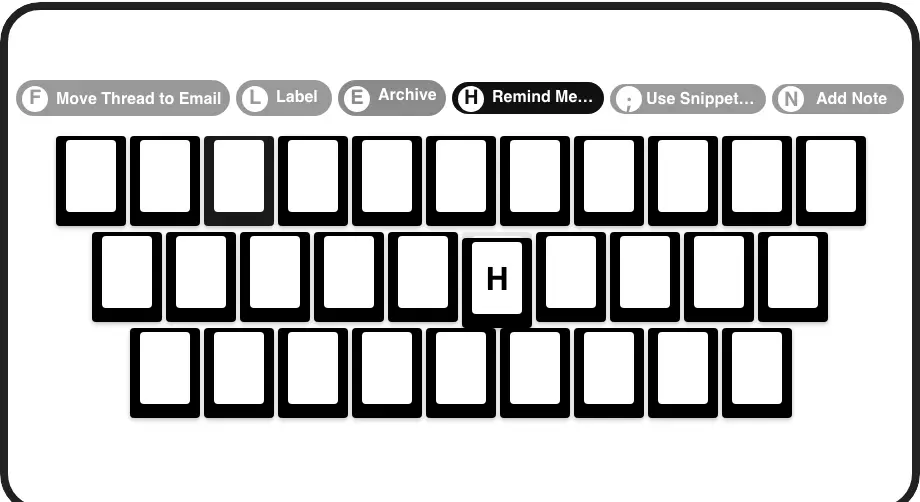
Superhuman Speed for LinkedIn
J/K to navigate, E to archive, H to snooze, L to label. Every inbox action is one keypress. Process your entire DM backlog in minutes.
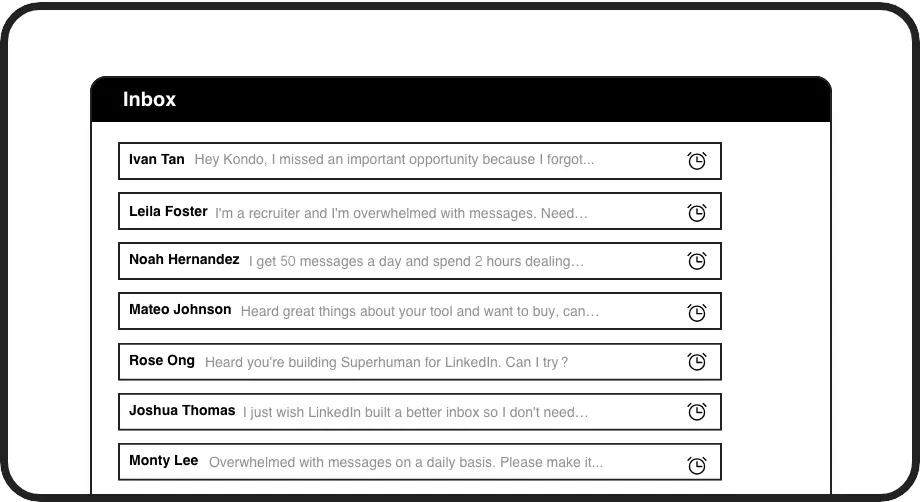
Snooze and Stay Focused
Hit H to snooze any conversation. It disappears now and resurfaces at the top when it matters. Clear your inbox without dropping a single follow-up.
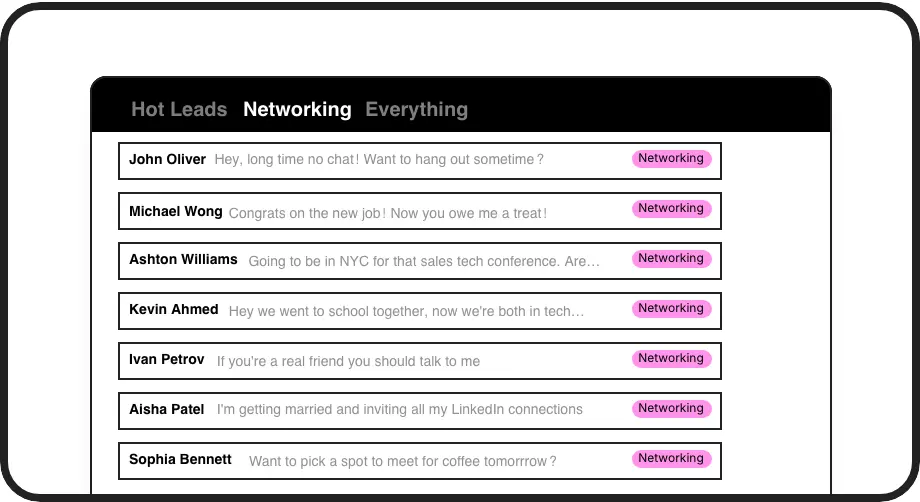
Label and Triage Instantly
Apply custom labels like Hot Lead or Candidate with one key. Split inboxes let you process each category separately and hit inbox zero daily.
Give Your AI Access to Your LinkedIn Inbox
Let Claude, ChatGPT, or Cursor triage your LinkedIn inbox. Your agent reads messages on your computer, can draft replies, add labels, and set reminders.
Explore the LinkedIn MCP serverlist_chats “pricing”6 foundread_chat× 6set_chat_draft× 6set_chat_label “Hot”× 6
LinkedIn left your inbox in 2000. Bring it into 2026.
Get the upgrade every power user's been waiting decades for.


Faster Inbox. Fewer Missed Threads. More Done.
1 key
to archive or snooze
Zero
missed conversations
Daily
inbox zero achievable
FAQs
How fast can I process LinkedIn messages with Kondo?
With keyboard shortcuts, you can navigate, archive, snooze, and label messages without touching the mouse. Actions that normally require multiple clicks happen in a single keypress, making it possible to work through a full LinkedIn inbox in a fraction of the usual time.
Does Kondo have keyboard shortcuts?
Yes. Kondo includes a full set of keyboard shortcuts: J and K to navigate conversations, E to archive, H to set a reminder, L to apply a label, and more. There is also a Command Palette accessible with Cmd or Ctrl plus K for fast access to any action.
Can I achieve inbox zero on LinkedIn with Kondo?
Yes. Kondo is built around an inbox zero philosophy. Using archive, snooze, and labels as your core actions, you can process every message and clear your inbox. A bulk archive command called Clean Up My Inbox is also available to handle older threads at once.
Does Kondo integrate with other productivity tools?
On the Business tier, Kondo syncs LinkedIn conversation data to tools like HubSpot, Salesforce, Notion, Google Sheets, Attio, and Clarify using native integrations, webhooks, Zapier, or Make. This keeps your LinkedIn activity logged without manual copy-pasting across platforms.
Is Kondo safe for my LinkedIn account?
Kondo is a native desktop app that does not scrape data, inject code, or automate actions prohibited by LinkedIn. It is designed to keep your account safe while giving you the speed and structure that the native LinkedIn inbox does not provide.