LinkedIn Inbox Productivity Solution Built for Speed
Kondo brings keyboard shortcuts, labels, and inbox zero to LinkedIn. Process your DMs faster and never miss a lead again.
What people say
LinkedIn Inbox Kills Productivity
Your LinkedIn inbox has no triage, no shortcuts, no structure. Every message costs you more time than it should.
No Shortcuts, All Clicks
LinkedIn has no keyboard shortcuts or bulk actions. Every reply takes multiple clicks, draining productive time fast.
No Inbox Zero Pathway
LinkedIn has no archive, snooze, or labels. Messages pile up endlessly, leaving your inbox cluttered and anxiety-inducing.
Context Switching Destroys Focus
Jumping from Superhuman or Slack to LinkedIn's slow inbox breaks your flow. LinkedIn becomes your weakest productivity link.
The Complete LinkedIn Inbox Productivity Stack
Kondo gives your LinkedIn inbox what it was always missing: keyboard shortcuts for speed, reminders for follow-through, and labels for structure.
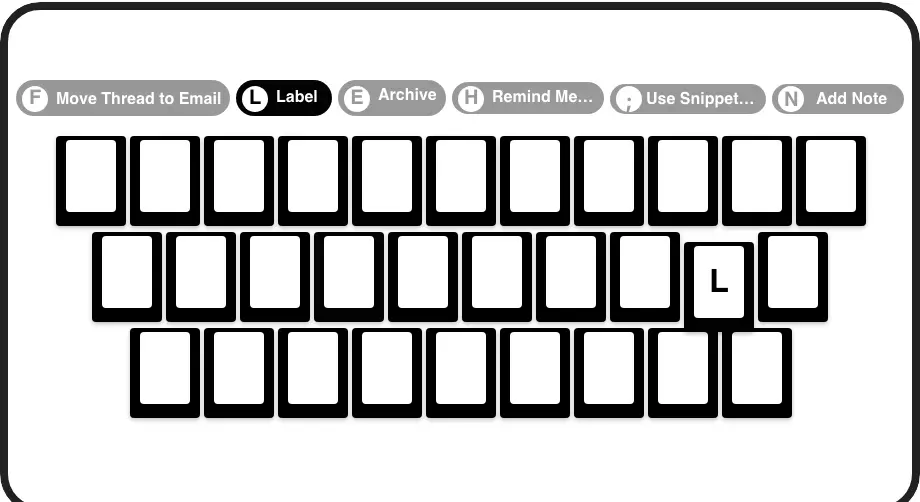
Superhuman Speed in LinkedIn
Navigate with J/K, archive with E, snooze with H, label with L. Every inbox action is one keypress. No mouse required. Process DMs at full speed.

Snooze and Follow Up
Snooze any conversation to clear your inbox now and resurface it when the time is right. Hit inbox zero without losing track of a single follow-up.
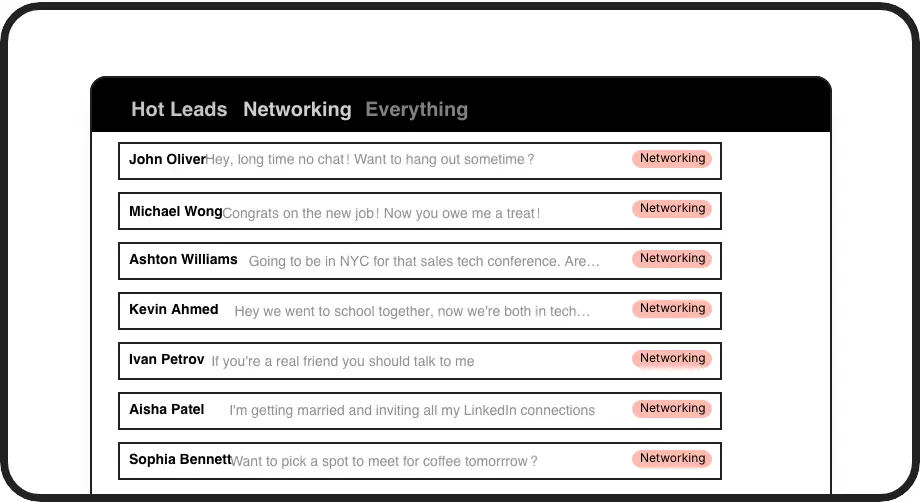
Labels and Split Inboxes
Categorize conversations with custom labels like Hot Lead or Candidate. View them in dedicated inboxes. Triage your LinkedIn inbox and reach zero daily.
Give Your AI Access to Your LinkedIn Inbox
Let Claude, ChatGPT, or Cursor triage your LinkedIn inbox. Your agent reads messages on your computer, can draft replies, add labels, and set reminders.
Explore the LinkedIn MCP serverlist_chats “pricing”6 foundread_chat× 6set_chat_draft× 6set_chat_label “Hot”× 6
LinkedIn left your inbox in 2000. Bring it into 2026.
Get the upgrade every power user's been waiting decades for.


Faster Inbox. Zero Clutter. No Missed Leads.
0
Missed Follow Ups
1
Keypress Per Action
Inbox Zero
Achievable Every Day
FAQs
How does Kondo improve LinkedIn inbox productivity?
Kondo adds keyboard shortcuts, custom labels, snooze reminders, and split inboxes directly to your LinkedIn messaging experience. Together these tools let you triage, archive, and follow up without lifting your hands from the keyboard, turning a chaotic inbox into a structured, high-speed workflow.
Does Kondo have keyboard shortcuts?
Yes. Kondo brings Superhuman-style keyboard shortcuts to LinkedIn. Use J and K to navigate, E to archive, H to snooze, L to label, and more. Every common inbox action is mapped to a single keypress so you can process DMs without touching the mouse.
Can I achieve inbox zero on LinkedIn with Kondo?
Yes. Kondo is built around an inbox zero workflow. Archive messages with one key, snooze threads to resurface later, and organize conversations into labeled inboxes. A bulk archive command also clears old messages instantly, giving you a clean inbox you can maintain daily.
Does Kondo integrate with other productivity tools?
Yes, on the Business tier. Kondo syncs LinkedIn conversation data to HubSpot, Salesforce, Notion, Google Sheets, Attio, Clarify, and more via native integrations, Zapier, Make.com, or webhooks. You can sync the latest message or full conversation history, manually or as updates stream in.
Is Kondo safe for my LinkedIn account?
Yes. Kondo is a native desktop app. It does not scrape data, inject unauthorized code, or automate actions that violate LinkedIn's terms of service. It is designed to keep your account safe while giving you the productivity features the native LinkedIn inbox has always lacked.