LinkedIn Message Management Tool Built for Pipeline
Kondo adds labels, reminders, and keyboard shortcuts to your LinkedIn inbox. Stop losing leads to clutter and manage every conversation with speed.
What people say
LinkedIn's Inbox Was Not Built for This
No labels, no folders, no priority flags. Professionals managing high volumes of messages need more.
Zero Native Management Tools
LinkedIn offers no labels, folders, or status flags. Every message management task falls on you, manually.
High Volume Becomes Chaos
SDRs and founders handling dozens of daily LinkedIn messages need a management layer, not just a chat window.
Missed Messages Mean Lost Revenue
Without a proper management tool, key linkedin messages slip through. Leads go cold and deals die quietly.
The Message Management Layer LinkedIn Never Built
Kondo adds a complete management system on top of LinkedIn. Categorize threads, automate follow-ups, and process messages at speed.
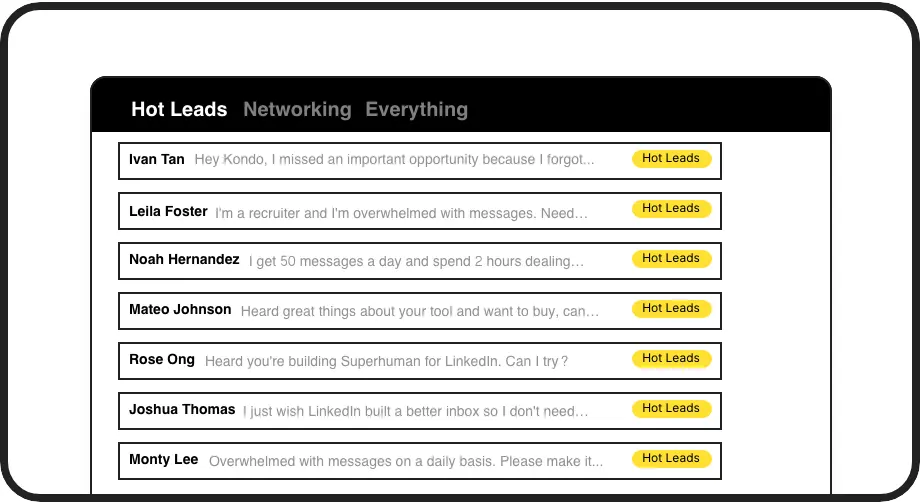
Categorize Every Conversation
Apply custom labels like Hot Lead or Client to any LinkedIn message thread. Sort conversations by type, priority, or status and manage your inbox with clarity.
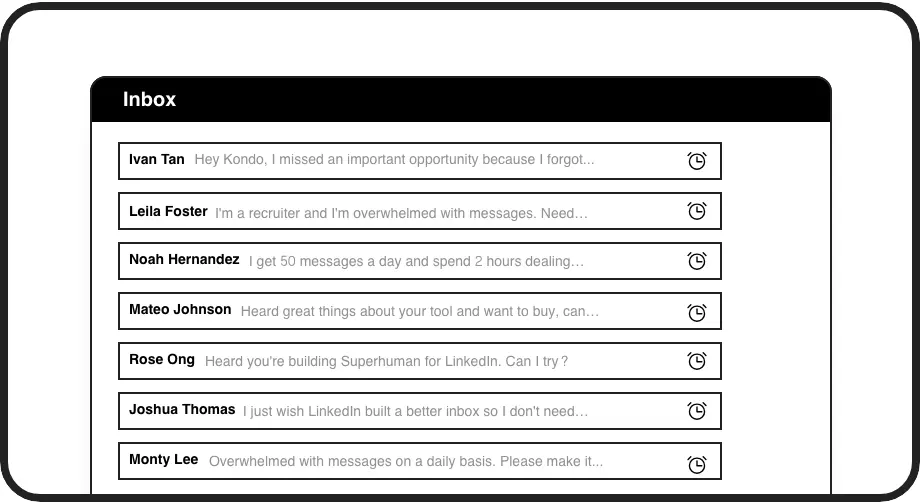
Never Miss a Follow-Up
Snooze any LinkedIn message and set it to resurface when action is needed. Your follow-up management runs on autopilot, with nothing forgotten.
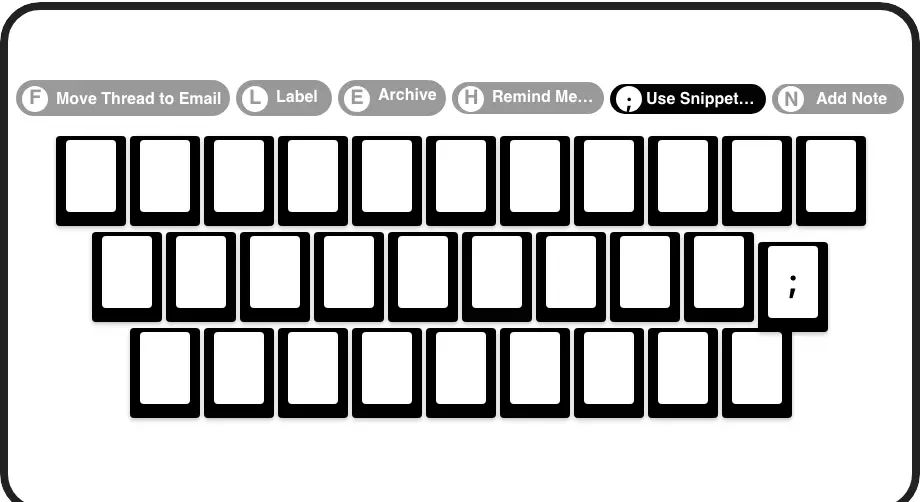
Process Messages at Speed
Navigate, archive, label, and snooze LinkedIn messages with single keypresses. Manage your full inbox without touching the mouse.
Give Your AI Access to Your LinkedIn Inbox
Let Claude, ChatGPT, or Cursor triage your LinkedIn inbox. Your agent reads messages on your computer, can draft replies, add labels, and set reminders.
Explore the LinkedIn MCP serverlist_chats “pricing”6 foundread_chat× 6set_chat_draft× 6set_chat_label “Hot”× 6
LinkedIn left your inbox in 2000. Bring it into 2026.
Get the upgrade every power user's been waiting decades for.


More Control, Faster Replies, Zero Missed Threads
0
Missed LinkedIn Messages
100%
Follow-Ups Actioned
10hrs
Saved Every Week
FAQs
What does Kondo do as a LinkedIn message management tool?
Kondo is a dedicated LinkedIn message management tool that adds labels, reminders, keyboard shortcuts, snippets, and CRM sync to your inbox. It replaces the cluttered, unmanageable native LinkedIn experience with a structured, high-speed system built for professionals handling real pipeline.
How is Kondo different from LinkedIn's native inbox?
LinkedIn's native inbox has no labels, no folders, no reminders, and no keyboard shortcuts. Kondo adds all of these directly on top of your existing inbox, turning a flat, unorganized message list into a fully manageable system you can triage, prioritize, and act on every day.
Is Kondo a Chrome extension or a desktop app?
Kondo is a native desktop app. It does not inject code into LinkedIn or rely on browser extension workarounds, which means a more stable, reliable experience. It also enables exclusive capabilities like desktop voice notes that are otherwise restricted to LinkedIn mobile.
Can I manage Sales Navigator messages with Kondo?
Yes. Kondo lets you combine your regular LinkedIn inbox and your Sales Navigator inbox into a single unified view. This eliminates the need to switch between two separate inboxes and keeps all your professional LinkedIn messages in one manageable place. Available on the Business plan.
Is Kondo safe for my LinkedIn account?
Yes. Kondo is a native desktop app that does not scrape LinkedIn, inject unauthorized code, or automate actions prohibited by LinkedIn's terms of service. It is designed to add productivity tooling to your workflow without putting your LinkedIn account at risk.