LinkedIn Message Management for Sales Leads
Stop losing deals in a chaotic inbox. Kondo gives your sales leads a pipeline inside LinkedIn with labels, reminders, and CRM sync.
What people say
Your LinkedIn Inbox Is Killing Deals
Sales leads arrive in LinkedIn DMs with no way to track, prioritize, or follow up systematically.
Hot Leads Buried in Noise
Sales leads share inbox space with spam and connection requests. You cannot flag or separate them, so hot prospects get missed.
No Lead Status Tracking
LinkedIn has no concept of pipeline stages. You cannot see where each sales lead stands without checking every thread manually.
Follow-Ups Are Guesswork
Without reminders, reps lose track of which leads need re-engagement. Deals stall in LinkedIn messages because nobody followed up.
Your Sales Lead Pipeline Inside LinkedIn
Kondo gives you the lead management tools missing from LinkedIn: stage labels, snooze reminders, and live CRM sync to close more deals.
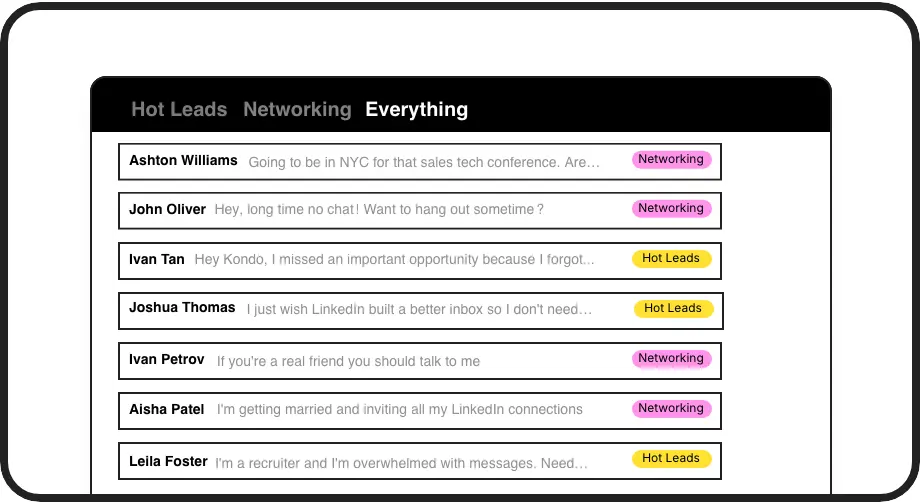
Track Lead Status Visually
Label LinkedIn leads as Hot, Nurturing, or Proposal Sent. View each stage in a split inbox and manage your pipeline without leaving LinkedIn.

Never Miss a Follow-Up
Snooze any sales lead conversation and it resurfaces at the top of your inbox exactly when you need to re-engage. Zero leads forgotten.
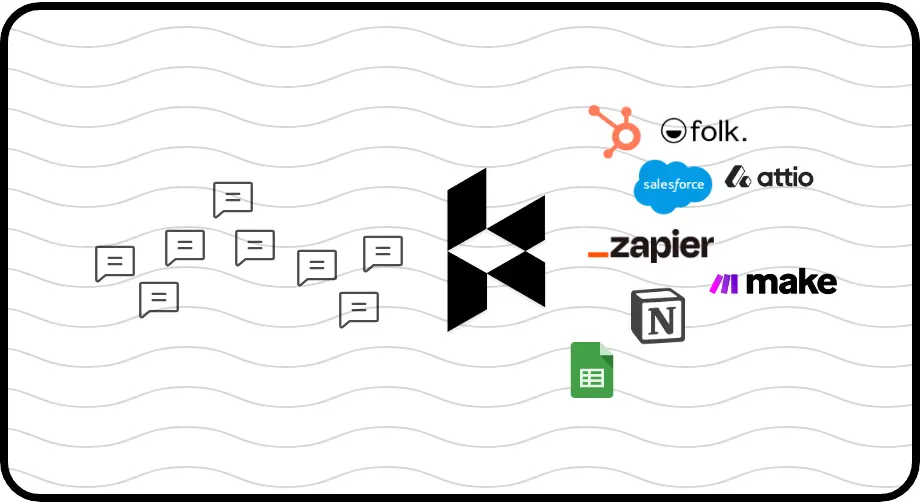
Push Leads to Your CRM
Sync every LinkedIn lead conversation to HubSpot, Salesforce, and more. Full pipeline visibility with zero manual data entry.
Give Your AI Access to Your LinkedIn Inbox
Let Claude, ChatGPT, or Cursor triage your LinkedIn inbox. Your agent reads messages on your computer, can draft replies, add labels, and set reminders.
Explore the LinkedIn MCP serverlist_chats “pricing”6 foundread_chat× 6set_chat_draft× 6set_chat_label “Hot”× 6
LinkedIn left your inbox in 2000. Bring it into 2026.
Get the upgrade every power user's been waiting decades for.


Track More Leads. Close More Deals.
100%
Follow-ups completed on time
0
Hot leads lost in inbox
Full
CRM pipeline visibility
FAQs
Can I track lead status in LinkedIn messages with Kondo?
Yes. Kondo lets you create custom labels like Hot Lead, Nurturing, or Proposal Sent and assign them to any LinkedIn conversation. Each label has its own split inbox, giving you a visual pipeline of where every sales lead stands without manually checking each thread.
How do reminders help me follow up on sales leads?
Kondo's reminder feature lets you snooze any lead conversation to a specific date and time. The thread disappears from your inbox and automatically resurfaces at the top when it is due. Your follow-up cadence stays on track without relying on memory or external tools.
Does Kondo sync LinkedIn leads to my CRM?
Yes, on the Business tier. Kondo integrates natively with HubSpot, Salesforce via Zapier or Make, Google Sheets, Notion, Attio, Clarify, and more. LinkedIn lead conversations, labels, and notes are pushed to your CRM automatically, eliminating manual data entry and giving your team full pipeline visibility.
Can I see all my hot leads in one view?
Yes. When you apply a Hot Lead label to a LinkedIn conversation in Kondo, it appears in a dedicated split inbox for that label. Every conversation tagged as a hot lead lives in one prioritized view, so you never have to sift through unrelated messages to find your best prospects.
Is Kondo safe for my LinkedIn account?
Yes. Kondo is a native desktop app that does not scrape LinkedIn, inject unauthorized code, or automate any actions prohibited by LinkedIn's terms of service. It is designed to keep your account safe while giving you the organizational tools that LinkedIn's native inbox simply does not provide.