LinkedIn Talent Sourcing Tool: Stop Losing Top Candidates.
Kondo organizes your LinkedIn DMs to find and hire top talent faster.
What people say
Is Your LinkedIn Inbox Killing Your Hiring?
Your LinkedIn inbox is a black hole where candidate conversations go to die, costing you placements.
Overflowing LinkedIn Inbox
Critical candidate messages get buried, leading to missed follow-ups and lost opportunities. You waste hours sifting through irrelevant DMs.
Manual Data Entry
Manually tracking candidate stages and conversations across LinkedIn and your ATS is slow, error-prone, and drains your valuable sourcing time.
Losing Top Candidates
Promising candidates disengage due to slow or inconsistent follow-ups, harming your pipeline and candidate experience. You're always playing catch-up.
Streamline Your LinkedIn Talent Sourcing
Kondo transforms your LinkedIn inbox into a powerful talent sourcing hub, helping you find, engage, and hire top candidates faster and more effectively.
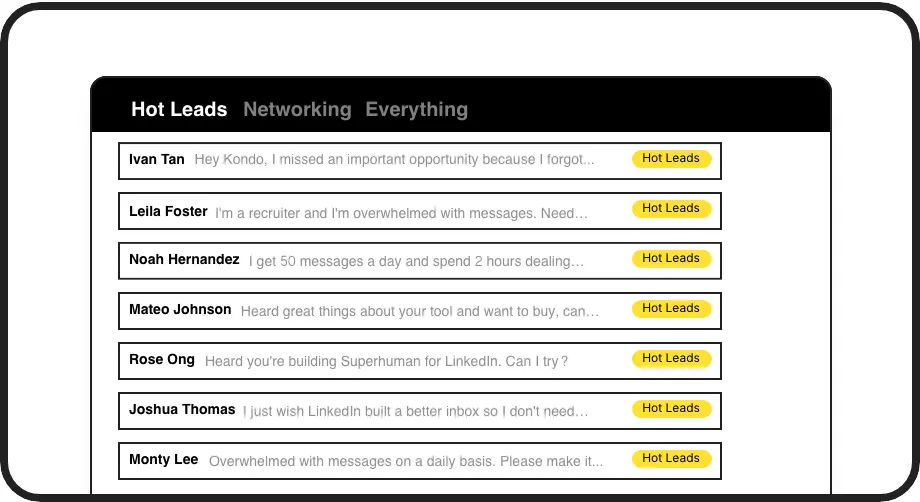
Label Candidate DMs
Organize candidates by role, stage, or priority using custom labels. Each label creates a dedicated inbox, so you can instantly see who needs attention, ensuring no top talent gets lost in a messy inbox.
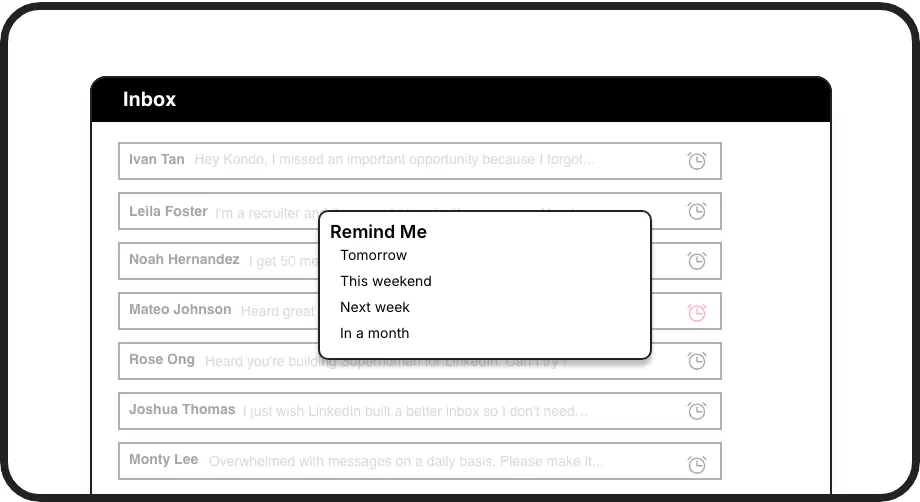
Set Follow-Up Reminders
Never miss a crucial follow-up. Set reminders for candidate conversations to reappear at the top of your inbox at the right time. Perfect for managing nurture sequences and interview schedules seamlessly.
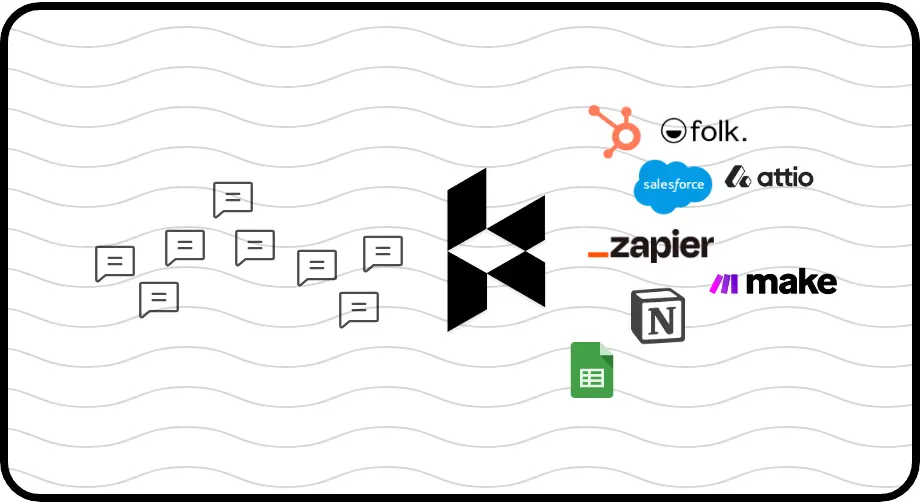
Sync to ATS/CRM
Automatically log LinkedIn conversations and notes into your ATS or CRM (like Greenhouse, Gem, Salesforce). Keep your team updated and your candidate data centralized, saving hours of manual entry.
Give Your AI Access to Your LinkedIn Inbox
Let Claude, ChatGPT, or Cursor triage your LinkedIn inbox. Your agent reads messages on your computer, can draft replies, add labels, and set reminders.
Explore the LinkedIn MCP serverlist_chats “pricing”6 foundread_chat× 6set_chat_draft× 6set_chat_label “Hot”× 6
LinkedIn left your inbox in 2000. Bring it into 2026.
Get the upgrade every power user's been waiting decades for.


Hire Top Talent, Faster Than Ever
25%+
candidates sourced monthly
5+ hrs
saved weekly
2x
faster response times
FAQs
Is Kondo different from LinkedIn Recruiter inbox?
Yes, Kondo helps you tame the chaos of LinkedIn Recruiter DMs. While LinkedIn Recruiter offers sourcing tools, Kondo supercharges your messaging inbox with labels for candidate stages, reminders for follow-ups, and snippets for quick replies, making you more organized and efficient.
Can Kondo sync candidate data to my ATS?
Absolutely. Kondo's Business tier allows you to sync conversation data, including messages and notes, to your ATS (like Greenhouse, Lever) via webhooks using Zapier or Make.com. This keeps your candidate records updated without manual data entry.
Is Kondo safe to use with LinkedIn?
Kondo is designed with safety as a priority. It doesn't scrape profiles, automate actions prohibited by LinkedIn, or inject code into LinkedIn's interface. It enhances your existing LinkedIn session securely, focusing on inbox management rather than risky automation.
How can I track candidates by role/stage?
Use Kondo's labels to categorize candidates by role (e.g., 'Senior Backend Dev'), stage ('Screened', 'Interview Scheduled', 'Offer'), or priority. This creates dedicated inboxes for each, so you always know where each candidate stands and who to focus on.
How does Kondo help with repetitive messages?
Kondo's snippets feature allows you to save frequently used messages, like outreach templates, interview confirmations, or feedback requests. You can insert them with a shortcut, personalizing with variables like {firstName}, ensuring consistent and quick communication.