Your LinkedIn Sales System Letting Leads Slip Away?
Kondo organizes DMs, sets reminders & syncs to your CRM to supercharge your sales.
What people say
Your LinkedIn Inbox: A Black Hole for Sales Leads?
Unread messages, missed follow-ups, and manual CRM updates are killing your LinkedIn sales pipeline.
Leads Lost in Chaos
Crucial sales DMs buried under notifications. Promising leads go cold, costing you deals and commission.
Hours Wasted Manually
Endless scrolling, copy-pasting to CRM, and manual tracking steal hours from actual selling every week.
Follow-ups Fall Through
Remembering who to ping and when is impossible. Promising conversations die, shrinking your sales pipeline.
Kondo: Your LinkedIn Sales Command Center
Effortlessly triage leads, automate follow-ups, and sync data. Stop missing opportunities your competitors are catching.
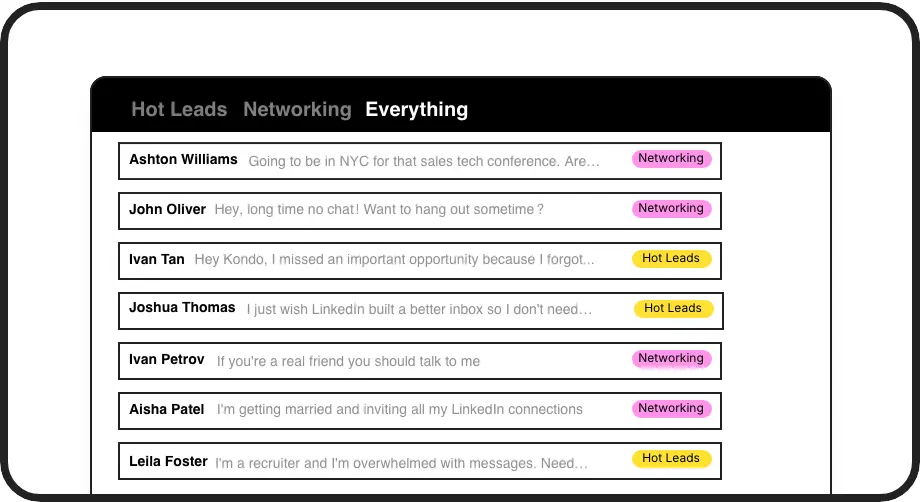
Label & Conquer DMs
Organize LinkedIn DMs by applying custom labels like 'Hot Lead' or 'Follow Up Q4'. View them in separate, prioritized inboxes to easily track conversations and ensure no hot opportunity gets lost in the noise.
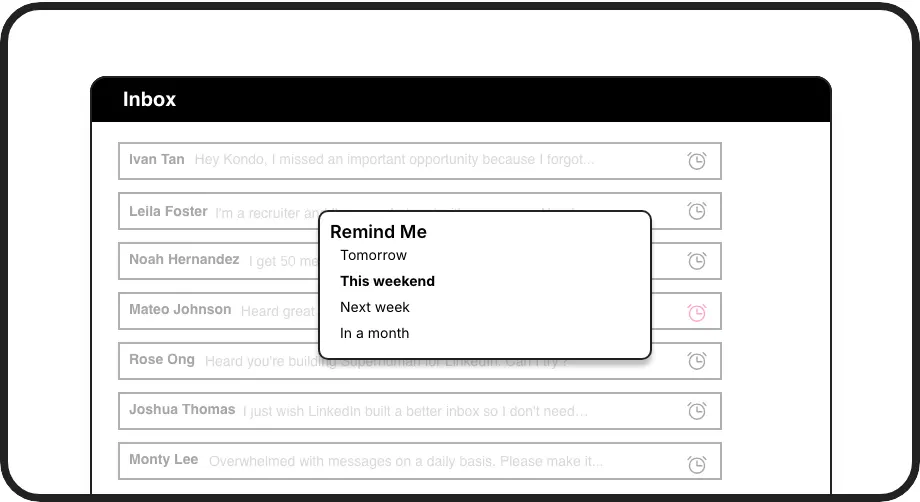
Never Miss Follow-ups
Snooze conversations and set precise reminders for them to reappear at the top of your inbox. Ensure timely follow-ups with leads and prospects, systematically nurturing them through your sales pipeline without relying on memory.
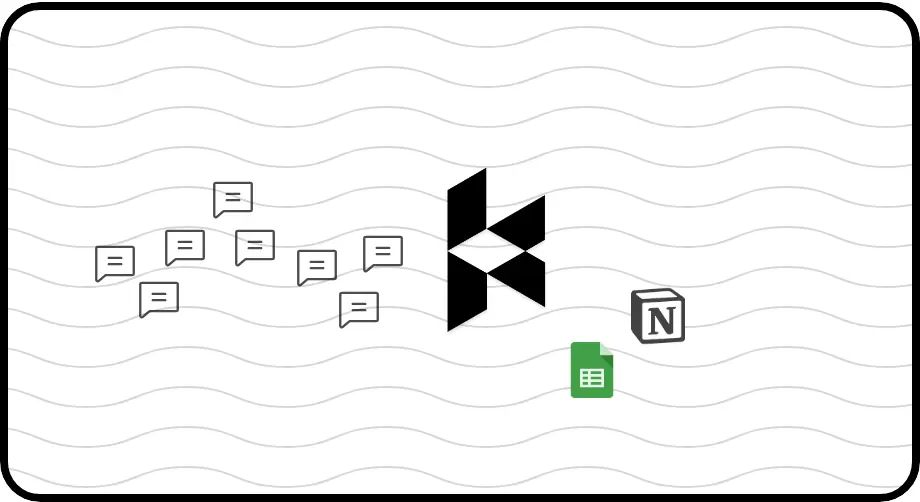
Automate CRM Logging
Automatically push LinkedIn conversation data, notes, and labels to your CRM (HubSpot, Salesforce via Zapier/Make). Keep your sales system updated without manual data entry, saving hours and ensuring team visibility.
Give Your AI Access to Your LinkedIn Inbox
Let Claude, ChatGPT, or Cursor triage your LinkedIn inbox. Your agent reads messages on your computer, can draft replies, add labels, and set reminders.
Explore the LinkedIn MCP serverlist_chats “pricing”6 foundread_chat× 6set_chat_draft× 6set_chat_label “Hot”× 6
LinkedIn left your inbox in 2000. Bring it into 2026.
Get the upgrade every power user's been waiting decades for.


Boost Your LinkedIn Sales Metrics Instantly
5+ hrs
saved per week
30%+
more lead replies
Zero
missed hot leads
FAQs
How does Kondo help sales teams?
Kondo transforms your team's LinkedIn inbox into a powerful sales tool. SDRs and AEs can label leads (e.g., 'Hot', 'Nurturing'), set follow-up reminders, use message snippets for quick replies, and sync conversations to your CRM. This ensures no lead is missed, follow-ups are timely, and everyone has visibility, ultimately helping you close more deals faster from LinkedIn.
Is Kondo safe to use with LinkedIn?
Yes, Kondo is designed for safety. It doesn't perform risky automation, scrape profiles, or inject code into LinkedIn's interface. It uses your existing browser session and IP, mimicking human behavior. Kondo focuses on organizing your DMs efficiently, not on activities LinkedIn prohibits, making it a safe co-pilot for your sales outreach.
Can I sync LinkedIn messages to my CRM?
Absolutely. Kondo's Business tier allows you to sync LinkedIn conversation data to CRMs like HubSpot natively, or to Salesforce and other systems using Zapier or Make.com. You can push message history, labels, and notes, keeping your CRM updated automatically and saving significant manual data entry time for your sales reps.
What if I manage hundreds of DMs?
Kondo is built for high-volume inboxes. Features like labels, split inboxes, reminders, and keyboard shortcuts allow you to process messages rapidly. The 'Clean Up My Inbox' command can bulk archive old messages. This helps you achieve 'Inbox Zero', focus on critical sales conversations, and never feel overwhelmed by LinkedIn DMs again.
Can Kondo help me track the performance of my LinkedIn sales outreach?
Yes, Kondo helps track sales performance through its labeling system. Categorize conversations by campaign or lead status, then analyze response rates for each category. Business tier users get analytics on messaging volume, response times, and follow-up effectiveness. This gives sales teams visibility into LinkedIn outreach performance that's otherwise impossible to track, helping optimize messaging strategies and identify what's working best.