LinkedIn Recruitment System Overload? Hire Top Talent Faster.
Kondo organizes DMs, tracks candidates, and ensures no great talent slips through cracks.
What people say
Your LinkedIn Inbox is Costing You Hires
You're managing critical roles, but your LinkedIn inbox is a black hole for candidates.
Candidate Conversations Lost
Juggling roles floods your inbox. Promising candidates get buried, costing you placements and wasting valuable time searching or following up.
Inconsistent Follow-Up
Without systematic follow-ups, great candidates slip through. Manually tracking is error-prone and time-consuming, risking candidate experience.
Manual ATS Updates
Copy-pasting DMs and notes into your ATS is a tedious, manual chore. This disconnect leads to outdated records and inefficient workflows.
Your LinkedIn Recruitment Command Center
Kondo transforms your chaotic LinkedIn inbox into a powerful recruitment hub, so you can focus on finding and hiring the best candidates, not fighting your DMs.
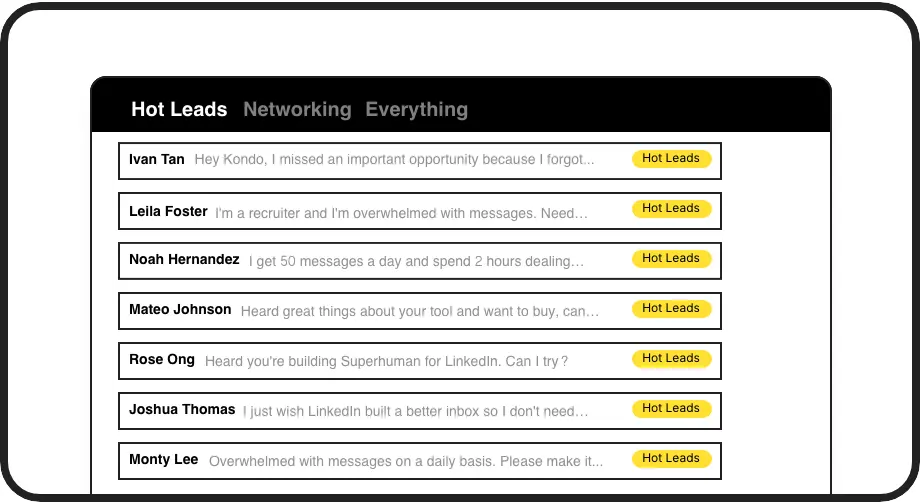
Label Candidate DMs
Organize candidate DMs with custom labels like 'Java Dev,' 'Screening,' or 'Hot Hire.' View them in dedicated inboxes to easily track conversations by role or stage, ensuring no top talent gets lost.

Set Follow-Up Reminders
Snooze conversations and set reminders for when to follow up with candidates. Ensure timely engagement at every stage, from initial contact to interview scheduling, without relying on external calendars or memory.
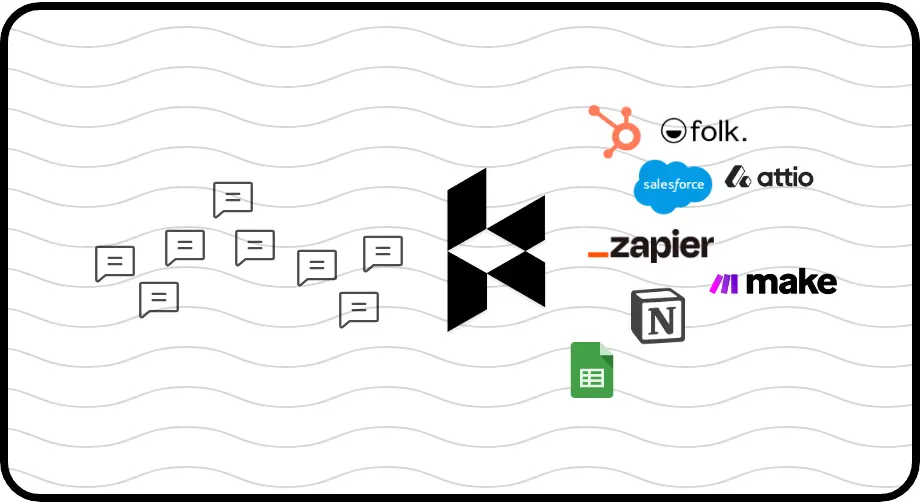
Sync to ATS
Automatically or manually push candidate conversation data, including messages and notes, to your ATS or other recruitment tools via webhooks, Zapier, or Make.com. Keep your candidate records up-to-date effortlessly.
Give Your AI Access to Your LinkedIn Inbox
Let Claude, ChatGPT, or Cursor triage your LinkedIn inbox. Your agent reads messages on your computer, can draft replies, add labels, and set reminders.
Explore the LinkedIn MCP serverlist_chats “pricing”6 foundread_chat× 6set_chat_draft× 6set_chat_label “Hot”× 6
LinkedIn left your inbox in 2000. Bring it into 2026.
Get the upgrade every power user's been waiting decades for.


Hire Top Talent, Faster Than Ever
5+
hours saved weekly
30%+
candidate response rate
2X
placements made faster
FAQs
What is Kondo and how does it work?
Kondo is a browser extension that enhances your LinkedIn messaging experience. It provides features like labels, reminders, snippets, and CRM sync to help you manage candidate conversations efficiently. It does not automate outreach or violate LinkedIn's terms of service; it focuses on organizing your existing inbox.
Can I track candidates by role or stage?
Absolutely. Kondo helps you categorize candidates by role, stage (e.g., 'Screening', 'Interview Scheduled'), or any custom criteria using labels. Each label acts as a separate inbox, allowing you to focus on specific talent pools and manage your recruitment pipeline directly within LinkedIn.
Does Kondo help with candidate follow-ups?
Yes, Kondo allows you to set reminders for follow-ups. You can snooze conversations to reappear in your inbox at a specific date and time, ensuring you never miss a crucial follow-up with a promising candidate. This helps maintain consistent communication and a positive candidate experience.
Can Kondo sync with my ATS (e.g., Greenhouse)?
Kondo offers integrations (Business Tier) via webhooks, Zapier, and Make.com, allowing you to sync conversation data to your Applicant Tracking System (ATS) like Greenhouse or other recruitment tools. This can include message history, notes, and labels, reducing manual data entry.
Is Kondo safe to use with LinkedIn Recruiter?
Kondo is designed with safety in mind. It doesn't scrape profiles, modify LinkedIn's UI in prohibited ways, or perform unauthorized automation. It enhances your existing browser session to organize your inbox. We recommend using LinkedIn features responsibly to maintain account health.