LinkedIn Message Template Tool
Kondo organizes your DMs with smart snippets and powerful inbox tools for faster outreach.
What people say
LinkedIn Messaging Overwhelm is Costing You Deals
Manually handling LinkedIn messages is slow, error-prone, and makes consistent, personalized outreach a nightmare.
Wasted Hours Typing
You spend hours weekly on repetitive outreach. It drains your energy and productivity, stealing time from selling or networking.
Inconsistent Messaging
Without templates, messaging becomes inconsistent and off-brand, risking lost prospects due to unclear information and uneven communication quality.
Personalization at Scale?
Manually personalizing messages at scale is hard. Generic ones get ignored; customizing each slows outreach and drains your time.
Streamline Your LinkedIn Outreach with Smart Templates
Kondo transforms your LinkedIn messaging with powerful template management, organization, and speed. Reclaim your time and ensure every message counts.
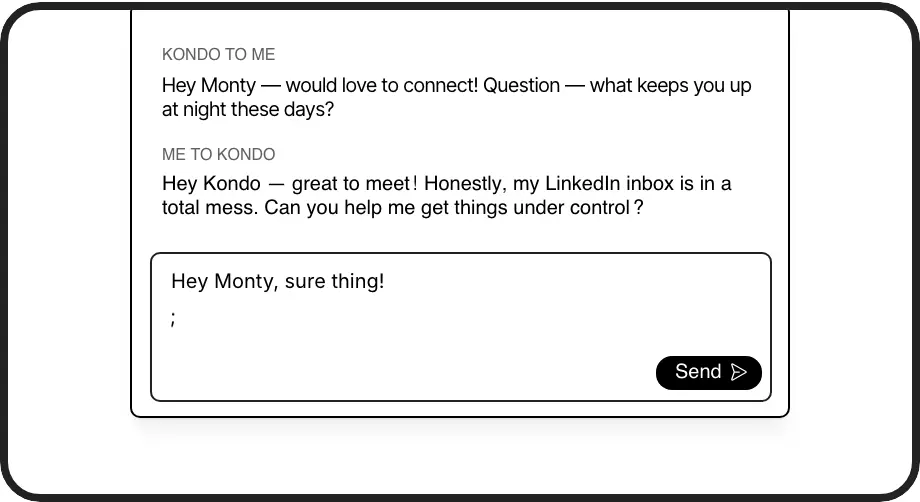
Message Snippets
Save frequently used messages as personalized templates (Snippets). Insert them with a quick command (';') and use variables like {firstName} to maintain a personal touch. Stop retyping, ensure consistency, and respond faster to common inquiries or outreach messages.
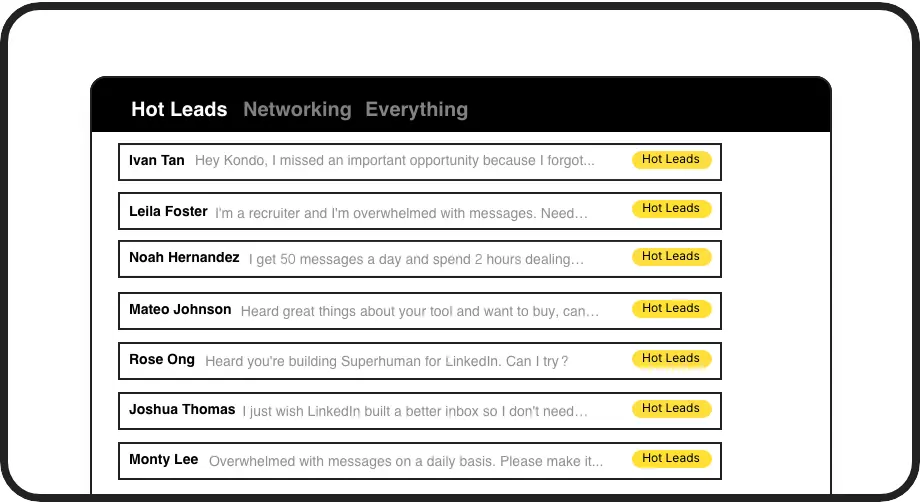
Label Template Campaigns
Organize your LinkedIn DMs by applying custom labels like 'Prospect Template A Used' or 'Follow-Up Needed'. View these in separate, prioritized inboxes. This helps you track template performance and manage replies efficiently, ensuring no lead from your template outreach is missed.
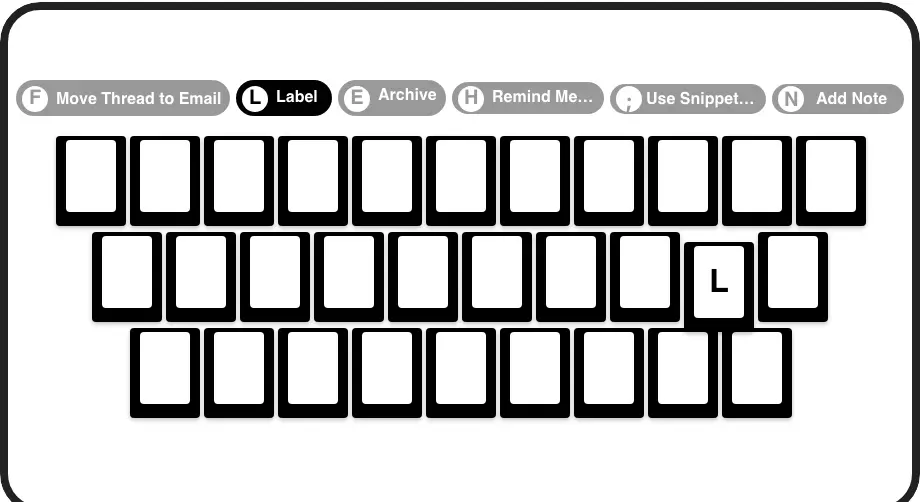
Keyboard Shortcuts
Navigate your inbox, insert snippets, apply labels, and manage conversations at lightning speed using keyboard shortcuts. Spend less time clicking and more time engaging. This boosts your efficiency when using and managing your LinkedIn message templates.
Give Your AI Access to Your LinkedIn Inbox
Let Claude, ChatGPT, or Cursor triage your LinkedIn inbox. Your agent reads messages on your computer, can draft replies, add labels, and set reminders.
Explore the LinkedIn MCP serverlist_chats “pricing”6 foundread_chat× 6set_chat_draft× 6set_chat_label “Hot”× 6
LinkedIn left your inbox in 2000. Bring it into 2026.
Get the upgrade every power user's been waiting decades for.


Stop Wasting Time, Start Converting More Leads
5+ hrs
saved per week
3x
faster message replies
100%
outreach consistency
FAQs
How do message templates (Snippets) work in Kondo?
Kondo's Snippets feature allows you to save frequently used messages as templates. You can insert these into your replies with a quick shortcut (';'). Snippets can include dynamic variables like {firstName} to automatically personalize your messages, saving you from manually typing or copy-pasting repetitive content while maintaining a personal touch.
Can I personalize LinkedIn message templates with Kondo?
Absolutely! Kondo's Snippets are designed for personalization. You can use variables such as {firstName}, {lastName}, or {companyName} within your templates. When you insert a snippet, Kondo can pull this information from the recipient's profile, ensuring your templated messages still feel personal and relevant, improving engagement.
How does Kondo help manage repetitive LinkedIn messages?
Kondo significantly speeds up your LinkedIn messaging by allowing you to use pre-defined Snippets for common replies, navigate your inbox with keyboard shortcuts, and organize conversations with labels. This means less typing, faster navigation, and quick access to the right conversations, reducing the time spent managing your LinkedIn DMs.
Is Kondo safe to use with my LinkedIn account?
Yes, Kondo is designed with safety in mind. It operates as a browser extension that enhances the existing LinkedIn interface without performing automated actions that violate LinkedIn's terms of service, like sending messages automatically or scraping profiles en masse. It focuses on improving your manual workflow efficiency. For more details, you can check our documentation on safety.
How do I organize different message templates in Kondo?
Kondo allows you to create, manage, and quickly insert message snippets using shortcuts. You can also label conversations to categorize different types of outreach or responses (e.g., 'Initial Outreach Template A', 'Follow-up Template B') and use reminders to ensure timely follow-ups. This system helps maintain consistency and track effectiveness.