Lost leads in LinkedIn? Fix your linkedin lead management now.
Use Kondo to triage, track, and follow up on LinkedIn leads without the chaos.
What people say
LinkedIn DM Overload: Killing Your Lead Flow?
Missed opportunities, painful follow-ups, and CRM chaos? Your LinkedIn lead gen suffers.
Leads Lost in Noise
Hot prospect replies vanish in a cluttered inbox, costing you valuable deals and revenue opportunities daily.
Follow-Up Failures
Remembering who to follow up with and when is a nightmare, leading to cold leads and lost momentum.
CRM Data Silos
Manually copy-pasting LinkedIn conversations into your CRM wastes hours and leads to incomplete lead data.
Turn LinkedIn Chaos into Lead Conversion Machine.
Effortlessly manage leads with smart labels, timely reminders, and CRM integration. Never miss an opportunity again.
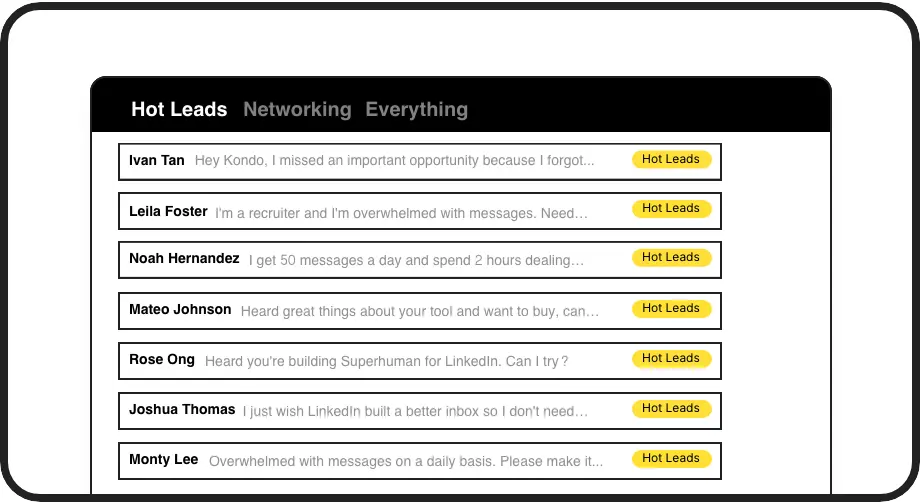
Smart Lead Triage
Label leads ('Hot', 'Warm', 'Nurture') and view them in dedicated inboxes. Prioritize high-value prospects, manage sales pipeline stages within LinkedIn, and ensure no lead slips through the cracks. This organizes your lead flow efficiently.

Automated Follow-Ups
Set timed reminders for lead follow-ups using 'H' shortcut. Kondo brings conversations back when due, ensuring consistent engagement and moving deals forward without manual tracking. Perfect for busy sales cycles and nurturing leads.
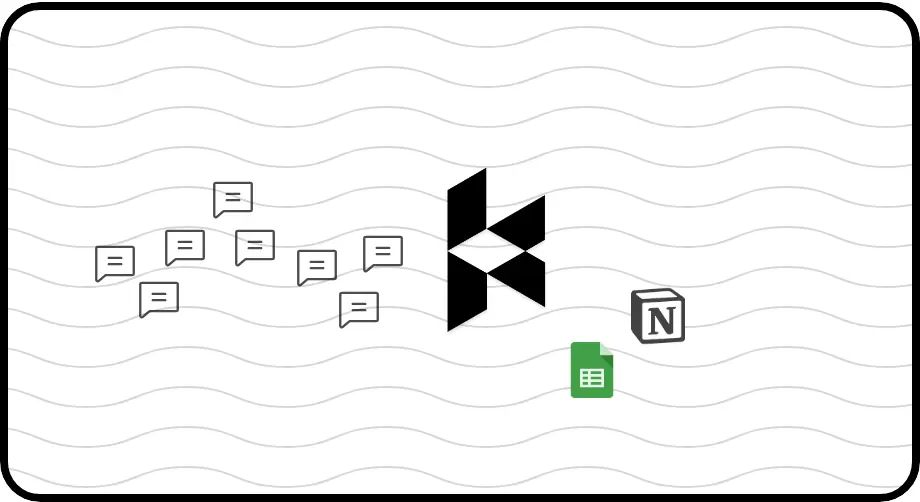
Seamless CRM Sync
Automatically push lead conversations and activities from LinkedIn to HubSpot, Salesforce, Notion and more via webhooks or native integrations. Maintain a single source of truth, save hours on data entry, and improve sales reporting accuracy.
Give Your AI Access to Your LinkedIn Inbox
Let Claude, ChatGPT, or Cursor triage your LinkedIn inbox. Your agent reads messages on your computer, can draft replies, add labels, and set reminders.
Explore the LinkedIn MCP serverlist_chats “pricing”6 foundread_chat× 6set_chat_draft× 6set_chat_label “Hot”× 6
LinkedIn left your inbox in 2000. Bring it into 2026.
Get the upgrade every power user's been waiting decades for.


Maximize Lead Flow & Sales Productivity.
30%
More Leads Captured
5+ hrs
Saved Weekly
2x
Faster Follow-Ups
FAQs
How does Kondo help manage different lead stages?
Kondo's labeling system lets you create custom stages like 'New Lead,' 'Qualified,' 'Proposal Sent.' You can then view leads in dedicated inboxes for each stage, helping you track progress and prioritize follow-ups directly within your LinkedIn workflow. Combine labels like 'Hot Lead' + 'Proposal Sent' for granular views.
Can Kondo sync leads to my specific CRM?
Yes, Kondo offers native integrations with HubSpot and Notion, and supports Zapier and Make.com for connecting to Salesforce, Pipedrive, and many other CRMs. You can sync conversation history and key lead data, reducing manual entry and ensuring your CRM is always up-to-date with your LinkedIn activities.
Is Kondo safe to use with LinkedIn for prospecting?
Kondo is designed with safety first. It doesn't perform risky automation, scrape profiles, or modify LinkedIn's UI in prohibited ways. It uses your existing browser session and IP, operating as an overlay. This minimizes any risk of LinkedIn account issues, focusing on inbox productivity.
How do snippets help in lead outreach?
Snippets save frequently used outreach messages or follow-up templates. You can insert them with a shortcut (';') and personalize with variables like {firstName}. This saves significant time, ensures consistent messaging, and speeds up your response time to new leads or inquiries.
Can I collaborate with my team on leads?
While Kondo primarily enhances individual LinkedIn inbox management, syncing data to a shared CRM (like HubSpot or Salesforce via Zapier/Make) allows team visibility into lead interactions. This ensures everyone has context on conversations happening on LinkedIn, facilitating smoother handoffs and collaborative sales efforts.