Achieve LinkedIn Inbox Zero with Kondo
Kondo organizes your DMs with labels, reminders, and shortcuts. Never lose leads again.
What people say
Is Your LinkedIn Inbox Costing You Money?
Your LinkedIn inbox is a chaotic mix of vital opportunities and distracting noise, making you miss out.
Critical Messages Lost?
Key prospect replies, client urgencies, or candidate messages buried under noise. This costs you deals, renewals, or top hires.
Endless Inbox Scrolling?
Hours wasted scrolling through irrelevant DMs and notifications instead of focusing on revenue-generating activities, draining productivity.
Forgotten Follow-ups?
Promising conversations and potential deals forgotten without a reliable system, damaging relationships and your pipeline.
Finally, LinkedIn Inbox Zero is Possible
Kondo transforms your LinkedIn DMs with powerful tools, bringing order, speed, and reliability to your most important conversations.
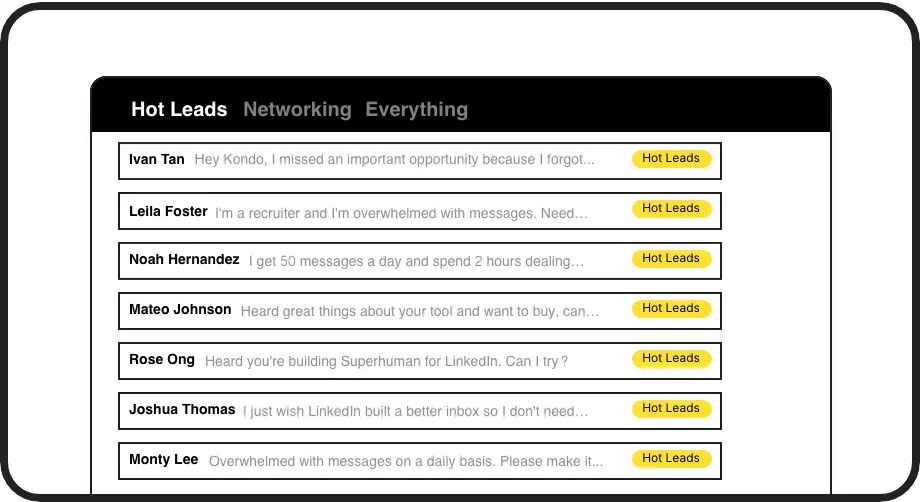
Organize with Labels
Categorize DMs with custom labels like 'Hot Lead' or 'Follow Up'. View them in dedicated inboxes, ensuring critical conversations never get lost in the noise and you can prioritize effectively.
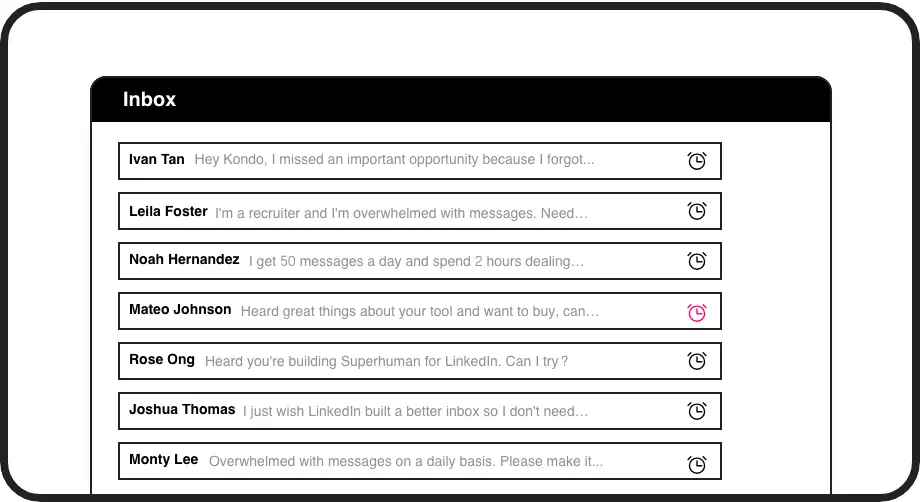
Never Miss Follow-ups
Snooze conversations and set timed reminders. Kondo automatically brings messages back to your attention when due, ensuring timely follow-ups and preventing valuable opportunities from slipping through.
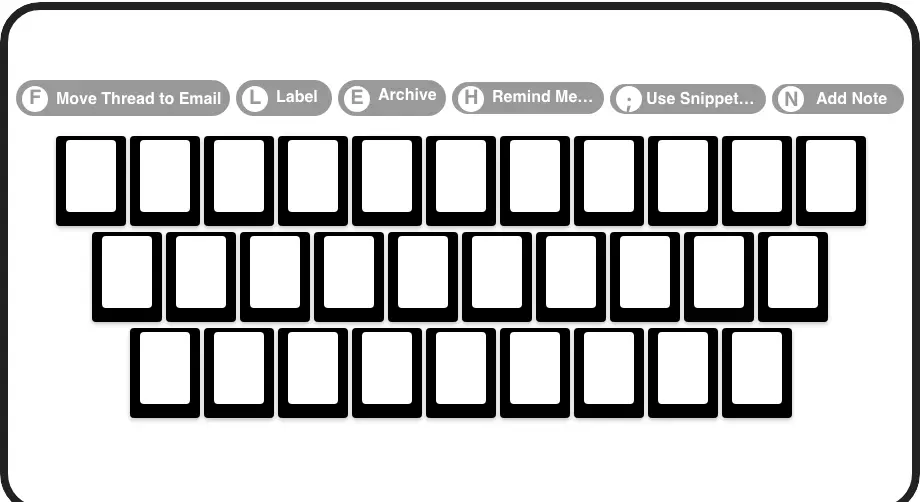
Inbox Zero, Faster
Navigate your LinkedIn inbox with lightning speed. Use shortcuts to archive, label, snooze, and more, processing DMs in minutes, not hours. Achieve Inbox Zero faster and reclaim your day.
Give Your AI Access to Your LinkedIn Inbox
Let Claude, ChatGPT, or Cursor triage your LinkedIn inbox. Your agent reads messages on your computer, can draft replies, add labels, and set reminders.
Explore the LinkedIn MCP serverlist_chats “pricing”6 foundread_chat× 6set_chat_draft× 6set_chat_label “Hot”× 6
LinkedIn left your inbox in 2000. Bring it into 2026.
Get the upgrade every power user's been waiting decades for.


Reclaim Time, Capture Opportunities
4+ hrs
saved per week
2x
leads engaged faster
Zero
critical DMs missed
FAQs
How does Kondo help reach LinkedIn Inbox Zero?
Kondo helps you achieve Inbox Zero by providing tools to quickly process every message. You can archive DMs you're done with (E), set reminders (H) for follow-ups, or label (L) them for specific inboxes. This keeps your main inbox clear, ensuring no message is overlooked and you only see what needs attention. The Clean Up My Inbox command also helps bulk archive old messages.
Is Kondo safe to use with LinkedIn?
Yes, Kondo is designed with safety as a priority. It doesn't scrape profiles, inject code into LinkedIn's UI in prohibited ways, or perform automation that violates LinkedIn's terms. It enhances your existing messaging experience securely. For more details, you can check our documentation on LinkedIn safety.
Can Kondo sync DMs to my CRM?
Kondo's Business tier offers robust integrations. You can sync LinkedIn conversation data to CRMs like HubSpot, Salesforce (via Zapier/Make.com), and other tools like Notion or Google Sheets using webhooks or native integrations. This automates logging activity, saving you manual data entry and providing team visibility.
What if I get too many LinkedIn messages?
Kondo is built for high-volume inboxes. Features like keyboard shortcuts for rapid navigation and actions (Archive, Snooze, Label), dedicated label inboxes for prioritization, and the Clean Up My Inbox command allow you to efficiently process hundreds of messages and maintain control.
How are reminders better than unread messages?
Leaving messages unread creates clutter and relies on memory. Kondo's reminders (snooze) temporarily archive a message and resurface it at the top of your inbox at your chosen time. This ensures systematic follow-up, preventing important conversations from getting buried or forgotten, so you always respond promptly.