Your LinkedIn Cold Outreach Tool is Leaking Leads?
Kondo organizes DMs with labels, reminders & snippets to seal the gaps.
What people say
Your LinkedIn Outreach Is Broken. Here's Why It Hurts.
Endless scrolling, missed replies, and lost deals. Your current LinkedIn DM workflow is costing you.
Hot Leads Ignored
Critical replies from prospects get buried, costing you deals and revenue. Hours wasted sifting through irrelevant DMs.
Follow-ups Forgotten
No easy way to track who needs a reply. Promising conversations die, and your outreach efforts go to waste.
Time Sinks Daily
Manually typing repetitive messages and navigating LinkedIn's clunky inbox eats hours from your productive outreach time daily.
Kondo: Supercharge Your LinkedIn Cold Outreach Efforts.
Organize DMs, never miss a lead, respond faster, and close more deals. Stop leaving money on the table.
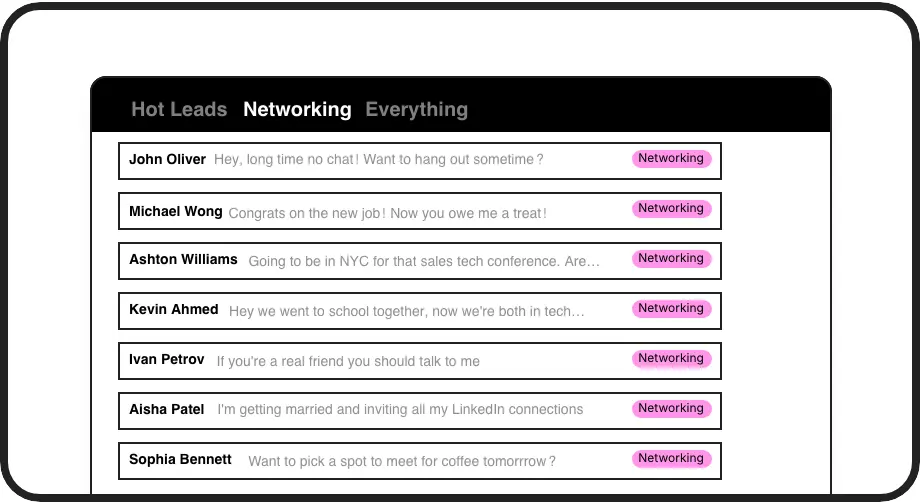
Label & Prioritize DMs
Instantly categorize outreach replies (Hot Lead, Follow-Up, Nurture). View them in dedicated inboxes to focus on high-priority conversations and convert leads faster.
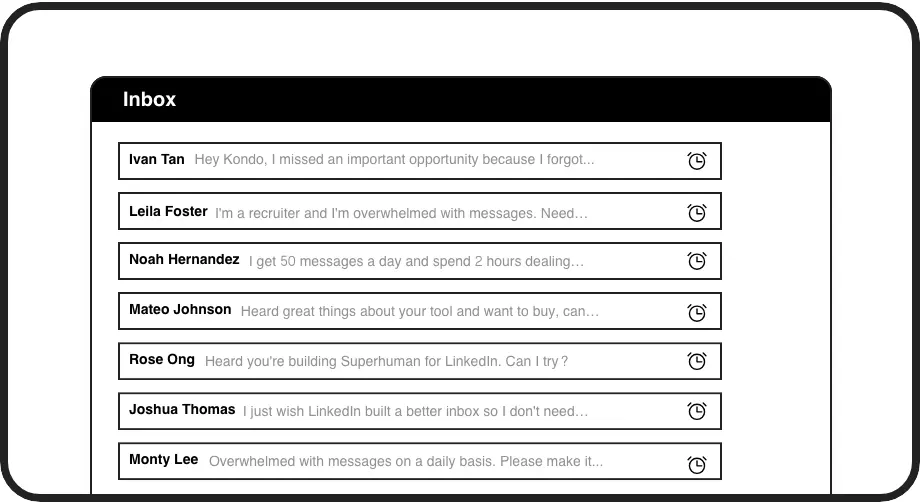
Never Miss Follow-ups
Snooze conversations and get timely reminders. Ensure every prospect gets the attention they deserve, increasing your reply rates and meeting bookings significantly.
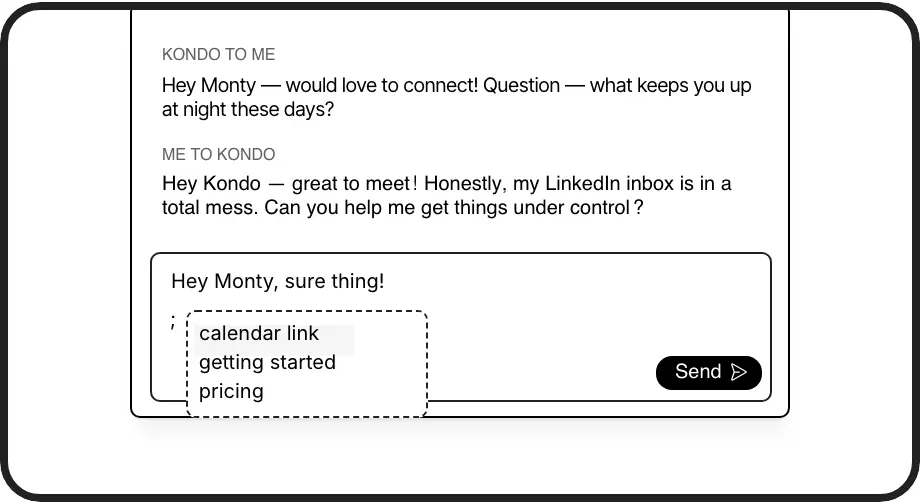
Personalize Outreach Faster
Use pre-saved message templates with auto-personalization ({firstName}). Send tailored follow-ups and initial messages in seconds, scaling your outreach without sacrificing quality.
Give Your AI Access to Your LinkedIn Inbox
Let Claude, ChatGPT, or Cursor triage your LinkedIn inbox. Your agent reads messages on your computer, can draft replies, add labels, and set reminders.
Explore the LinkedIn MCP serverlist_chats “pricing”6 foundread_chat× 6set_chat_draft× 6set_chat_label “Hot”× 6
LinkedIn left your inbox in 2000. Bring it into 2026.
Get the upgrade every power user's been waiting decades for.


More Meetings, Less Inbox Chaos. Real Outreach ROI.
2X
Meeting Bookings
5+ hrs
Saved Weekly
30%
More Replies
FAQs
How does Kondo help with cold outreach specifically?
Kondo streamlines your LinkedIn cold outreach by letting you label DMs (e.g., 'New Lead', 'Follow-Up'), set reminders so no prospect falls through, and use personalized snippets for faster, consistent messaging. This means more efficient outreach, higher reply rates, and ultimately, more booked meetings without the usual inbox chaos.
Is Kondo safe to use with LinkedIn?
Yes, Kondo is designed to be safe. It doesn't scrape profiles, modify LinkedIn's UI in prohibited ways, or perform unauthorized automation. It works like a layer on top of your existing browser session, helping you manage your DMs more efficiently without violating LinkedIn's terms of service. We prioritize your account's safety.
Can I use Kondo to manage high-volume outreach?
Absolutely. Kondo is built for professionals managing high volumes of LinkedIn conversations. Features like keyboard shortcuts, Inbox Zero workflow, bulk archiving, labels, and snippets are designed to help you process hundreds of messages efficiently, ensuring you can scale your outreach without getting overwhelmed or missing key replies.
Does Kondo integrate with my CRM or other tools?
Kondo's Business tier offers integrations. You can sync conversation data to CRMs like HubSpot and Salesforce (via Zapier/Make.com), or tools like Notion and Google Sheets. This helps maintain a unified view of prospect interactions and automates data entry, crucial for effective cold outreach follow-up and reporting.
How is Kondo different from LinkedIn's native inbox?
LinkedIn's native inbox is basic and quickly becomes cluttered. Kondo supercharges it with features like customizable labels, dedicated inboxes per label, reliable reminders, message snippets, powerful keyboard shortcuts, and CRM sync. It transforms your DM experience from chaotic to highly organized and efficient, specifically for outreach.