Drowning in DMs? Get Real LinkedIn Automation.
Kondo provides safe LinkedIn automation to organize, remind, and sync DMs effortlessly.
What people say
Is Your LinkedIn Inbox Sabotaging Your Success?
Your LinkedIn inbox is a goldmine, but without proper tools, it's a disorganized mess causing stress and lost revenue.
Missed Opportunities
Promising leads and candidate replies get buried in a flood of notifications and less critical messages. You're losing potential deals and hires daily.
Wasted Time
Hours are wasted scrolling, searching, and manually copy-pasting info between LinkedIn and your CRM. Your productivity plummets, and frustration mounts.
Broken Workflows
Inconsistent follow-up and slow response times damage relationships and let competitors swoop in. Your current LinkedIn process is unsustainable.
Streamline Your LinkedIn Workflow with Smart Automation
Kondo automates your LinkedIn inbox management with powerful features designed for speed, organization, and seamless integration. Stop manual drudgery and start focusing on results.
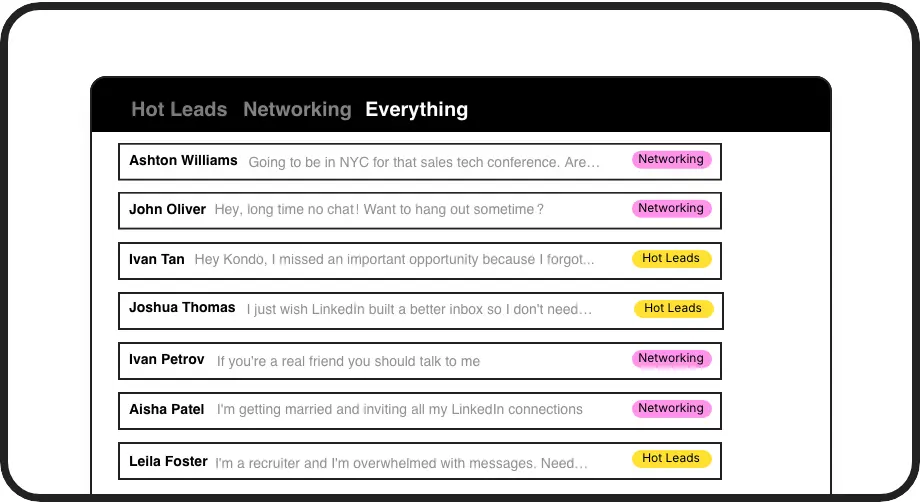
Labels & Split Inboxes
Organize your LinkedIn DMs by applying custom labels like 'Hot Lead' or 'Follow Up'. View conversations in separate, prioritized inboxes so you can instantly focus on what matters and never let a crucial message slip through the cracks. It’s your command center for LinkedIn outreach.
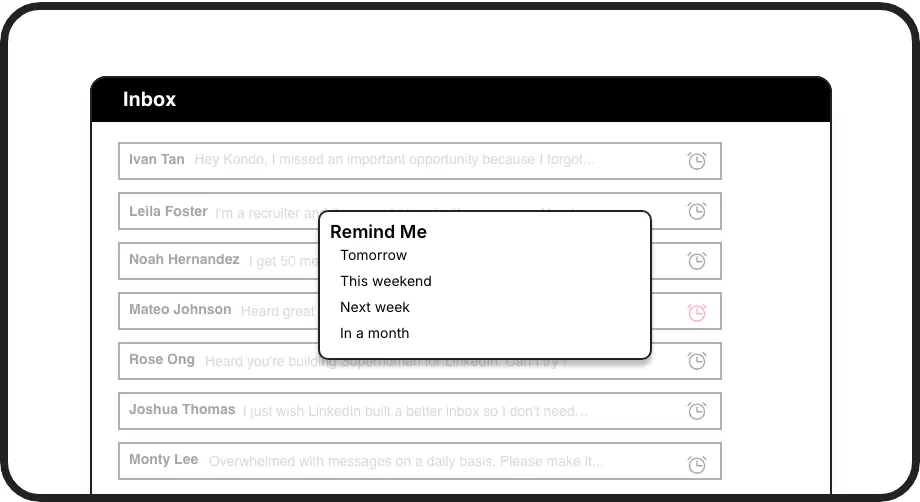
Automated Reminders
Never miss a follow-up again. Snooze conversations and have them reappear at the top of your inbox at a specific time – tomorrow, next week, or a custom date. Kondo automates your memory, ensuring timely engagement with key prospects and candidates.
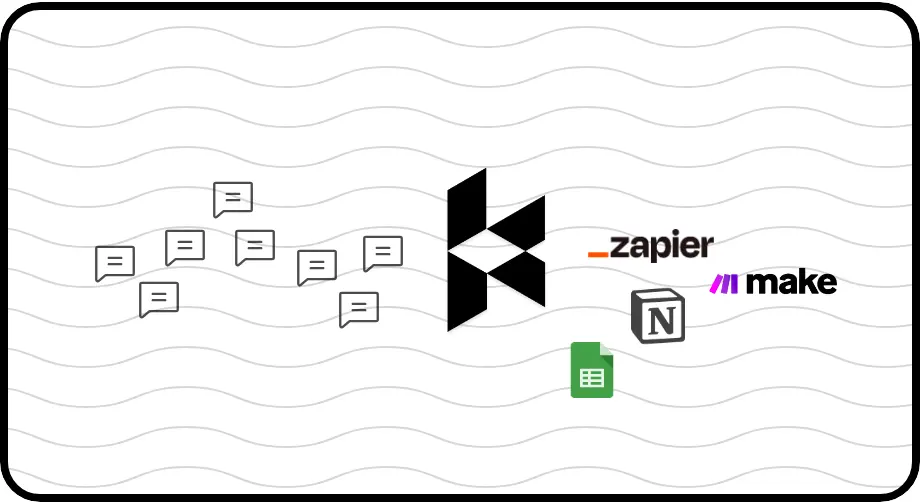
CRM & System Sync
Automatically log LinkedIn conversations and key details into your CRM (HubSpot, Salesforce via Zapier/Make) or other tools like Notion and Google Sheets. Eliminate manual data entry, ensure team visibility, and keep your systems updated effortlessly. This is LinkedIn workflow automation done right.
Give Your AI Access to Your LinkedIn Inbox
Let Claude, ChatGPT, or Cursor triage your LinkedIn inbox. Your agent reads messages on your computer, can draft replies, add labels, and set reminders.
Explore the LinkedIn MCP serverlist_chats “pricing”6 foundread_chat× 6set_chat_draft× 6set_chat_label “Hot”× 6
LinkedIn left your inbox in 2000. Bring it into 2026.
Get the upgrade every power user's been waiting decades for.


Reclaim Your Time, Amplify Your LinkedIn Results
5+
hours saved weekly
2x
faster DM processing
Zero
missed opportunities
FAQs
Is Kondo safe to use with LinkedIn?
Kondo is designed to be safe and compliant with LinkedIn's terms of service. It enhances your LinkedIn inbox experience without performing automated actions like sending connection requests or messages on your behalf. Kondo doesn't scrape profiles or modify LinkedIn's UI in prohibited ways. It operates within your existing browser session, focusing on organizing and managing your DMs more efficiently.
What kind of LinkedIn automation does Kondo offer?
Kondo focuses on workflow automation and inbox management, not risky outreach automation. It helps you automate tasks like setting follow-up reminders, organizing conversations with labels, using message snippets to save typing time, and syncing conversation data to your CRM or other tools. This saves you manual effort and ensures you don't miss critical messages, rather than sending automated messages.
How is Kondo different from the native LinkedIn inbox?
LinkedIn's native inbox is often cluttered and lacks advanced organization features. Kondo provides a 'Superhuman for LinkedIn' experience with labels, split inboxes, reminders (snooze), keyboard shortcuts for speed, reusable message snippets, and integrations. This allows for systematic DM management, prioritization, and efficient follow-ups, preventing missed opportunities.
Who is Kondo for?
Kondo is ideal for sales professionals (SDRs, AEs), recruiters, founders, marketers, consultants, and anyone who relies on LinkedIn for prospecting, networking, or client communication. If your LinkedIn inbox is a source of stress or missed opportunities, Kondo can help you manage it effectively.
How does CRM and system sync work?
Kondo offers native integrations with tools like HubSpot and Notion, and supports Zapier and Make.com for connecting to hundreds of other CRMs and systems. You can set up webhooks to push conversation data (latest message or full history) either automatically as changes occur (streaming) or manually. This ensures your LinkedIn interactions are logged without manual copy-pasting.