
Salesflow Review: Poor Customer Service and LinkedIn Safety Concerns Make This a Risky Choice
Published On June 18, 2025

Summary
- While Salesflow promises to automate LinkedIn outreach, over 50 real user reviews highlight significant issues with poor customer service and a frustrating onboarding process.
- The tool's core automation features violate LinkedIn's Terms of Service, with multiple users reporting account restrictions and bans that jeopardize their professional network.
- Users also report frequent technical glitches and unreliable data, creating an underwhelming experience that doesn't justify its $79-99/month price tag.
- Instead of risking your account, focus on managing your inbox efficiently with a tool like Kondo, which enhances your LinkedIn messaging with labels and reminders without violating platform rules.
You've been searching for a LinkedIn automation tool to scale your outreach efforts and generate more qualified leads for your business. The promise of automating connection requests, follow-up messages, and email campaigns sounds appealing – especially when you're juggling multiple responsibilities as a sales professional or entrepreneur.
But after diving deep into real user reviews and testing reports, Salesflow presents some concerning red flags that you need to know about before investing your time and money.
While Salesflow markets itself as "the safest LinkedIn and Email Outreach platform," the reality based on user experiences tells a different story.
From consistently reported customer service issues to multiple account restriction cases, here's what 50+ real users are saying about this LinkedIn automation tool.
What is Salesflow?
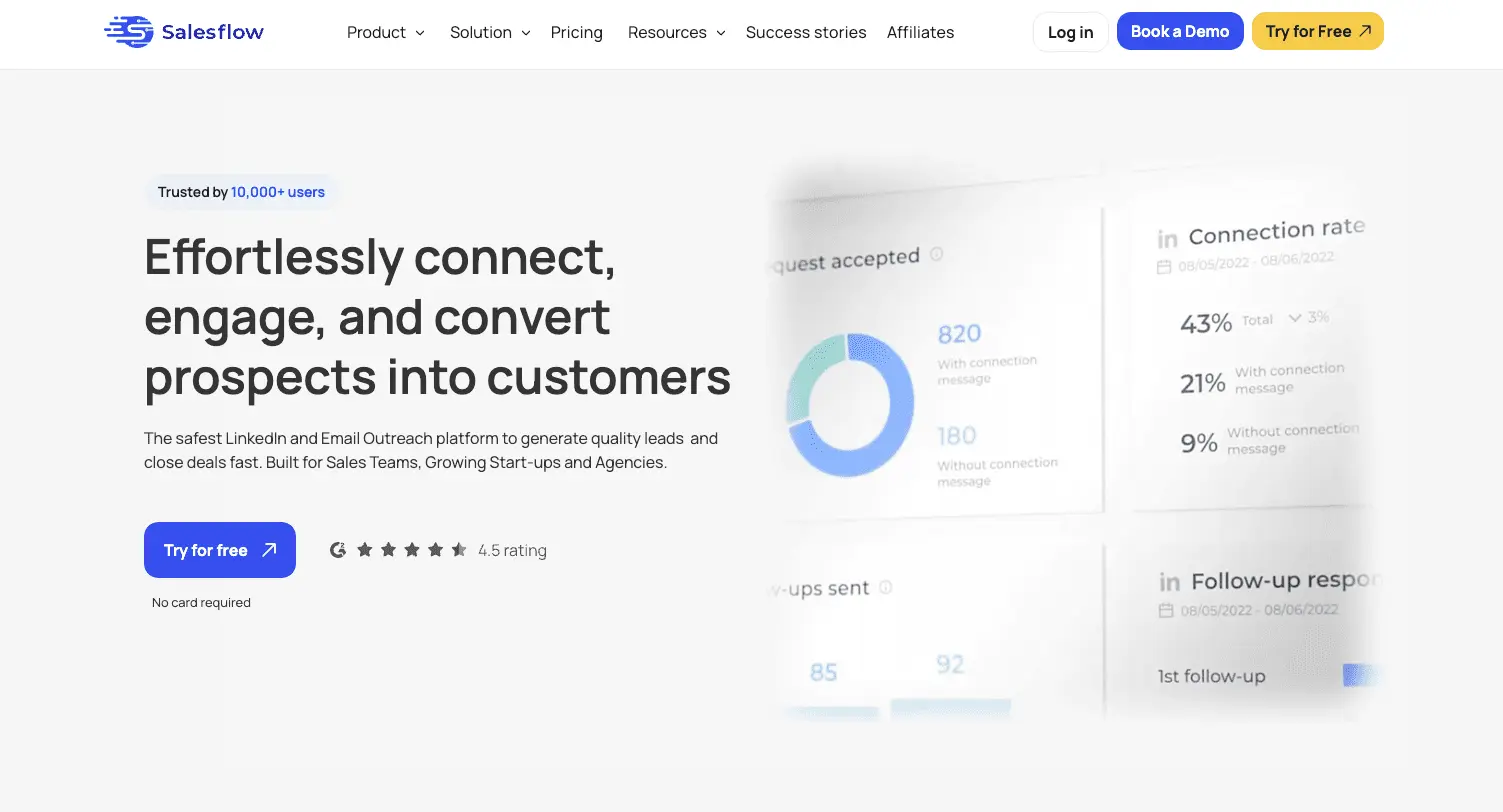
Salesflow is a LinkedIn automation and email outreach platform designed to help sales teams and entrepreneurs automate their lead generation process.
The tool promises to "effortlessly connect, engage, and convert prospects into customers" through automated LinkedIn connection requests, follow-up messaging sequences, and multichannel email campaigns.
The platform offers features like AI-driven lead management, Sales Navigator compatibility, advanced reporting, and the ability to import CSV files for hyper-personalized targeting.
With pricing starting at $79/month (billed annually) or $99/month (billed monthly), Salesflow positions itself as a comprehensive solution for businesses looking to scale their LinkedIn outreach efforts.
The Good: What Users Actually Like About Salesflow
Before diving into the concerns, let's acknowledge what some users find valuable about this platform based on reviews across multiple sites.
User-Friendly Interface and Campaign Management
Users on GetApp consistently praise Salesflow's interface, noting that it "offers an easy-to-use interface that allows users to create multiple lead generation campaigns all in one place."
This streamlined approach saves significant time for sales professionals who need to manage multiple outreach campaigns simultaneously.
Effective Lead Generation Capabilities
According to reviews on Cience, "SalesFlow facilitates clients by implementing numerous marketing strategies and generating qualified leads for their sales pipeline." Users report that when the tool works properly, it can effectively fill their sales funnel with relevant prospects.
Comprehensive Feature Set
Reviews highlight that "Salesflow makes work easier for its clients by controlling the entire outbound sales process." The platform's multichannel approach, combining LinkedIn automation with email outreach, provides a more comprehensive solution than single-channel tools.
The Bad: Consistent Problems That Users Report
Despite these strengths, multiple review sites and user forums reveal recurring issues that significantly impact the user experience and results.
Poor Customer Service - The Biggest Red Flag
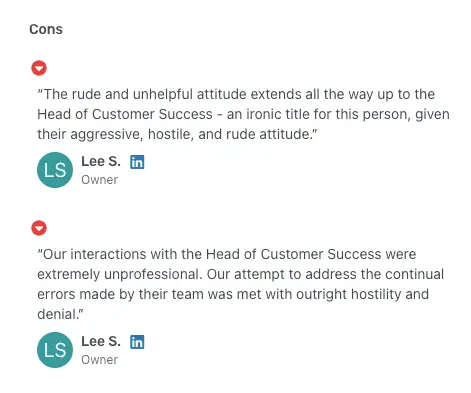
The most consistently reported issue across multiple review platforms is Salesflow's customer service quality. A GetApp reviewer didn't mince words, stating: "The rude and unhelpful attitude extends all the way up to the Head of Customer Success."
This isn't an isolated complaint. Multiple users report experiencing unprofessional interactions with support staff, which is particularly problematic when you're paying $79-99+ per month for a service that requires ongoing support and troubleshooting.
Lengthy and Frustrating Onboarding Process
Indeed reviews consistently mention that "There was a long ramp-up period and extensive onboarding which was frustrating." When you're eager to start generating leads, a prolonged setup process can delay your ROI and create additional friction in your sales process.
Frequent Technical Glitches and Disconnections
Based on the Salesforge AI review, users frequently report being logged out of their LinkedIn accounts, which disrupts campaigns and causes significant frustration. These technical issues often require contacting the already problematic customer support team, creating a cycle of frustration for users.
Underwhelming Data and Analytics
Many users find the reporting features lack the detailed insights needed to properly track performance and optimize campaigns. This creates a significant pain point for professionals who need to prove ROI and make data-driven decisions about their outreach strategies.
The Dangerous Truth: LinkedIn Safety and Account Restrictions
Here's where things get really concerning. Despite Salesflow's claims of being "the safest LinkedIn and Email Outreach platform," multiple users have reported serious account restriction issues that could jeopardize your LinkedIn profile.
How Salesflow Violates LinkedIn's Terms of Service
LinkedIn's User Agreement explicitly prohibits the use of automated tools for sending connection requests and messages. Salesflow's core functionality directly violates these terms by automating:
- Connection request sending
- Follow-up message sequences
- InMail automation
- Data scraping for lead generation
LinkedIn's Help Center clearly states that users must not "Scrape or modify the appearance of LinkedIn" or "Automate activities on LinkedIn's site" - yet these activities form the foundation of Salesflow's service offering.
The Real-World Consequences: What's at Stake?
Your LinkedIn profile is a valuable professional asset. Getting it restricted or banned can:
- Damage your professional reputation
- Cut off access to your network
- Eliminate years of connection building
- Hurt your career prospects
- Impact your business relationships
While Salesflow claims to use dedicated IPs and mimic human behavior to avoid detection, the user reports clearly show these measures aren't foolproof. Numerous users across Reddit and review sites have reported receiving warnings, temporary restrictions, and even permanent bans after using Salesflow.
A Safer, Smarter Way to Manage Your LinkedIn Inbox: Meet Kondo
The concerns around Salesflow highlight a critical point: jeopardizing your LinkedIn account for the sake of outreach volume is a risky gamble. But what if the real bottleneck isn't just generating leads, but effectively managing the conversations you already have?
Rather than automating outreach against LinkedIn's Terms of Service, focus on maximizing the value of your existing LinkedIn communications. This is where Kondo comes in - a tool designed to enhance your LinkedIn messaging experience while keeping your account completely safe.
How Kondo Enhances Your Workflow (Without Breaking the Rules)
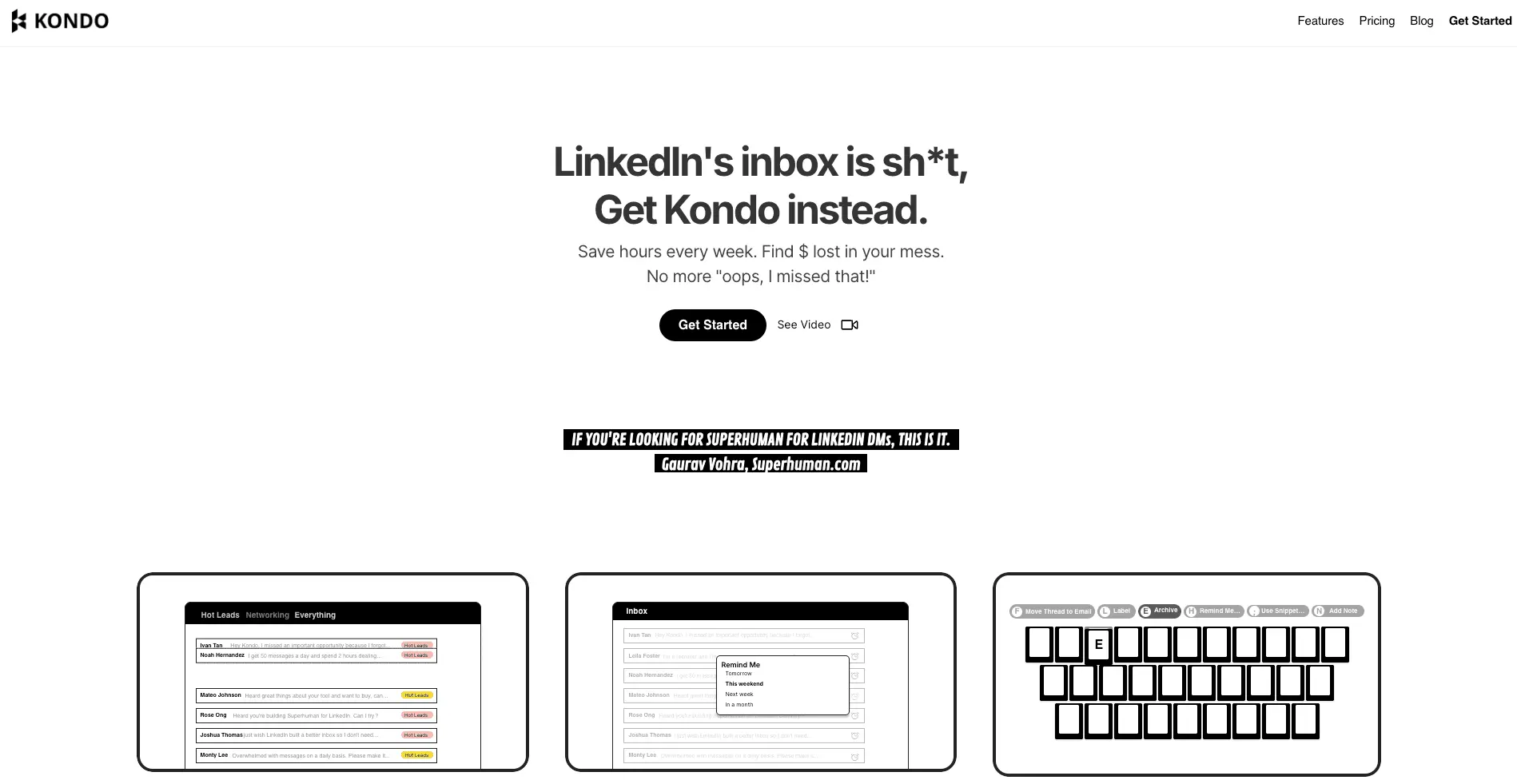
Kondo transforms your cluttered LinkedIn inbox into a streamlined communication hub, often described as 'Superhuman for LinkedIn,' with features that boost productivity without violating LinkedIn's Terms:
Never miss a critical message
With Labels & Split Inboxes, you can categorize conversations (e.g., 'Hot Lead', 'Candidate', 'Client') and view them in prioritized views, preventing valuable messages from getting buried.
Ensure timely follow-ups
Use Reminders (Snooze) to make messages reappear at the top of your inbox when they need attention, ensuring you never drop the ball on important follow-ups.
Speed up your workflow
Keyboard Shortcuts allow you to navigate your inbox, archive messages, set reminders, and apply labels, all without constantly reaching for your mouse.
Maintain consistency and save time
Snippets let you save and reuse common messages with simple commands, eliminating repetitive typing.
Affordable, Compliant, and Risk-Free
For a fraction of the cost of high-risk automation tools, Kondo offers plans that fit your needs. The Basic plan starts at just $28/month (billed annually), and unlike tools that may lock you in, Kondo offers a 14-day money-back guarantee. If you're not satisfied, you get a full refund, no questions asked.
Built for Safety and Compliance
Unlike Salesflow, Kondo is designed to be compliant with LinkedIn's rules. It doesn't scrape LinkedIn pages, modify their appearance, or automate any activity like bulk messaging or auto-replies. Kondo enhances the existing LinkedIn interface rather than circumventing it.
What Real Users Say
Kondo users consistently highlight the productivity gains and peace of mind that comes with a compliant tool:
Gaurav Vohra, Head of Growth at Superhuman, says: "If Kondo went away, I would genuinely be sad. If you got a lot of LinkedIn DMs, you should just use this thing — it's great."
Morgan Ingram, Founder of AMP Creative, adds: "Kondo fixed my messy LinkedIn inbox... Now, my conversations are way easier to manage."
Salesflow Pricing: A High Price for High Risk
Understanding Salesflow's pricing structure is crucial, especially given the reported functionality and support issues.
Single User Plans
- Monthly: $99/month
- Annual: $79/month (billed yearly)
Both plans include:
- 400 connection requests per month
- Multichannel email outreach
- Up to 2,000 follow-up messages monthly
- 800 InMails
- Advanced reporting
- Sales Navigator compatibility
- AI-driven lead management inbox
- CSV import for targeting
Team and Agency Plans
- Teams: Custom pricing (includes blacklist, dedicated customer success, team management)
- Agency: Custom pricing (includes white label branding, admin panel, global activity dashboard, dedicated IP settings, API access)
Pricing Concerns
Given the reported customer service issues and account restriction risks, the $79-99/month price point seems steep for a tool that may:
- Jeopardize your LinkedIn account
- Provide poor customer support when issues arise
- Require extensive onboarding periods
- Have data quality problems
Salesflow vs. Better, Safer Alternatives
With the documented risks and customer service issues, you might want to consider safer alternatives:
Manual Outreach
While time-consuming, manual LinkedIn outreach ensures:
- Complete compliance with LinkedIn's terms
- No risk of account restrictions
- Authentic, personalized connections
- Better relationship building
LinkedIn Sales Navigator
LinkedIn's official sales tool provides:
- Advanced search capabilities
- Lead recommendations
- CRM integration
- Complete platform compliance
Email-First Outreach
Focus on email outreach tools that don't risk your LinkedIn account:
- Use LinkedIn for research only
- Export contacts to email tools
- Maintain professional relationships without automation risks
Compliant Inbox Management Tools
For professionals overwhelmed by their LinkedIn DMs, tools like Kondo help you apply 'Inbox Zero' principles to your LinkedIn messages with features like labels, reminders, and keyboard shortcuts. This transforms your inbox into a productivity hub rather than a source of stress, focusing on managing existing communication effectively rather than automating new outreach that might violate LinkedIn's rules.
Ditch the Risk: Why Kondo is the Smarter Choice for LinkedIn
Based on extensive review analysis and user reports, we cannot recommend Salesflow for most professionals. Here's why:
The risks simply outweigh the benefits:
- Multiple documented cases of LinkedIn account restrictions
- Consistently poor customer service experiences
- Lengthy onboarding processes that delay results
- Data quality issues affecting lead generation
- Functionality confusion and usability problems
The bottom line: Salesflow might generate short-term lead volume, but the risk of losing your LinkedIn account and the documented customer service issues make it a poor long-term investment. Your professional reputation and LinkedIn network are too valuable to risk on a tool with such concerning user feedback.
Instead of risking your LinkedIn account with automation tools, consider investing that $79-99/month in:
- LinkedIn Sales Navigator subscription
- Professional email outreach tools
- Tools that organize and streamline your existing LinkedIn workflow safely, like an inbox enhancer such as Kondo
- Sales training and skill development
- Building authentic relationships through manual outreach
Remember: there are no shortcuts to building genuine professional relationships. The most successful sales professionals focus on quality connections and authentic engagement rather than automated volume – and they keep their LinkedIn accounts safe in the process by using compliant tools to manage their communications effectively.
Ready to experience a more organized and efficient LinkedIn inbox without putting your account at risk? Try Kondo today and see how it transforms your LinkedIn workflow. With a 14-day money-back guarantee, you can experience the benefits completely risk-free.
Frequently Asked Questions
What is Salesflow?
Salesflow is a cloud-based platform designed to automate LinkedIn outreach and email campaigns for lead generation. It aims to help sales teams connect with prospects by automating connection requests and follow-up messages, but user reviews highlight significant risks and drawbacks with the service.
Why is using Salesflow risky for my LinkedIn account?
Using Salesflow is risky because its core automation features, like sending automated connection requests and messages, directly violate LinkedIn's User Agreement. This can lead to your account being temporarily restricted or permanently banned, jeopardizing your professional network and reputation.
What are the most common user complaints about Salesflow?
The most common complaints about Salesflow are extremely poor customer service, a lengthy and frustrating onboarding process, and frequent technical glitches that disrupt campaigns. Users also report that the tool's data and analytics features are underwhelming for tracking performance.
Does LinkedIn allow automation tools?
No, LinkedIn's official policy explicitly prohibits the use of third-party software that automates activity on its platform. This includes tools that scrape data or automatically send connection requests and messages. Using such tools puts your account at high risk of being restricted or banned.
What is a safer alternative to Salesflow for LinkedIn outreach?
A safer alternative is to use compliant tools that enhance your workflow without automating outreach. For managing your inbox efficiently, a tool like Kondo helps you organize conversations with labels and reminders. For prospecting, LinkedIn's own Sales Navigator is the safest and most powerful option.
How does Kondo improve LinkedIn messaging without breaking the rules?
Kondo works safely by enhancing your existing LinkedIn inbox interface, not by automating outreach. It adds features like labels, reminders (snooze), and snippets to help you manage conversations efficiently. It does not send messages or connection requests on your behalf, keeping it fully compliant.