
Best Tool for LinkedIn DMs That Organizes Hot Leads
Stop losing valuable opportunities in a cluttered inbox. Kondo helps sales pros and recruiters label conversations, set follow-up reminders, and process messages at lightning speed.
What people say
LinkedIn Inbox Chaos Costs Opportunities
The native LinkedIn messaging experience makes it easy to miss critical messages and waste valuable time.
Lost Hot Leads
Important messages get buried under notifications and less important chats, resulting in missed sales opportunities.
Delayed Responses
Without a system for follow-ups, you forget to respond to potential clients and candidates at the right time.
Wasted Time
Hours spent scrolling through disorganized conversations searching for important threads instead of closing deals.
Transform Your LinkedIn Inbox Experience
Kondo delivers 'Superhuman for LinkedIn' with powerful organization tools that help you focus on what matters most.
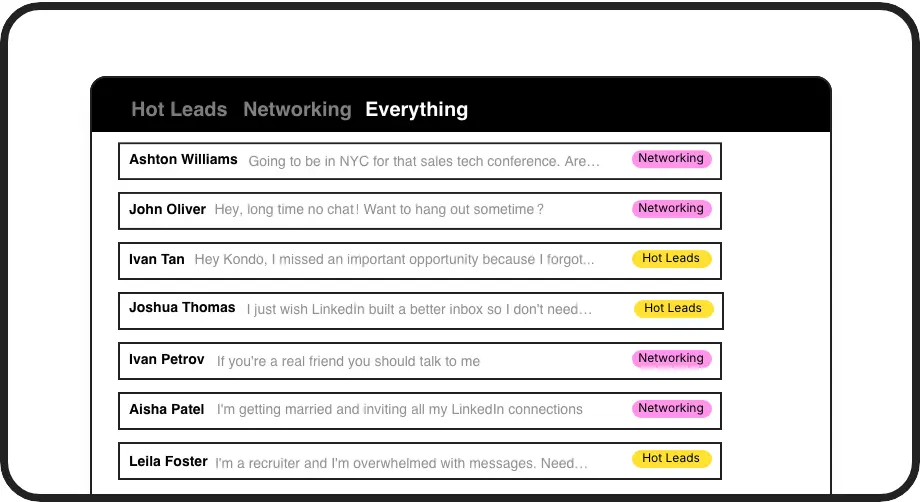
Smart Inbox Organization
Apply custom labels like 'Hot Lead' or 'Candidate' to categorize conversations into separate, prioritized inboxes so important messages never get lost again.
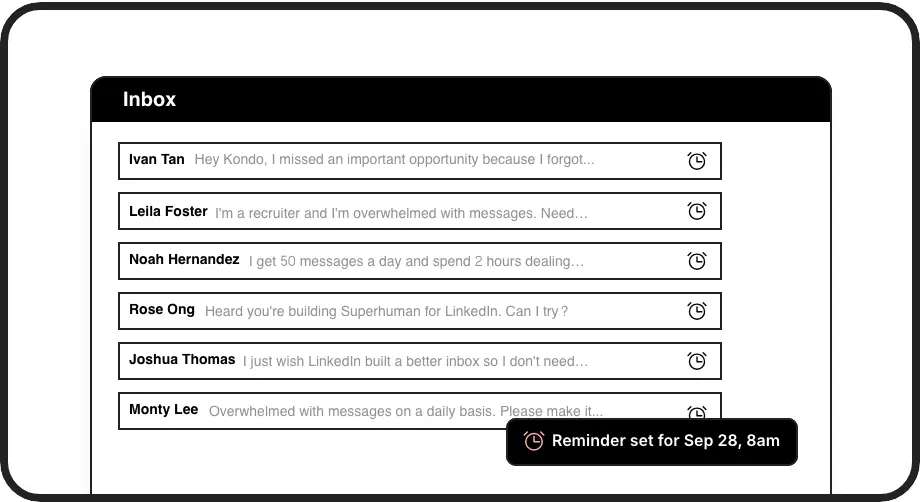
Perfect Follow-Up Timing
Set reminders with a simple shortcut to make conversations reappear at the top of your inbox exactly when needed, ensuring you never miss a follow-up opportunity.
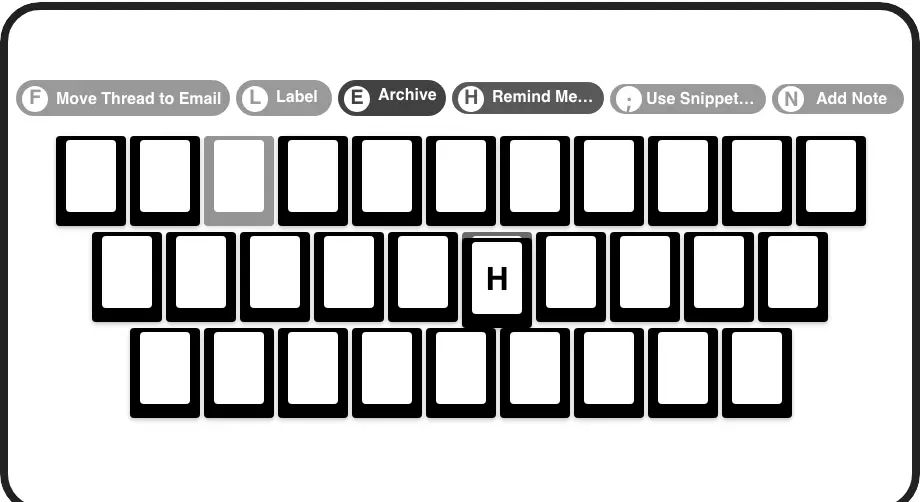
Lightning-Fast Navigation
Process LinkedIn messages at incredible speed with keyboard shortcuts for archiving, labeling, setting reminders, and more without touching your mouse.
LinkedIn left your inbox in 2000. Bring it into 2026.
Get the upgrade every power user's been waiting decades for.


More Leads, Less Work, Better Results
70%
Less Time Sorting
Zero
Missed Hot Leads
5hrs
Saved Weekly
FAQs
What makes Kondo the best tool for LinkedIn DMs?
Kondo is specifically designed to solve LinkedIn's inbox problems with features like split inboxes, labels, reminders, keyboard shortcuts, and snippets. Unlike the native LinkedIn experience, Kondo helps you organize conversations, set follow-up reminders, and process messages at lightning speed so you never miss hot leads.
How does Kondo's labeling system work?
Kondo lets you create custom labels (like 'Hot Lead', 'Client', 'Candidate') and view conversations in separate, prioritized inboxes. You can assign labels with a simple 'L' shortcut, customize label colors/icons, and even apply multiple labels to create groups (e.g., Lead > Hot), bringing structure to your LinkedIn inbox.
Can Kondo integrate with my CRM system?
Yes, Kondo's Business tier offers CRM & System Sync capabilities. You can integrate with tools like HubSpot, Salesforce (via Zapier/Make), Google Sheets, Notion, and more through webhooks or native integrations. This automatically logs LinkedIn activity and conversation details, saving you from manual data entry.
Is Kondo safe to use with my LinkedIn account?
Absolutely. Kondo is a native desktop app that doesn't scrape, inject code, or automate prohibited LinkedIn actions. It's designed to work alongside LinkedIn while respecting all platform guidelines and your privacy.
How do the reminder features help me follow up with leads?
Kondo's reminder feature lets you temporarily archive conversations and set specific times for them to reappear at the top of your inbox. Simply use the 'H' shortcut to choose preset times or custom dates. The reminder automatically cancels if a new message arrives before the due time, ensuring timely follow-ups without relying on external tools.