
The Superhuman Alternative for LinkedIn Messages
Kondo brings keyboard shortcuts, inbox zero, and snooze reminders to LinkedIn DMs. Stop losing hot leads in a cluttered inbox.
What people say
LinkedIn Inbox Kills Your Flow
You have inbox zero in email. LinkedIn drags you back to chaos every single time.
No Keyboard Shortcuts, Ever
LinkedIn's click-heavy inbox slows you down. Every action requires a mouse, destroying the superhuman-level speed you rely on.
Hot Leads Get Buried
Missed LinkedIn messages mean missed revenue. Critical leads vanish under notifications and low-priority chats with no way to prioritize.
Follow-Ups Fall Through Gaps
Without reminders, LinkedIn inbox management relies on memory. Leads go cold because there is no snooze to bring them back.
Superhuman's Best Features, Built for LinkedIn
Kondo mirrors the Superhuman experience you love in email and brings it directly to your LinkedIn DMs.
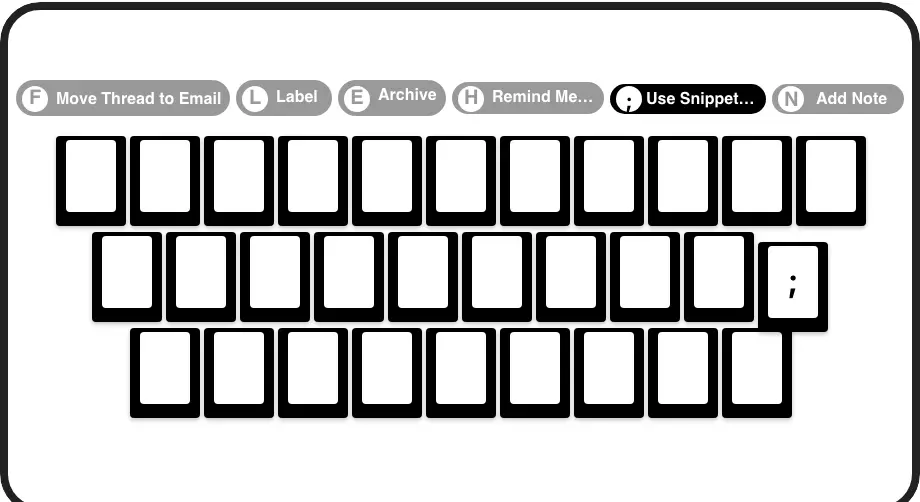
Keyboard Shortcuts Like Superhuman
J/K to navigate, E to archive, H to snooze, L to label. Process LinkedIn messages at superhuman-level speed without touching your mouse.
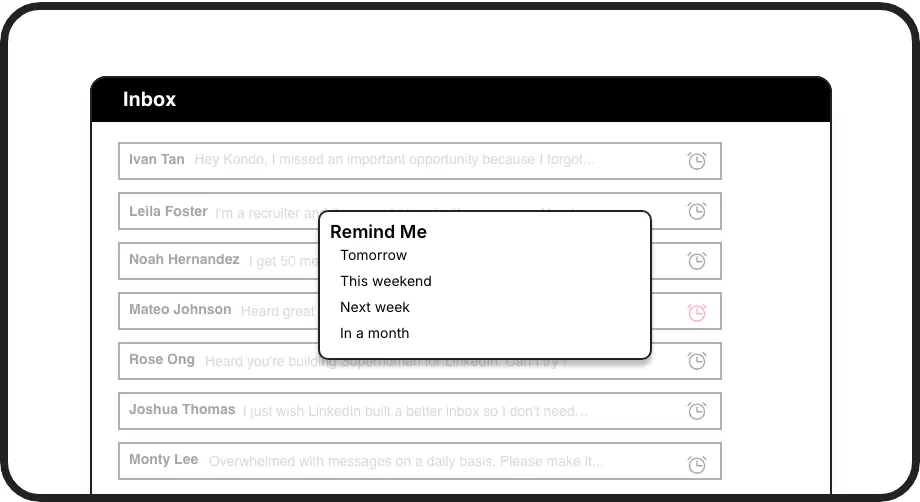
Snooze and Never Forget
Hit H to snooze any LinkedIn conversation. It resurfaces at the top of your inbox when due, so every follow-up lands on time.
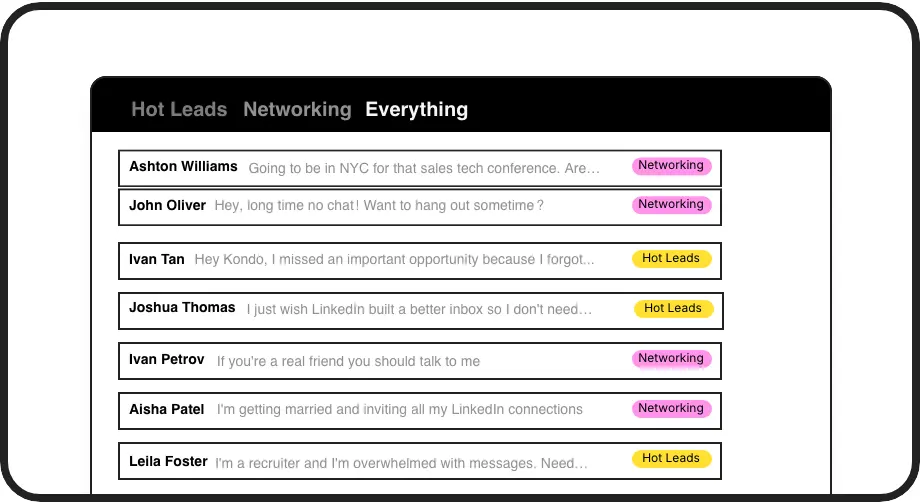
Inbox Zero for LinkedIn
Label conversations as Hot Lead, Client, or Candidate and split them into prioritized inboxes. The same triage workflow you love in email, now for LinkedIn DMs.
LinkedIn left your inbox in 2000. Bring it into 2026.
Get the upgrade every power user's been waiting decades for.


Faster Inbox. Zero Missed Leads. More Pipeline.
2x
Faster DM Processing
0
Missed Hot Leads
100%
Follow-Ups Completed
FAQs
How does Kondo compare to Superhuman for email?
Superhuman brought keyboard-first navigation, snooze, and inbox zero to email. Kondo brings that exact same experience to LinkedIn messages. You get J/K navigation, E to archive, H to snooze, and label-based split inboxes — the full Superhuman workflow, rebuilt for LinkedIn DMs.
Does Kondo have keyboard shortcuts like Superhuman?
Yes. Kondo is built around keyboard shortcuts. Use J/K to navigate conversations, E to archive, H to set a reminder, L to apply a label, and semicolon to insert a snippet. The Command Palette (Cmd/Ctrl+K) gives you fast access to every action, just like Superhuman.
Can I achieve inbox zero on LinkedIn like I do in Superhuman for email?
That is exactly what Kondo is designed for. Archive, snooze, and label actions let you fully triage your LinkedIn inbox. The Clean Up My Inbox command bulk-archives old threads. Split inboxes by label keep your main view clear so inbox zero on LinkedIn is a daily reality, not a fantasy.
Is Kondo safe to use with LinkedIn?
Yes. Kondo is a native desktop app. It does not scrape LinkedIn data, inject unauthorized code, or automate actions prohibited by LinkedIn's terms of service. You are always in control of every action taken in your inbox.
What types of professionals use Kondo?
Kondo is built for anyone who relies on LinkedIn DMs to drive results — SDRs managing high volumes of outreach, recruiters tracking candidate conversations, founders handling inbound leads, and consultants maintaining client relationships. If you already use Superhuman for email, Kondo closes the gap on LinkedIn.