
LinkedIn Social Selling Tool for Sales Success
Stop losing hot leads in your messy LinkedIn inbox. Kondo helps you prioritize conversations with labels, set follow-up reminders, and sync with your CRM for faster deal closing.
What people say
LinkedIn Inbox Chaos
Your LinkedIn inbox is costing you deals and wasting precious time.
Lost Sales Opportunities
Critical lead messages get buried under notifications and low-priority chats, resulting in missed revenue opportunities.
Follow-up Failures
Without a system for tracking conversations, important follow-ups slip through the cracks, derailing your sales pipeline.
CRM Data Disconnect
Manually copying LinkedIn conversations to your CRM wastes hours weekly and creates incomplete prospect records.
Transform Your LinkedIn Inbox Into a Sales Machine
Kondo brings structure, speed, and system integration to your LinkedIn messaging, helping you close more deals with less effort.
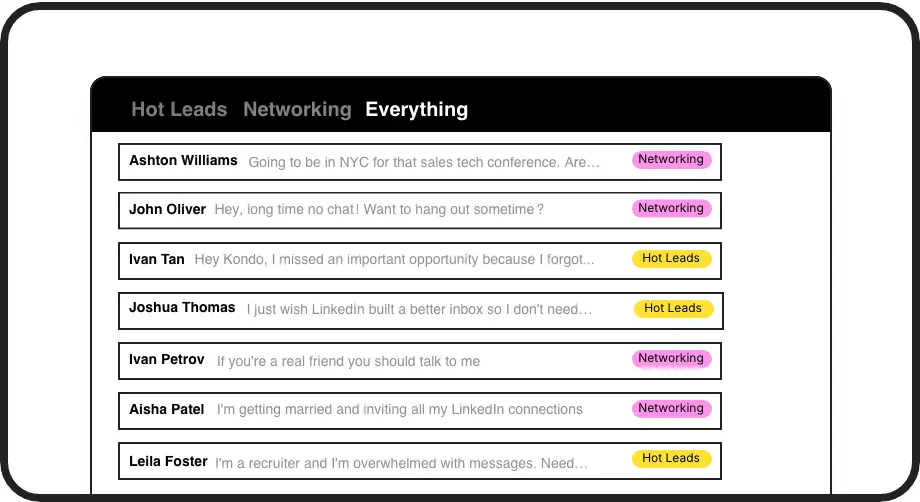
Label and Prioritize Leads
Create custom labels like 'Hot Lead' or 'Follow Up' to organize conversations into separate inboxes. Never lose an important prospect in the LinkedIn message clutter again.
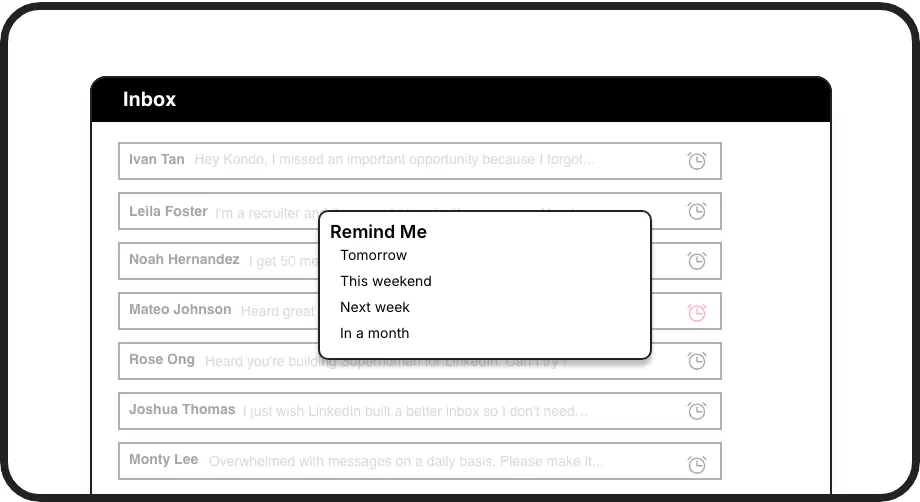
Never Miss Follow-ups
Set reminders that bring conversations back to the top of your inbox exactly when needed. Perfect for multi-touch sales sequences and nurturing leads through your pipeline.
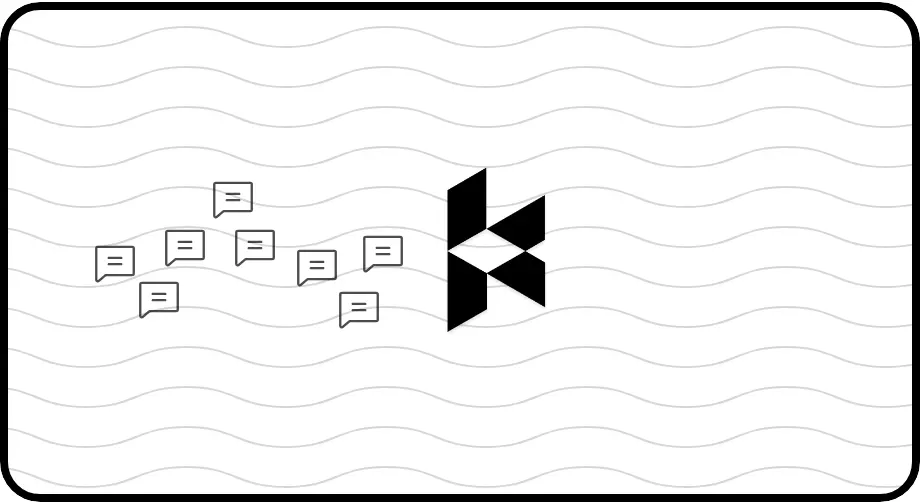
Automate CRM Updates
Sync LinkedIn conversations directly to HubSpot, Salesforce, or other systems. Eliminate manual data entry and ensure your CRM always reflects your latest prospect interactions.
LinkedIn left your inbox in 2000. Bring it into 2026.
Get the upgrade every power user's been waiting decades for.


Sell More. Work Less. Close Faster.
60%
Faster Response Time
3hrs
Saved Weekly
Zero
Missed Opportunities
FAQs
How does Kondo work with LinkedIn?
Kondo is a desktop application that enhances your LinkedIn messaging experience. It works alongside LinkedIn to provide organization features like labels, reminders, and keyboard shortcuts. Kondo doesn't scrape data or inject code, ensuring compliance with LinkedIn's terms of service.
Which CRM systems can Kondo integrate with?
Kondo's Business tier integrates with various CRM systems including HubSpot, Salesforce (via Zapier/Make), Notion, Google Sheets, Attio, and Clarify. You can set up webhooks for custom integrations or use Zapier/Make.com for additional connections.
How do labels and split inboxes help with social selling?
Labels transform how you manage LinkedIn conversations by categorizing them (e.g., 'Hot Lead,' 'Demo Scheduled,' 'Decision Maker'). Split inboxes let you focus on specific conversation types, ensuring high-priority prospects get immediate attention while keeping your overall inbox organized.
Can Kondo help me follow up with prospects consistently?
Yes! Kondo's reminder feature (or 'Snooze') lets you set a specific time for conversations to reappear at the top of your inbox. Simply use the 'H' shortcut to schedule follow-ups, and the message will automatically resurface when it's time to reconnect with your prospect.
Does Kondo work with Sales Navigator?
Yes, Kondo unifies your regular LinkedIn inbox with your Sales Navigator inbox, allowing you to view and manage all your messages in one place. This eliminates the need to switch between separate inboxes, streamlining your sales workflow and ensuring no important Sales Navigator communications are missed.