
Sales Productivity Software Your LinkedIn Inbox Needs
Stop losing valuable client messages in LinkedIn's cluttered inbox. Kondo helps SDRs prioritize leads, sync conversations to your CRM, and hit inbox zero daily.
What people say
Your LinkedIn Inbox Is Costing You
Critical messages from leads and clients get buried, leading to missed deals and wasted hours.
Hot Leads Getting Buried
High-value prospects disappear under a flood of notifications, causing delayed responses and lost revenue opportunities.
Follow-Ups Falling Through Gaps
Without a reliable system, timely follow-ups are forgotten, and promising conversations go cold before closing.
CRM Data Entry Eating Time
Manually copying LinkedIn conversations into your CRM wastes hours every week and introduces costly data errors.
Built to Turn LinkedIn Into a Sales Machine
Kondo brings structure, speed, and CRM connectivity to your LinkedIn inbox so every lead gets the attention it deserves.
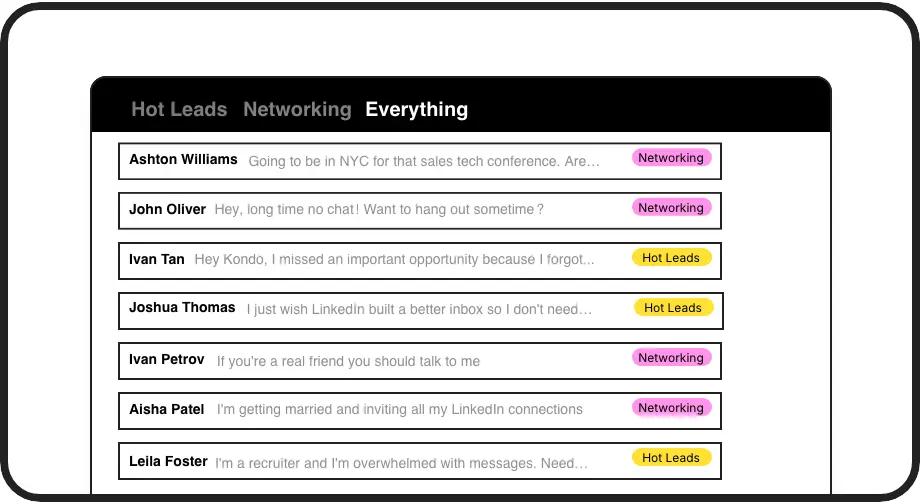
Prioritize Leads with Labels
Apply custom labels like Hot Lead or Client and view them in dedicated inboxes. Instantly declutter your feed and make sure your highest-value conversations are always front and center.
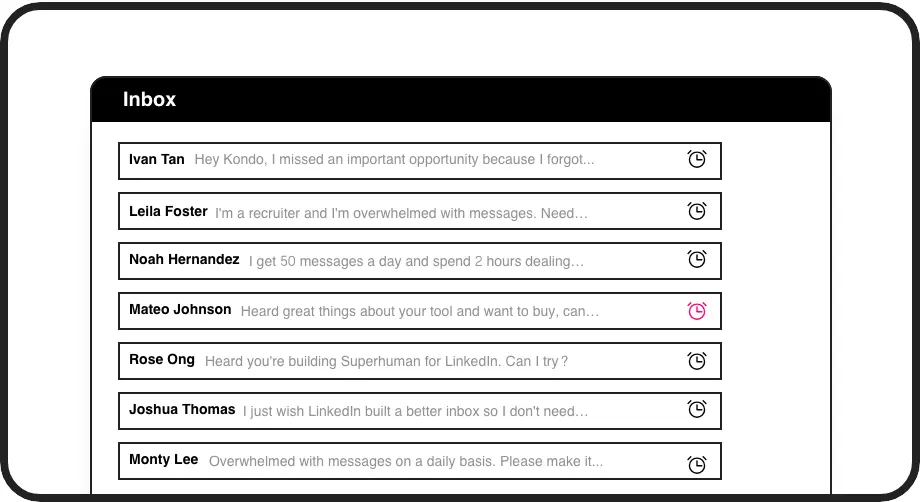
Never Miss a Follow-Up
Snooze any conversation and schedule it to resurface right at the top of your inbox when it is time to follow up. Build a reliable cadence without relying on memory or external tools.
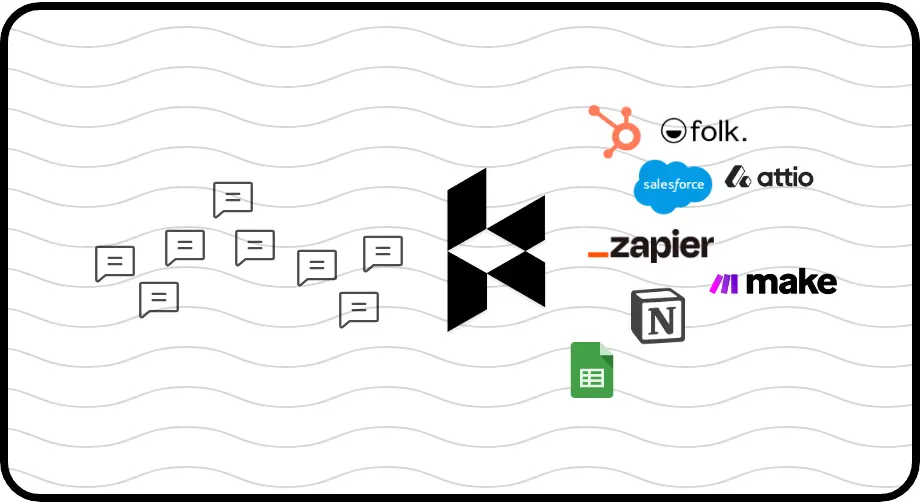
Sync Conversations to CRM
Automatically push LinkedIn DMs, labels, and notes to HubSpot, Salesforce, Notion, Google Sheets, and more. Eliminate manual data entry and keep your revenue systems fully up to date.
LinkedIn left your inbox in 2000. Bring it into 2026.
Get the upgrade every power user's been waiting decades for.


Less Clutter. More Closes. Zero Missed Leads.
0
Missed High-Priority DMs
10hrs
Saved on Admin Weekly
100%
Follow-Ups Actioned On Time
FAQs
What is Kondo and how does it improve LinkedIn sales productivity?
Kondo is a desktop app that transforms your LinkedIn inbox into a structured, high-speed communication hub. It adds features like custom labels, split inboxes, keyboard shortcuts, reminders, and CRM sync that LinkedIn does not natively offer. Sales professionals use it to prioritize leads, eliminate inbox clutter, and ensure no important conversation is ever missed.
Is Kondo safe to use with my LinkedIn account?
Yes. Kondo is a native desktop app that does not scrape data, inject unauthorized code, or automate any actions prohibited by LinkedIn. It is designed to work within LinkedIn's guidelines, so your account remains safe while you benefit from a significantly improved messaging experience.
Which CRM systems does Kondo integrate with?
Kondo's CRM and System Sync feature, available on the Business tier, supports native integrations with HubSpot, Salesforce, Notion, Google Sheets, Attio, and Clarify. It also connects to thousands of other tools through Zapier and Make.com via webhooks, giving you flexible options to fit your existing sales stack.
Can Kondo help me manage both LinkedIn and Sales Navigator messages?
Yes. Kondo allows you to combine your standard LinkedIn inbox and your Sales Navigator inbox into a single unified view. This eliminates the need to switch between two separate inboxes, giving sales professionals a complete and centralized picture of all their LinkedIn DM activity in one place.
Who is Kondo designed for?
Kondo is built for professionals who rely heavily on LinkedIn DMs to drive business outcomes. This includes SDRs managing high volumes of outreach, recruiters tracking candidates and clients, founders building partnerships, and consultants nurturing client relationships. If LinkedIn messaging is a core part of your workflow, Kondo is designed to make it dramatically more efficient.