
Sales Management Tool for LinkedIn That Works
Stop losing hot leads in a cluttered LinkedIn inbox. Kondo helps you prioritize prospects, nail every follow-up, and keep your pipeline visible.
What people say
Your LinkedIn Inbox Is Costing You Deals
Sales reps lose pipeline every day to a LinkedIn inbox that was never built for selling.
Hot Leads Buried in Noise
High-value prospects get lost under networking spam. No way to separate hot leads from low-priority LinkedIn inbox clutter.
Missed Follow-Ups, Lost Deals
LinkedIn has no built-in reminder system. Leads go cold because missed follow-ups slip through the cracks.
Pipeline Blind Spots in Your CRM
LinkedIn sales activity never reaches your CRM. Conversations stay invisible, creating gaps in your pipeline data.
Turn LinkedIn DMs Into a Structured Sales Pipeline
Three purpose-built sales workflow tools that help you prioritize leads, follow up on time, and keep your CRM in sync automatically.
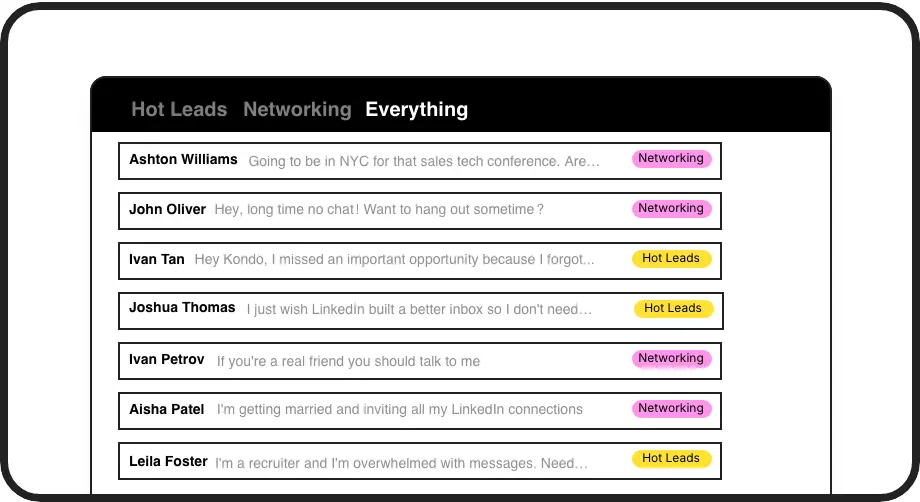
Lead Prioritization Labels
Tag prospects as Hot Lead, Negotiating, or Closed Won and view each stage in its own split inbox. Your LinkedIn pipeline, finally structured.
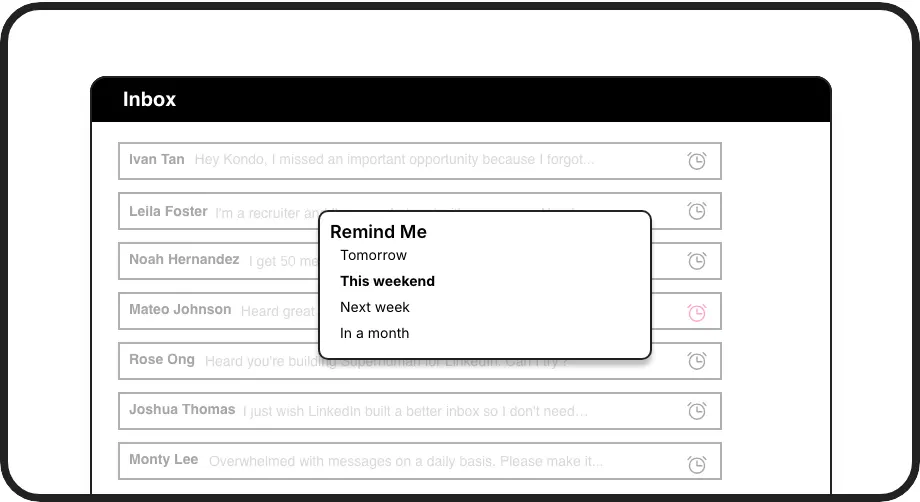
Follow-Up Reminder Engine
Snooze any conversation and it resurfaces at the top of your inbox exactly when you need to re-engage. Never let a lead go cold again.
Automatic CRM Pipeline Sync
Push every LinkedIn conversation to HubSpot, Salesforce, Notion, Google Sheets, and more. Full pipeline visibility with zero manual data entry.
LinkedIn left your inbox in 2000. Bring it into 2026.
Get the upgrade every power user's been waiting decades for.


More Deals Closed, Less Time Wasted
100%
Follow-Ups Nailed
0
Leads Lost to Clutter
10hrs
Saved on CRM Entry
FAQs
Can I track my LinkedIn leads with Kondo?
Yes. Kondo lets you apply custom labels like Hot Lead, Negotiating, or Closed Won to any LinkedIn conversation and view each group in a dedicated split inbox. This turns your LinkedIn DMs into a structured lead tracking system, so every prospect is visible and nothing falls through the cracks.
How does Kondo sync with my CRM?
Kondo integrates with HubSpot natively and connects to Salesforce, Notion, Google Sheets, Attio, Clarify, and more via Zapier or Make.com. You can sync the latest message or full conversation history, either on demand or as a live stream. This is available on the Business tier and eliminates manual CRM data entry from LinkedIn.
Does Kondo work with Sales Navigator?
Yes. Kondo combines your regular LinkedIn inbox and your Sales Navigator inbox into a single unified view. You no longer need to switch between two separate inboxes, making it much easier to manage outreach and follow-ups across both in one place.
Can my sales team use Kondo together?
Kondo is designed to support sales professionals individually and at a team level. CRM sync ensures that LinkedIn activity logged by each rep flows into your shared revenue systems, giving managers full pipeline visibility across the entire team's LinkedIn sales activity.
Is Kondo safe to use with LinkedIn?
Yes. Kondo is a native desktop app that does not scrape data, inject unauthorized code, or automate any actions prohibited by LinkedIn. It enhances your inbox workflow through a compliant interface, so you can use it with confidence without risking your LinkedIn account.