
LinkedIn Productivity Software for Sales Success
Stop missing hot leads in your cluttered LinkedIn inbox. Kondo helps you organize, prioritize, and follow up on opportunities with powerful labeling and reminder tools.
What people say
LinkedIn Inbox Chaos
Your most valuable opportunities are drowning in message clutter
Lost Sales Opportunities
Important lead messages get buried under notifications, causing delayed responses and missed conversions.
Follow-up Failures
Without a structured system, critical follow-ups fall through the cracks, resulting in stalled conversations and lost deals.
Productivity Drain
Hours wasted daily sifting through unorganized messages to find what matters, reducing your selling time and efficiency.
Transform Your LinkedIn Messaging Experience
Kondo brings order to your LinkedIn inbox with tools designed specifically for sales professionals who need speed, organization and reliability.
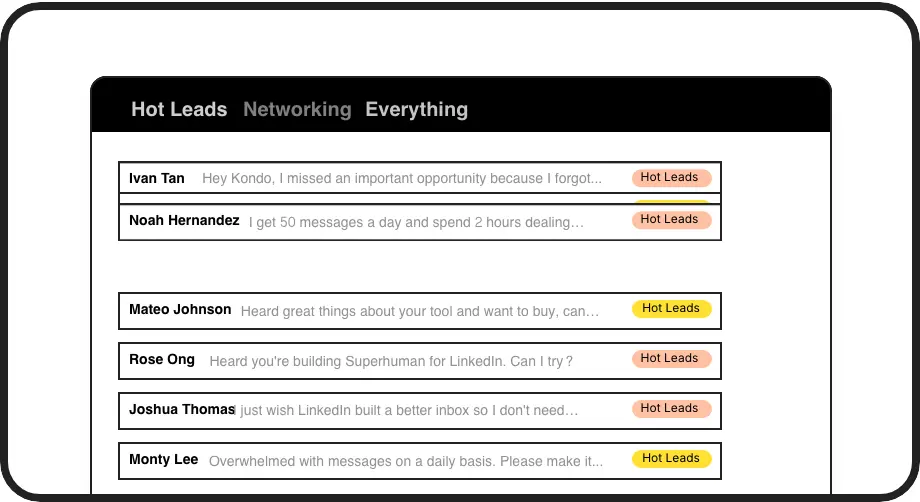
Prioritize Hot Leads
Create custom labels like 'Hot Lead' or 'Client' to instantly categorize conversations. View them in separate inboxes so opportunities never get lost in the noise.

Perfect Follow-ups
Set reminders that bring conversations back to the top of your inbox exactly when needed. No more forgotten follow-ups or missed opportunities.
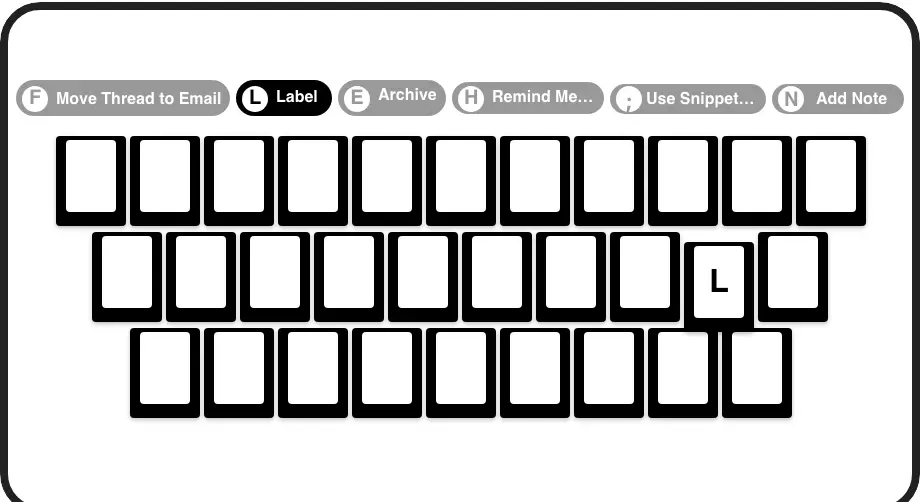
Lightning-Fast Workflow
Process your inbox at 2x speed with shortcuts for everything. Archive, label, set reminders, and navigate with single keypresses, saving hours each week.
LinkedIn left your inbox in 2000. Bring it into 2026.
Get the upgrade every power user's been waiting decades for.


More Sales, Less Stress, Zero Missed Leads
100%
Lead Response Rate
75%
Less Time Sorting
5hrs
Saved Weekly
FAQs
How does Kondo work with my LinkedIn account?
Kondo is a native desktop app that enhances your LinkedIn messaging experience. It doesn't scrape data or inject code, ensuring complete safety and compliance with LinkedIn's terms. It simply makes your existing inbox more organized and efficient with features like labels, reminders, and keyboard shortcuts.
Can I organize messages from different leads and clients?
Yes! Kondo's label system allows you to create custom categories (like 'Hot Lead', 'Prospect', or 'Client') and view them in separate inboxes. You can apply multiple labels to conversations and customize colors/icons for quick visual recognition, making it easy to prioritize your most important opportunities.
How do reminders work for follow-ups?
Kondo's reminder feature lets you temporarily archive a conversation until you need to address it. Simply press 'H' and select when you want the message to reappear (tomorrow, next week, or a custom date). The conversation automatically returns to the top of your inbox at the scheduled time, ensuring timely follow-ups.
Can Kondo connect with my CRM system?
Yes, Kondo's Business tier offers CRM & system sync capabilities. You can integrate with HubSpot, Salesforce (via Zapier/Make), Google Sheets, Notion, and other systems. This allows you to automatically log LinkedIn activity and conversation details, eliminating manual data entry and providing visibility across your sales tools.
Will Kondo help me respond faster to leads?
Absolutely. Kondo's keyboard shortcuts allow lightning-fast navigation and actions without touching your mouse. You can also save frequently used messages as snippets with the ';' shortcut, automatically personalizing them with variables like the recipient's name. This dramatically speeds up your response time to important leads.