
LinkedIn Pipeline Management Tool for Sales Success
Stop losing deals in chaotic LinkedIn inboxes. Kondo organizes your team's DMs with labels, reminders, and CRM sync, giving you total visibility and control over your sales pipeline.
What people say
LinkedIn DM Chaos Costs Sales
Sales teams are drowning in unorganized LinkedIn messages, missing critical opportunities and revenue.
Lost Sales Opportunities
Important lead messages get buried under notifications, causing missed deals and revenue loss.
Manual CRM Updates
Copy-pasting LinkedIn conversations to your CRM wastes hours weekly and leads to incomplete data.
Inconsistent Follow-ups
Without structured reminders, critical follow-ups slip through the cracks, letting hot prospects go cold.
Transform LinkedIn into a Sales Machine
Kondo brings organization, speed, and visibility to your LinkedIn pipeline management with powerful tools designed for sales success.
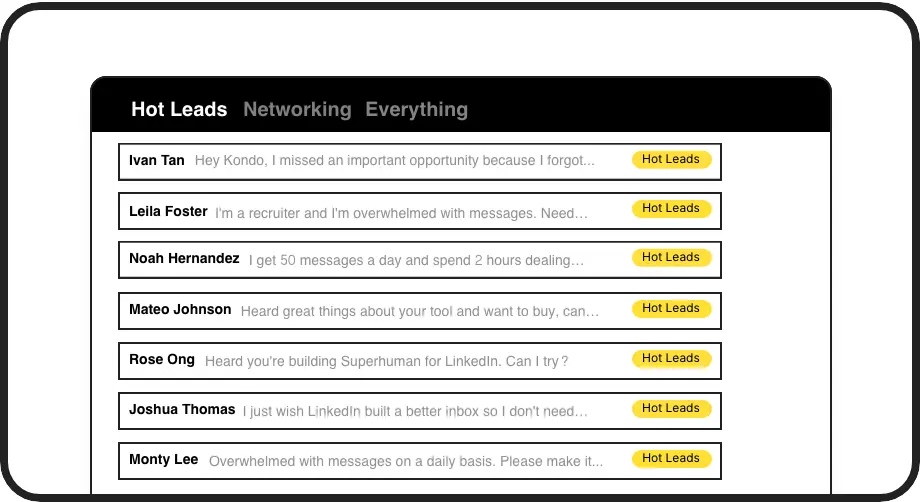
Organize Your Pipeline
Label conversations as Hot Lead, Client, or Prospect and view them in separate inboxes. Never lose an opportunity in the LinkedIn message chaos again.
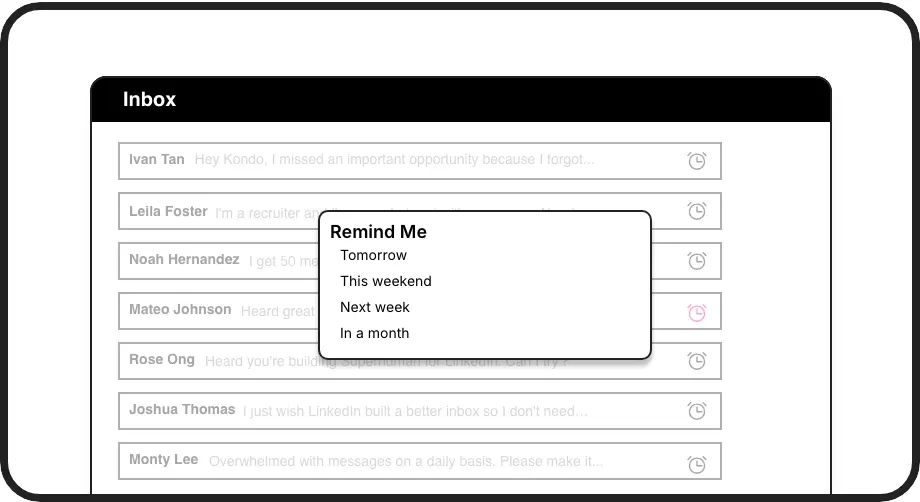
Never Miss Follow-ups
Set reminders that bring conversations back to the top of your inbox at the perfect time. Ensure timely follow-ups without relying on memory or external tools.
Sync with Your CRM
Automatically push LinkedIn conversation data to HubSpot, Salesforce, or other systems. Maintain complete pipeline visibility without manual data entry.
LinkedIn left your inbox in 2000. Bring it into 2026.
Get the upgrade every power user's been waiting decades for.


Close More Deals, Save More Time
50%
Less Time Managing DMs
Zero
Missed Sales Opportunities
5 hours
Saved Weekly on Admin
FAQs
How does Kondo help manage my LinkedIn sales pipeline?
Kondo transforms your LinkedIn inbox into an organized sales pipeline by allowing you to label conversations (e.g., Hot Lead, Prospect), set follow-up reminders, use keyboard shortcuts for speed, save message templates as snippets, and sync conversation data to your CRM. This ensures no lead falls through the cracks and your sales process stays organized.
Does Kondo integrate with my existing CRM system?
Yes, Kondo's Business tier offers CRM integration through webhooks, Zapier, and Make.com, plus native integrations with HubSpot, Notion, Google Sheets, Attio, Clarify and more. You can sync your latest messages or entire conversation histories either manually or with streaming updates that push data automatically when conversations change.
Is Kondo safe to use with my LinkedIn account?
Kondo is built as a native desktop app that respects LinkedIn's terms of service. It does not scrape data, inject code, or automate prohibited LinkedIn actions. It's designed to enhance your LinkedIn experience safely while maintaining compliance with platform policies.
How does the labeling system work for pipeline management?
Kondo lets you create custom labels (e.g., Hot Lead, Client, Prospect) with custom colors and icons. You can apply these labels to conversations using the 'L' shortcut and view conversations in dedicated label inboxes. You can even apply multiple labels to create hierarchies (e.g., Lead > Hot) for sophisticated pipeline organization.
Can my sales team use Kondo with Sales Navigator?
Yes, Kondo combines messages from both your regular LinkedIn inbox and Sales Navigator inbox into a unified view. This eliminates switching between separate inboxes and provides a holistic view of all your LinkedIn communications. This feature is available on the Business plan after initial setup.