
A Pipedrive Alternative Built for LinkedIn Messaging
Kondo transforms your cluttered LinkedIn inbox into an organized communication hub with labels, reminders, and shortcuts. Stop losing leads in the LinkedIn mess.
What people say
LinkedIn DMs Are Chaotic
Sales professionals lose opportunities buried in their LinkedIn inbox daily.
Missed Hot Leads
Important messages get buried under notifications, causing delayed responses and lost sales opportunities.
No Organization System
Pipeline-focused CRMs like Pipedrive don't handle the unique needs of LinkedIn conversation management.
Time-Consuming Follow-ups
Manually tracking who needs a follow-up wastes hours weekly and leads to inconsistent outreach.
LinkedIn Messaging Management, Reimagined
Kondo brings Superhuman-like speed and organization to your LinkedIn DMs with powerful tools designed for sales professionals.
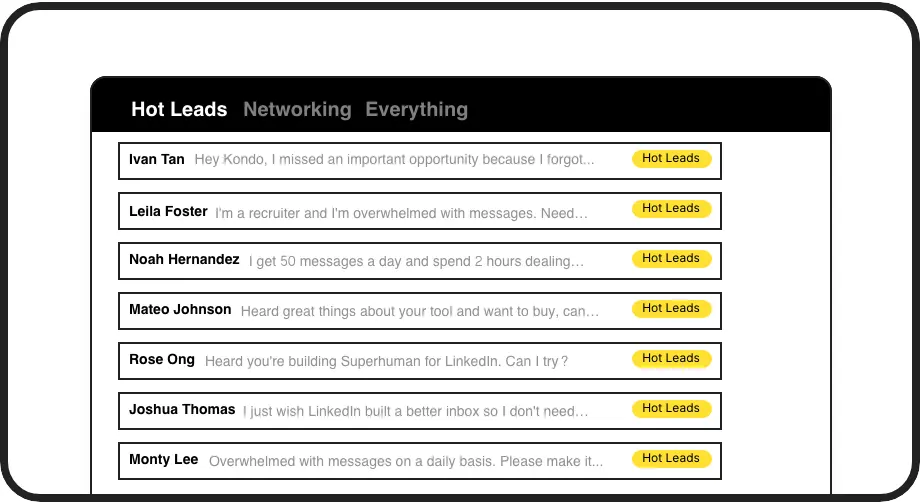
Smart Label System
Categorize conversations with custom labels like 'Hot Lead' or 'Client' and view them in separate, prioritized inboxes so important messages never get lost.

Intelligent Reminders
Set follow-up reminders with a single keystroke. Messages disappear and resurface at the top of your inbox when due, ensuring timely follow-ups.
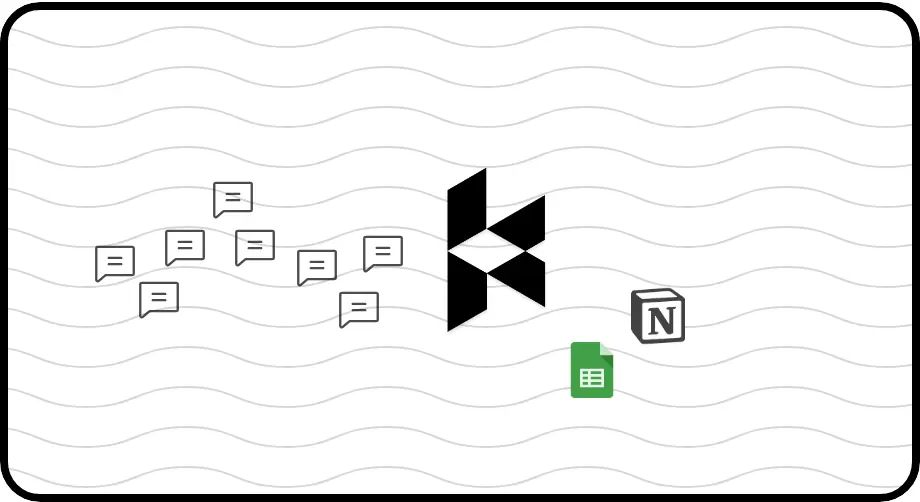
Automated CRM Sync
Push LinkedIn conversation data to HubSpot, Salesforce, Google Sheets, or Notion automatically. Log activity without manual data entry for complete visibility.
LinkedIn left your inbox in 2000. Bring it into 2026.
Get the upgrade every power user's been waiting decades for.


Fast, Organized, Connected
50%
Less time managing DMs
100%
Follow-up rate
Zero
Missed opportunities
FAQs
How is Kondo different from Pipedrive for LinkedIn messaging?
Unlike Pipedrive, which focuses on sales pipelines, Kondo is purpose-built for LinkedIn messaging with features like message labeling, keyboard shortcuts, and reminders that work directly within your LinkedIn inbox. Pipedrive requires manual data entry from LinkedIn, while Kondo can automatically sync conversations to your CRM.
Can I integrate Kondo with my existing CRM?
Yes. Kondo's Business tier integrates with HubSpot, Salesforce (via Zapier/Make), Google Sheets, Notion, Attio, Clarify and more through webhooks or native integrations. You can sync your latest messages or entire conversation history automatically.
How does Kondo help me prioritize LinkedIn messages?
Kondo lets you create custom labels (e.g., Hot Lead, Client) and view conversations in separate, prioritized inboxes. You can apply multiple labels to create groups, customize icons/colors, and use keyboard shortcuts to quickly triage messages. This prevents important conversations from getting buried.
Will Kondo help me remember to follow up with leads?
Absolutely. Kondo's reminder feature (accessible via the 'H' shortcut) lets you snooze conversations to reappear at a specific time. Messages temporarily disappear and automatically resurface at the top of your inbox when due, ensuring timely follow-ups without relying on external tools.
Is Kondo safe to use with my LinkedIn account?
Yes. Kondo is a native desktop app that doesn't scrape, inject code, or automate prohibited LinkedIn actions. It works alongside LinkedIn to enhance your messaging experience while respecting LinkedIn's terms of service.