
LinkedIn Message Organization, Finally Done Right
Kondo gives your LinkedIn inbox the structure it needs with labels, split inboxes, and reminders. Stop losing important conversations in the clutter.
What people say
Your LinkedIn Inbox Is Chaos
No structure, no categories, no control. Important messages disappear and opportunities slip away.
One Giant Unsorted Inbox
LinkedIn mixes clients, leads, recruiters, and spam into one feed. There is no way to categorize or filter your linkedin messages.
Important Messages Get Buried
Without message organization, high-priority conversations vanish under less relevant threads. You scroll endlessly to find what matters.
No Built-In Organization Tools
LinkedIn offers zero labels, folders, or categories. Professionals have no infrastructure to organize messages at any scale.
The Organization Layer LinkedIn Is Missing
Kondo adds the structure LinkedIn never built. Categorize every conversation, triage at speed, and make sure nothing slips through the cracks.
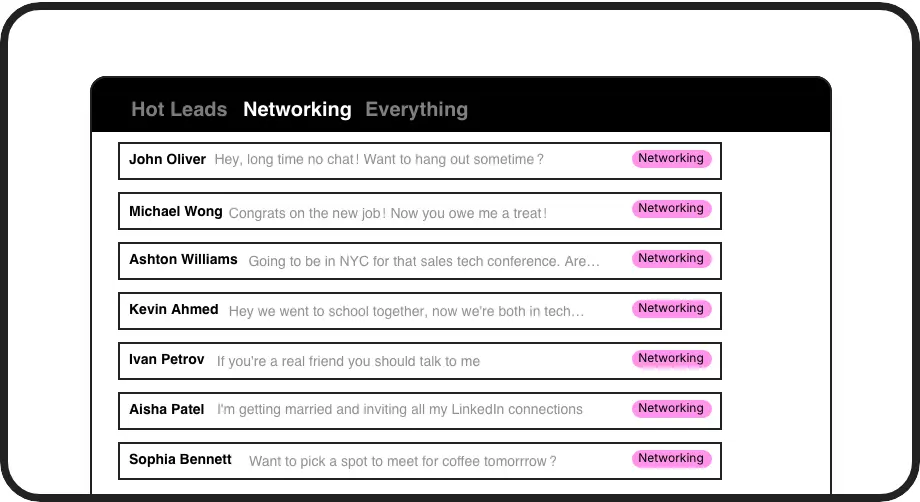
Labels and Split Inboxes
Create custom categories like Clients, Leads, and Partners. Each label gets its own inbox so your linkedin message organization stays clean and focused.
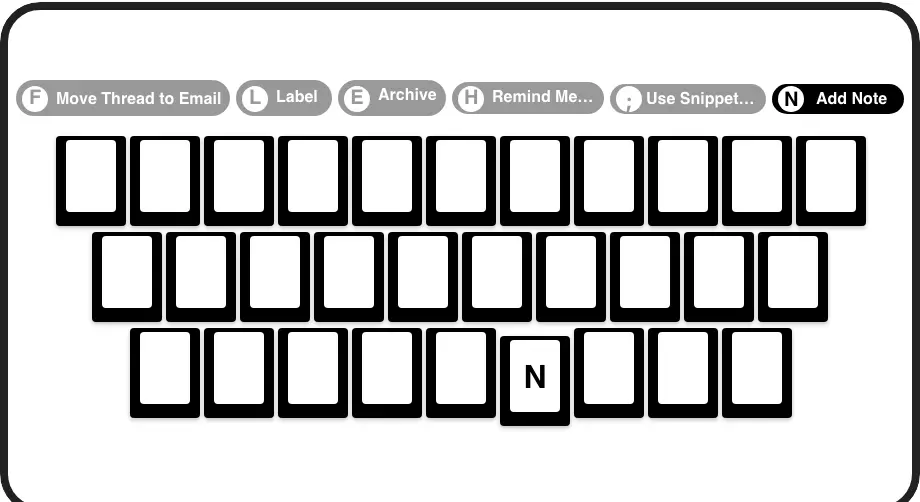
Organize at Full Speed
Label, archive, and triage LinkedIn messages with single keypresses. Process your entire inbox in minutes without ever touching the mouse.
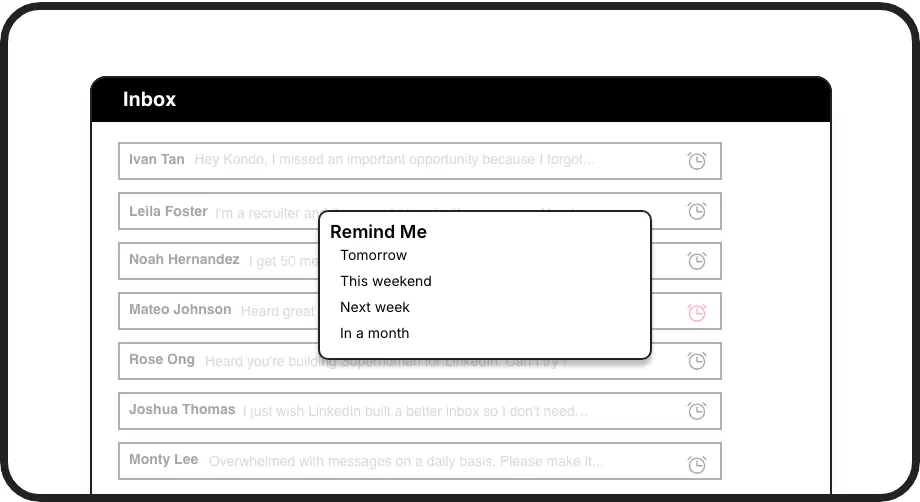
Time-Based Message Organization
Snooze any conversation and it reappears at the top of your inbox when you are ready. Clear your inbox now and handle every message at the right time.
LinkedIn left your inbox in 2000. Bring it into 2026.
Get the upgrade every power user's been waiting decades for.


Organized Inbox. Zero Lost Conversations. Real Results.
100%
Messages Categorized and Tracked
0
Lost Conversations
Hours
Saved Sorting Weekly
FAQs
How does Kondo organize LinkedIn messages?
Kondo adds custom labels and split inboxes directly to your LinkedIn workflow. You assign labels like Client, Lead, or Partner to any conversation. Each label creates a dedicated inbox so you can view related threads in one place, turning a chaotic feed into a structured, organized system.
Can I create custom categories for my messages?
Yes. Kondo lets you create as many custom labels as you need. You can name them anything, assign colors and icons, and apply multiple labels to a single conversation. This gives you a fully flexible category system that matches how you actually work.
Does organizing messages in Kondo affect my LinkedIn account?
No. Labels, split inboxes, and reminders exist only inside Kondo. Nothing is added to or altered within your LinkedIn account itself. Your LinkedIn inbox and profile remain exactly as they are. Kondo layers organization on top without touching your underlying LinkedIn data.
Can I organize Sales Navigator messages too?
Yes. Kondo can combine your regular LinkedIn inbox and your Sales Navigator inbox into a single unified view. You can apply labels and reminders across both, giving you one organized workspace instead of two separate inboxes to manage.
Is Kondo safe to use with LinkedIn?
Kondo is a native desktop app that does not scrape data, inject unauthorized code, or automate actions that violate LinkedIn's terms of service. It is designed to work safely alongside LinkedIn, adding a productivity and organization layer without putting your account at risk.