
Manage Recent Connection Follow Ups Effortlessly
Turn your chaotic LinkedIn inbox into an organized follow-up system. Kondo helps you prioritize hot leads, set timed reminders, and never miss important connection opportunities again.
What people say
LinkedIn Follow-Ups Slipping Away?
When your inbox becomes overwhelming, opportunities get buried and forgotten.
Buried Important Messages
Critical messages from leads and candidates get lost under a flood of notifications, resulting in missed opportunities.
Manual Follow-Up Tracking
Keeping mental notes of who needs follow-up leads to forgotten connections and lost momentum in sales conversations.
Time-Consuming Organization
Sorting through unstructured LinkedIn messages wastes hours weekly, reducing productivity and focus on high-value activities.
Streamline Your LinkedIn Follow-Ups
Kondo transforms how you manage connections with powerful tools designed for professional networkers who need efficiency and reliability.
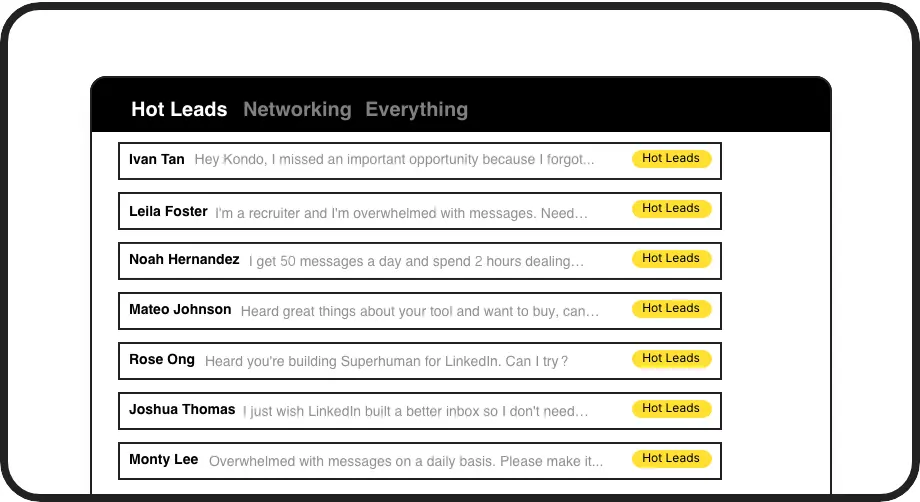
Label High-Value Connections
Categorize conversations with custom labels like 'Hot Lead' or 'Candidate' and view them in separate inboxes. Never lose track of important connections in a cluttered inbox.

Automated Follow-Up Reminders
Set follow-up reminders with a simple keyboard shortcut. Messages disappear and resurface exactly when needed, ensuring timely responses to recent connections.
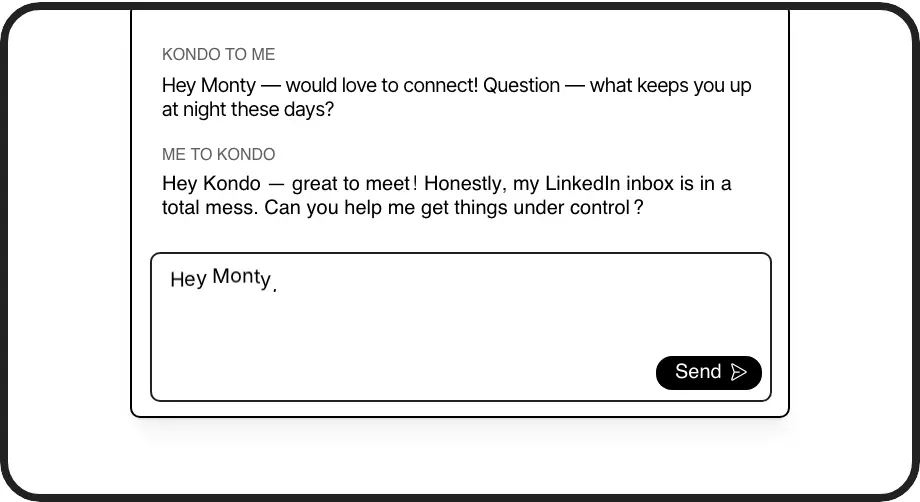
Personalized Response Templates
Save and quickly insert frequently used follow-up messages with automatic personalization. Maintain a personal touch while responding to multiple connections efficiently.
LinkedIn left your inbox in 2000. Bring it into 2026.
Get the upgrade every power user's been waiting decades for.


Follow Up Faster, Better, Smarter
100%
Follow-up completion rate
75%
Less time managing DMs
Zero
Missed connection opportunities
FAQs
How does Kondo help manage my recent LinkedIn connections?
Kondo helps you manage recent connections by allowing you to label new conversations (e.g., as 'Hot Lead'), set timed follow-up reminders that resurface messages when needed, and save common follow-up templates as snippets for quick personalized responses. This system ensures no important connection gets buried in your inbox.
Can I prioritize certain connection follow-ups over others?
Yes! Kondo's labeling system lets you create custom labels like 'Priority Lead' or 'Follow-Up Required' and view these conversations in separate inboxes. You can apply multiple labels to create hierarchies (e.g., Lead > Hot) and customize label colors/icons for visual prioritization.
How do reminders work for connection follow-ups?
With Kondo, you can set a reminder on any conversation using the 'H' keyboard shortcut. Choose preset times (tomorrow, 3 days) or custom dates. The message disappears until that time, when it automatically resurfaces at the top of your inbox. If the person responds before the reminder, it cancels automatically.
Can I use templates for my connection follow-up messages?
Absolutely. Kondo's snippets feature lets you save frequently used follow-up messages as templates that insert with just the ';' shortcut. You can include variables like {firstName} for automatic personalization, saving time while maintaining a personal touch with each connection.
Is Kondo compatible with Sales Navigator for managing connections?
Yes, Kondo unifies your regular LinkedIn inbox with Sales Navigator messages in a single view (Business tier). This means you can manage all your connection follow-ups in one place using labels, reminders, and snippets, regardless of which LinkedIn platform the conversation originated from.