
Manage LinkedIn Prospects Without Missing Hot Leads
Kondo transforms your cluttered LinkedIn inbox into an organized hub for effective prospect management. Label hot leads, set timely follow-ups, and process messages with keyboard shortcuts.
What people say
LinkedIn Inbox Chaos Costs Opportunities
When LinkedIn messages pile up, valuable prospects get lost in the noise.
Lost Hot Leads
Critical messages from potential clients get buried under less important chats, resulting in missed business opportunities.
Delayed Responses
Without a system for prioritization, prospects wait too long for replies and lose interest in continuing the conversation.
Wasted Time
Constantly scrolling to find important conversations wastes hours that could be spent closing deals or building relationships.
Manage Prospects Like A Pro
Kondo brings order to your LinkedIn inbox with tools designed for productivity and effective prospect management.
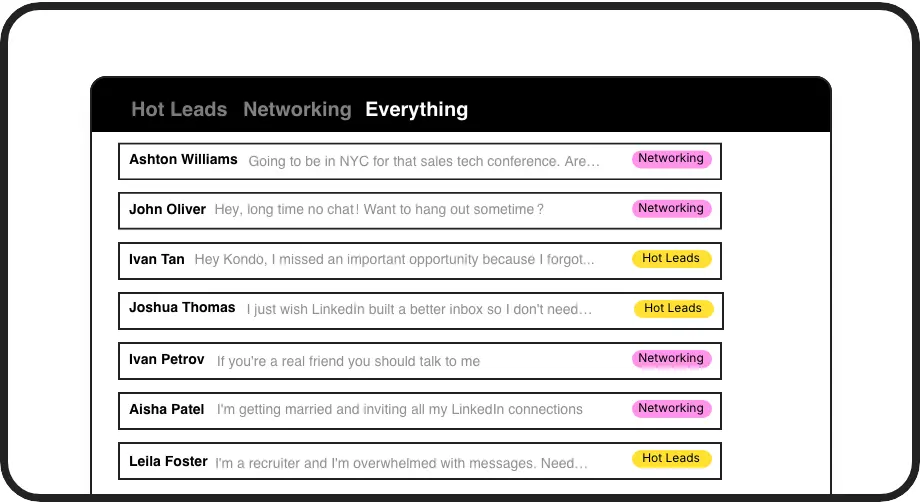
Organize With Smart Labels
Categorize prospects with custom labels like 'Hot Lead' or 'Client' and view them in separate, prioritized inboxes so important conversations never get lost again.
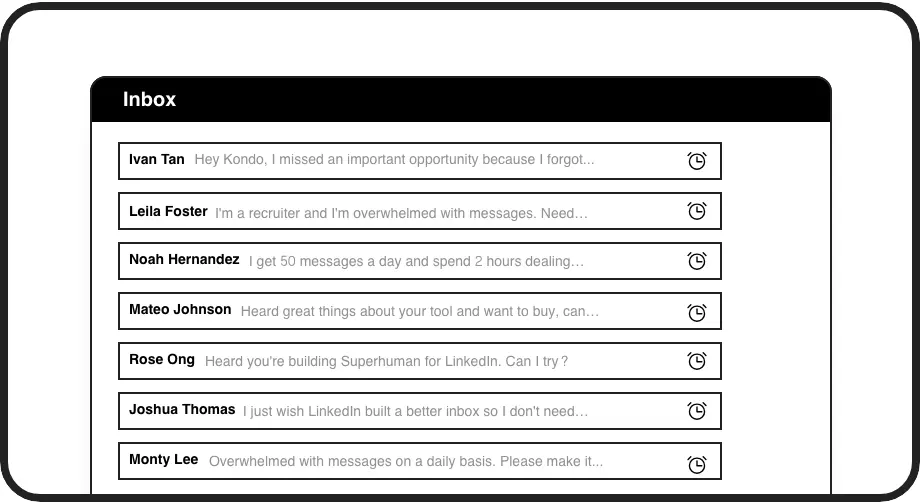
Guaranteed Follow-ups
Set reminder times for conversations to reappear at the top of your inbox. Messages resurface exactly when needed, ensuring timely prospect follow-ups every time.
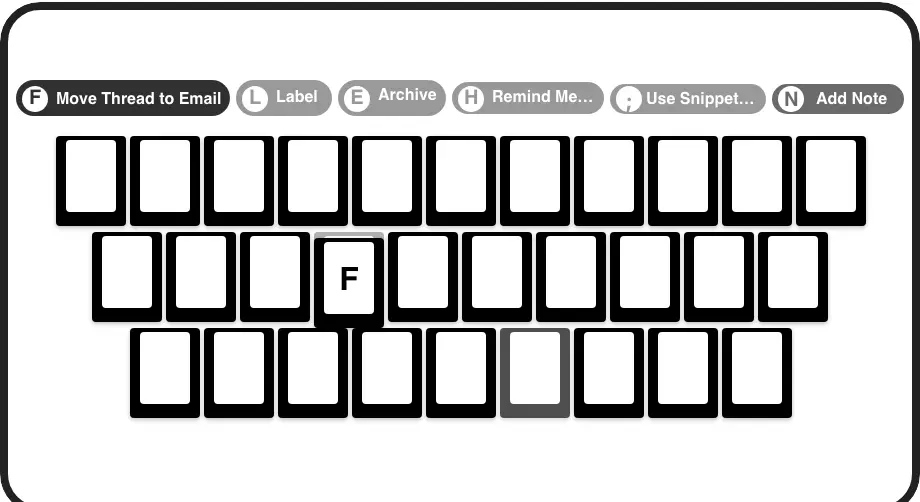
Lightning-Fast Management
Process your LinkedIn inbox with keyboard shortcuts to archive, set reminders, apply labels, and more. Handle prospect messages in seconds without touching your mouse.
LinkedIn left your inbox in 2000. Bring it into 2026.
Get the upgrade every power user's been waiting decades for.


Work Smarter, Not Harder, With LinkedIn Prospects
50%
Less Time Managing Prospects
3X
Faster Response Rate
100%
Follow-ups Completed
FAQs
How does Kondo help me manage LinkedIn prospects better?
Kondo transforms your LinkedIn inbox with labels to prioritize hot prospects, reminders that bring conversations back to the top of your inbox at specified times, and keyboard shortcuts that speed up message processing. This systematic approach prevents prospects from getting lost, ensures timely follow-ups, and saves significant time.
Is Kondo safe to use with my LinkedIn account?
Yes. Kondo is a native desktop app that doesn't scrape LinkedIn data, inject code, or automate prohibited LinkedIn actions. It works alongside LinkedIn while respecting their terms of service and prioritizing your account safety.
Can I sync my LinkedIn conversations to my CRM?
Yes, on the Business tier. Kondo can sync your LinkedIn conversations to HubSpot, Salesforce (via Zapier/Make), Google Sheets, Notion, and other systems. This ensures your prospect data is logged in your CRM without manual copying and pasting.
What if I use Sales Navigator for prospect management?
Kondo combines your regular LinkedIn inbox with your Sales Navigator inbox in one unified view. This eliminates switching between two separate inboxes and streamlines all your prospect communications in a single place.
How do labels help with prospect management?
Labels allow you to categorize conversations (e.g., 'Hot Lead', 'Client', 'Candidate') and view them in dedicated inboxes. You can apply multiple labels, customize colors/icons, and adjust sidebar visibility. This organization system prevents hot prospects from getting buried in general messages.