
Manage Your LinkedIn Inbox Without Missing Leads
Stop letting hot leads get buried in inbox chaos. Kondo adds labels, reminders, and shortcuts so you respond faster and miss nothing.
What people say
Your LinkedIn Inbox Is Unmanageable
Native LinkedIn gives you zero tools to manage your inbox. The chaos costs you leads.
No Way to Clear the Clutter
LinkedIn inbox grows with no archive, no categories, no way to mark done. Managing it natively is impossible.
Critical Messages Get Buried
Without priority filters, important leads disappear into noise. You miss clients, candidates, and opportunities.
Manual Inbox Work Kills Time
Clicking thread by thread to find who needs a reply does not scale. Your LinkedIn inbox management wastes hours.
The Inbox Management Tools LinkedIn Never Built
Kondo gives your LinkedIn inbox structure, speed, and follow-up control so no conversation slips through the cracks.
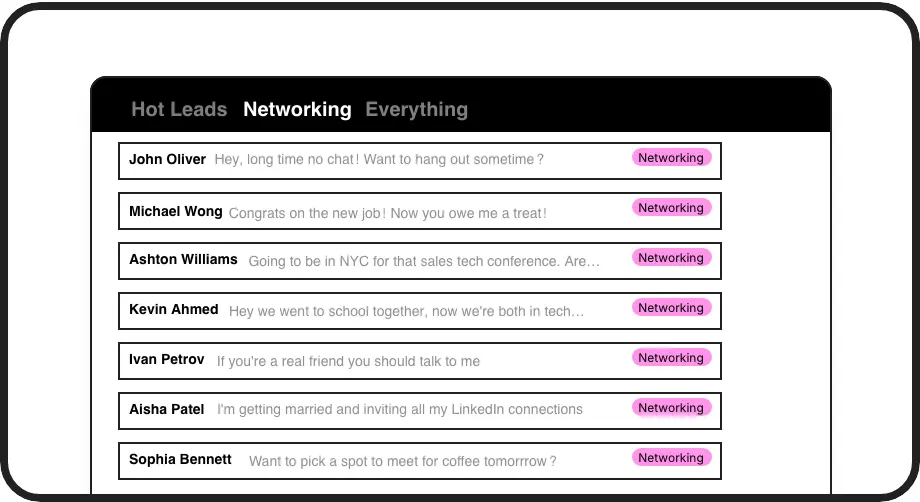
Manage by Category
Apply custom labels like Hot Lead, Client, or Candidate and view each group in a dedicated inbox. Manage your LinkedIn conversations without the clutter.
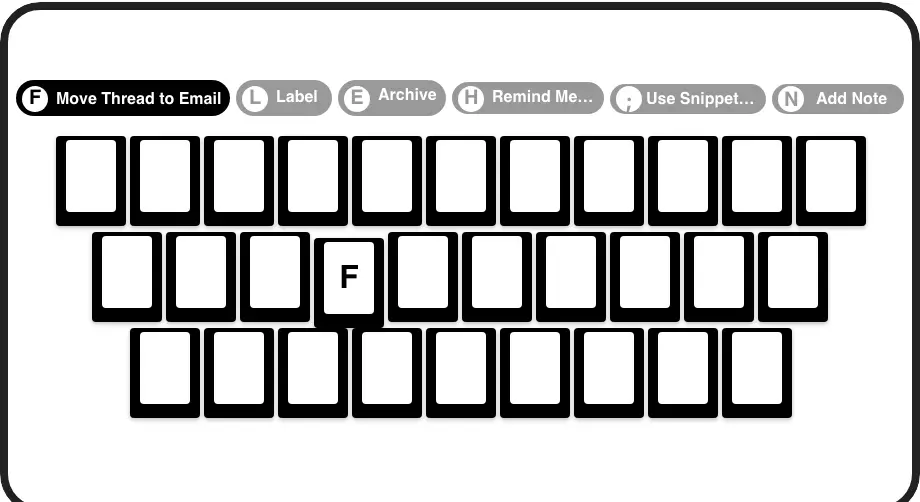
Manage at Full Speed
Archive, label, snooze, and navigate with single keypresses. Manage your entire LinkedIn inbox in minutes, not hours, no mouse required.
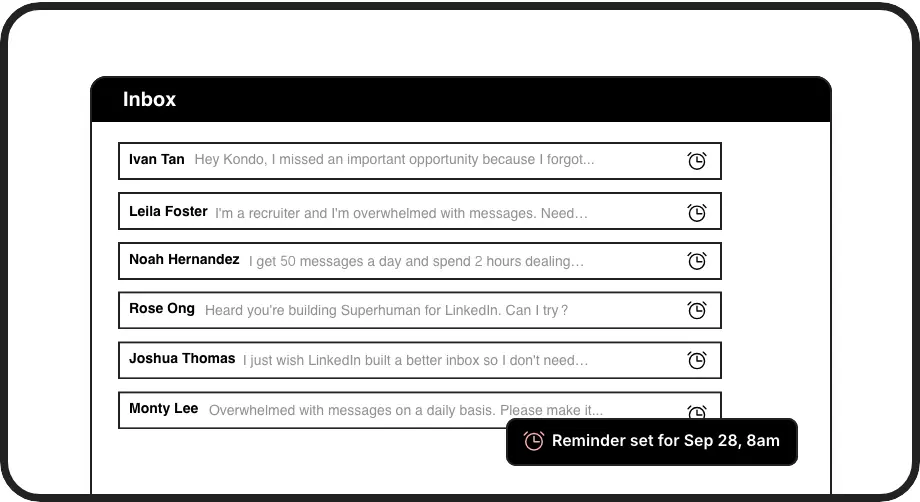
Manage Every Follow-Up
Snooze any conversation to resurface at the right time. Manage your response timing without relying on memory or external tools.
LinkedIn left your inbox in 2000. Bring it into 2026.
Get the upgrade every power user's been waiting decades for.


Inbox Under Control. Zero Missed Messages. Time Saved.
0
Missed leads or replies
100%
Follow-ups on time
Hours
Saved every week
FAQs
How does Kondo help me manage my LinkedIn inbox?
Kondo adds labels, split inboxes, keyboard shortcuts, and reminders directly to your LinkedIn messaging experience. You can categorize conversations, archive with one key, and snooze threads to follow up later. The result is a structured, manageable inbox instead of an endless scroll.
Can I archive and clear out old LinkedIn messages?
Yes. Kondo lets you archive conversations with a single keypress (E) and includes a Clean Up My Inbox command for bulk archiving older messages. This lets you work toward inbox zero and keep only active, relevant threads visible.
How do labels help manage LinkedIn conversations?
Labels let you tag conversations with custom categories like Hot Lead, Client, or Candidate. Each label gets its own dedicated inbox view so you can focus on one group at a time. This replaces manual scrolling and scanning with a structured, prioritized system.
Does Kondo help manage Sales Navigator messages too?
Yes. Kondo can combine your regular LinkedIn inbox and your Sales Navigator inbox into a single unified view. This means you manage both streams in one place without switching between two separate inboxes. Sales Navigator inbox unification requires a Business plan and initial setup.
Is Kondo safe for my LinkedIn account?
Yes. Kondo is a native desktop app and does not scrape data, inject code, or automate any actions prohibited by LinkedIn. It is designed to keep your account safe while giving you the management tools LinkedIn itself does not provide.