
LinkedIn Inbox Spam Solution That Puts Leads First
Stop missing critical opportunities buried under spam. Kondo helps sales teams organize LinkedIn DMs with labels, reminders, and shortcuts so hot leads never get lost again.
What people say
LinkedIn Inbox Chaos Costs You
Every buried lead is a missed opportunity your competition will seize.
Hot Leads Get Buried
Important messages disappear under constant spam and notifications, causing missed opportunities and delayed responses.
Follow-ups Fall Through
Without a system, critical follow-ups are forgotten, leading to lost deals and damaged relationships with prospects.
Time-Consuming Management
Hours wasted daily sifting through unimportant messages instead of focusing on high-value conversations that drive revenue.
Organize Your LinkedIn Inbox Like Never Before
Kondo transforms your cluttered LinkedIn messaging experience into a streamlined sales powerhouse with these essential tools:
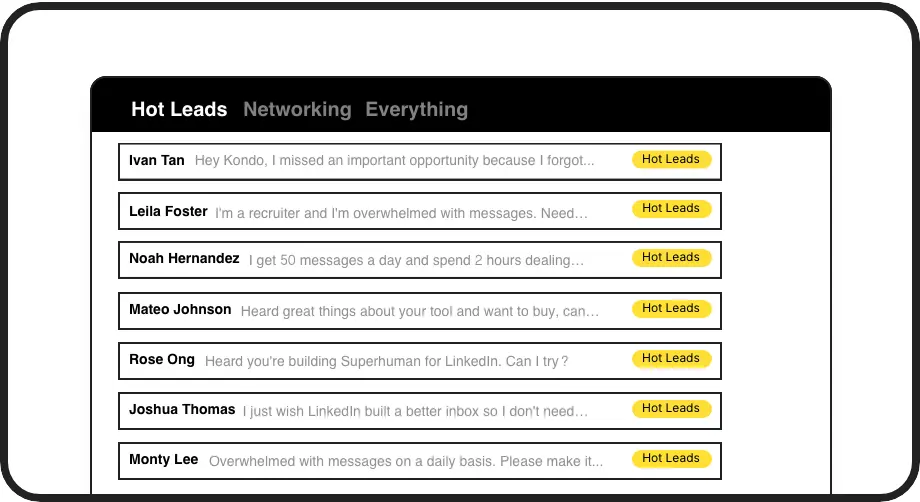
Label & Prioritize Leads
Create custom labels like 'Hot Lead' or 'Follow Up' and view them in separate, prioritized inboxes so important conversations never get lost.

Never Miss Follow-ups
Set reminders with one keystroke and conversations reappear at the top of your inbox exactly when needed, ensuring timely responses to potential clients.
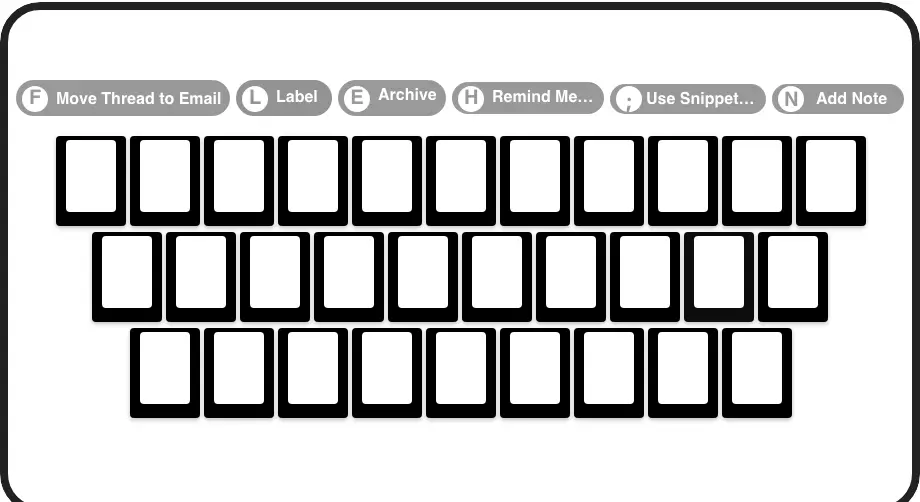
Process Leads Faster
Navigate your inbox at lightning speed with keyboard shortcuts for archiving, labeling, reminders, and more - all without touching your mouse.
LinkedIn left your inbox in 2000. Bring it into 2026.
Get the upgrade every power user's been waiting decades for.


Reclaim Time, Capture Leads, Boost Results
75%
less inbox clutter
2x
faster response time
5+ hours
saved weekly
FAQs
How does Kondo filter LinkedIn spam messages?
Kondo doesn't automatically filter messages, but provides you with powerful tools to organize your inbox. You can create custom labels (like 'Spam' or 'Low Priority') and use keyboard shortcuts to quickly categorize messages. This lets you focus on important conversations in dedicated inboxes while keeping unwanted messages organized but out of your way.
Is Kondo safe to use with my LinkedIn account?
Yes, Kondo is completely safe. It's a native desktop application that doesn't scrape LinkedIn data, inject code, or automate prohibited LinkedIn actions. Kondo respects LinkedIn's terms of service and doesn't put your account at risk.
Can I use Kondo with Sales Navigator?
Yes, Kondo combines your regular LinkedIn inbox with your Sales Navigator inbox in a single unified view. This eliminates the need to switch between two separate inboxes, streamlining your workflow and ensuring you never miss important messages from either source.
How does the reminder feature work for follow-ups?
With Kondo's reminder feature, you can temporarily archive a conversation and set a specific time for it to reappear at the top of your inbox. Simply press 'H' to set a reminder with preset options (tomorrow, 3 days) or custom dates. The reminder automatically cancels if a new message arrives before the due time.
Can I save and reuse common messages to leads?
Yes, Kondo's Snippets feature lets you save frequently used messages as templates that can be quickly inserted into replies. You can create custom snippets with variables like {firstName} for personalization, and insert them using the ';' shortcut, saving significant time on repetitive typing while maintaining consistency.