
Professional LinkedIn Inbox Management Tool
Kondo is purpose-built for professionals who depend on LinkedIn messaging for business outcomes. Organize, follow up, and sync to your CRM without missing a lead.
What people say
Your Inbox Is Costing You
LinkedIn's native inbox was not built for professional volume. Critical conversations get buried and deals go cold.
No Structure for Professionals
LinkedIn's inbox has no labels or priority system. Business-critical messages get buried under networking noise and are missed.
Manual Follow-Up Fails at Scale
Managing dozens of active conversations by memory is unreliable. Without a reminder system, important client threads go cold.
LinkedIn Stays Siloed
Conversations never reach your CRM or team systems. Gaps in lead and client records cost deals and create duplicated work.
The Professional Workflow Trio for LinkedIn
Kondo gives professionals the structure, reliability, and integration their LinkedIn inbox has always been missing. Three features that transform how you work.
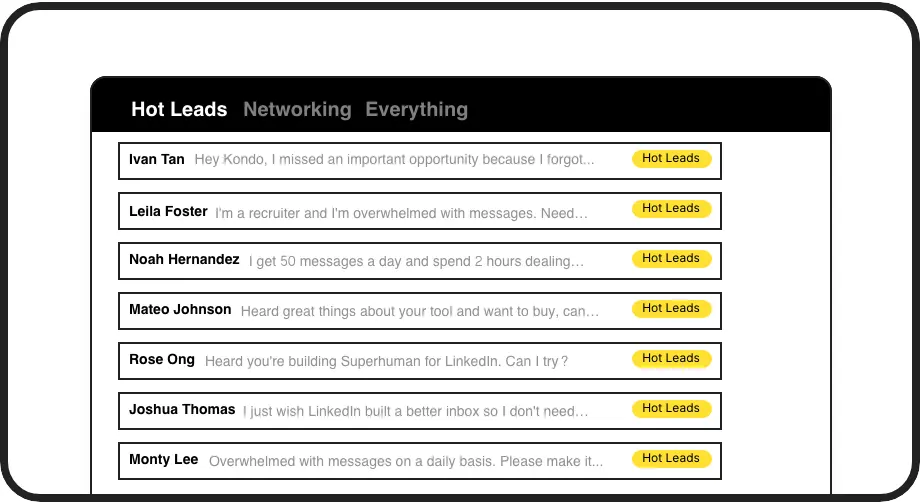
Professional Inbox Structure
Apply custom labels like Client, Hot Lead, or Deal Stage and view each in a dedicated split inbox. Categorize every conversation and eliminate noise from your professional workflow.
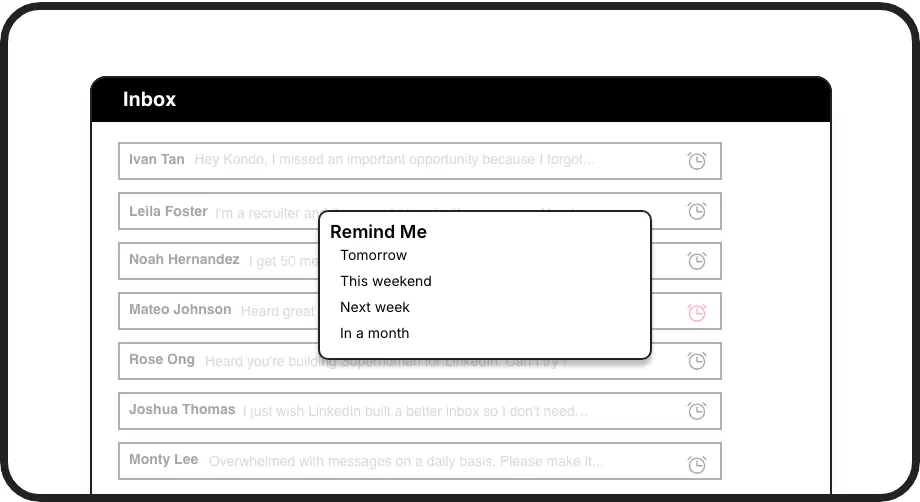
Reliable Follow-Up at Scale
Snooze any conversation to resurface at exactly the right time. Never drop a client thread or forget a follow-up across dozens of active professional conversations.
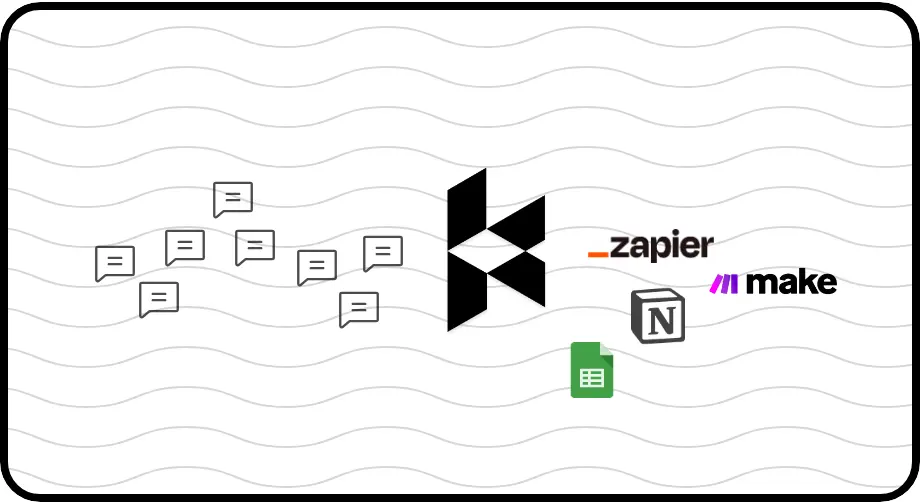
Professional-Grade CRM Integration
Push LinkedIn conversations to HubSpot, Salesforce, Notion, Google Sheets, and more. Keep every system in sync without manual data entry, built for serious professional workflows.
LinkedIn left your inbox in 2000. Bring it into 2026.
Get the upgrade every power user's been waiting decades for.


Respond Faster. Close More. Miss Nothing.
0
Missed Client Threads
100%
Follow-Ups Completed
1
Unified Professional Inbox
FAQs
Is Kondo built for professional use?
Yes. Kondo is designed specifically for professionals who rely on LinkedIn messaging for business outcomes, including SDRs, recruiters, founders, and consultants. It brings labels, reminders, keyboard shortcuts, and CRM sync to your LinkedIn inbox, giving you the professional-grade toolset the native experience lacks.
Can I organize LinkedIn conversations by client or deal?
Absolutely. Kondo lets you create custom labels such as Client, Hot Lead, or any deal stage you use. You can apply multiple labels to a single conversation and view each label in its own dedicated split inbox, giving you a structured, prioritized view of every professional relationship.
How does Kondo integrate with my existing tools?
Kondo supports native integrations with HubSpot, Salesforce (via Zapier and Make), Notion, Google Sheets, Attio, and Clarify. You can push LinkedIn conversation data including messages, labels, and notes to your CRM or team systems automatically. CRM and system sync is available on the Business tier.
Does Kondo support Sales Navigator?
Yes. Kondo can combine your regular LinkedIn inbox and your Sales Navigator inbox into a single unified view. This eliminates the need to switch between two separate inboxes and is especially valuable for SDRs and account managers managing outreach across both platforms. This requires the Business plan and initial setup.
Is Kondo safe and compliant with LinkedIn's terms?
Kondo is a native desktop app. It does not scrape data, inject unauthorized code, or automate actions that violate LinkedIn's terms of service. It is built to be a safe, professional-grade inbox management tool that enhances your workflow without putting your LinkedIn account at risk.