
LinkedIn DMs Sync Software Solution
Kondo automatically pushes LinkedIn DMs, labels, and notes to HubSpot, Salesforce, Notion, and more. No manual logging. Zero data gaps.
What people say
LinkedIn DMs Are a Data Silo
Critical sales conversations happen in LinkedIn DMs but never reach your CRM or business systems.
DMs Never Reach Your CRM
LinkedIn DMs stay locked inside LinkedIn. Every sales interaction missing from your CRM means broken pipeline reporting and invisible activity.
Manual Logging Doesn't Scale
Copy-pasting LinkedIn conversations into your CRM wastes hours weekly. Manual sync creates gaps and inevitably lets leads slip through.
LinkedIn Has No Native Export
LinkedIn offers no API or DM export. Without third-party sync software, conversation data simply cannot reach your business systems.
Sync LinkedIn DMs to Your Systems Automatically
Kondo bridges LinkedIn and your CRM with structured, automated sync. Push messages, labels, and context to the tools your team already uses.
Automated CRM Sync
Push LinkedIn DMs to HubSpot, Salesforce, Notion, Google Sheets, Attio, Clarify, and more via native integrations, Zapier, or Make.com. Sync latest message or full conversation history, on demand or streaming.
Sync With Context
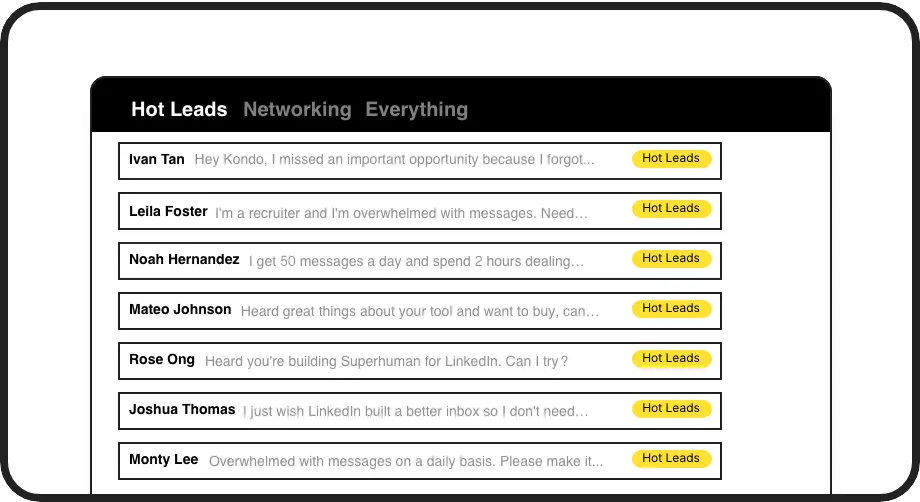
Label conversations before syncing so your CRM receives structured, categorized data. Tag leads as Hot, Client, or Candidate and let context flow through to your pipeline automatically.
Sync-Triggered Follow-Ups
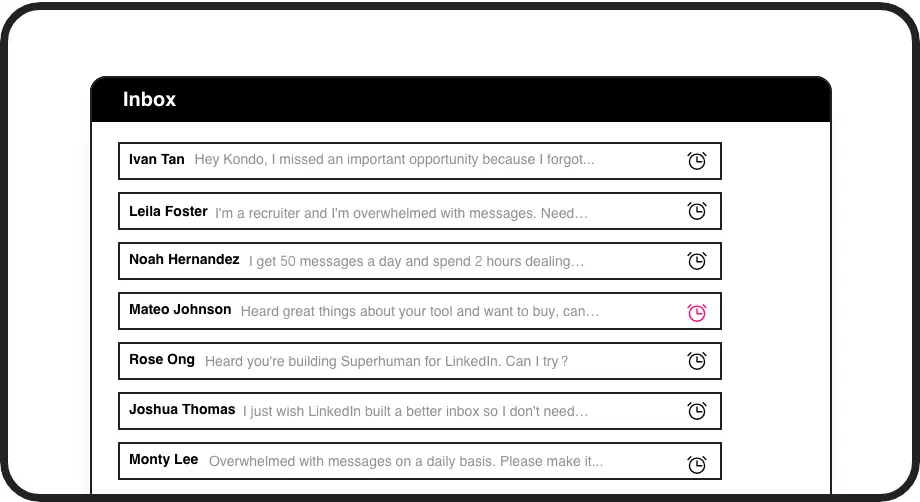
Snooze synced conversations to resurface at the right time. Keep your CRM data and your outreach cadence in lockstep so no follow-up ever falls through the cracks.
LinkedIn left your inbox in 2000. Bring it into 2026.
Get the upgrade every power user's been waiting decades for.


Complete Data. Zero Manual Entry. Full Pipeline Visibility.
0
Manual CRM Data Entry
100%
LinkedIn Interactions Logged
Hours
Saved on Sync Weekly
FAQs
What systems does Kondo sync LinkedIn DMs to?
Kondo syncs LinkedIn DMs to HubSpot natively (listed on the HubSpot marketplace), Salesforce, Notion, Google Sheets, Attio, Clarify, and any tool connected via Zapier, Make.com, or custom webhooks. If your business system can receive a webhook or connect to Zapier, Kondo can push LinkedIn data to it.
Can I sync full conversation history or just the latest message?
Both options are available. Kondo lets you sync only the latest message for a lightweight CRM log, or push the full conversation history for complete context. You choose the sync depth that fits your workflow and CRM data structure.
Does sync happen automatically or do I trigger it manually?
Kondo supports both modes. Streaming sync pushes updates to your CRM automatically whenever a conversation changes. Manual sync lets you trigger the push on demand, giving you control over exactly when data flows to your business systems.
Does Kondo sync Sales Navigator DMs too?
Yes. Kondo unifies your standard LinkedIn inbox and your Sales Navigator inbox into a single view. Conversations from both sources are accessible in Kondo, and the CRM sync feature works across both, giving you complete coverage of all LinkedIn DM activity.
Is Kondo safe for my LinkedIn account?
Kondo is a native desktop app and does not scrape data, inject unauthorized code, or automate any actions prohibited by LinkedIn. It is built to work within safe usage boundaries, so your LinkedIn account is not put at risk by using the sync features.