
Best LinkedIn CRM Alternative to Close
Kondo automates syncing LinkedIn messages to your systems, ending data entry and missing opportunities. A streamlined, high-speed communication hub for sales teams frustrated with Close.
What people say
Close Isn't Closing Deals
LinkedIn messaging chaos costs you sales opportunities and wastes precious time.
Missing Critical Messages
Important lead messages get buried in your LinkedIn inbox, leading to delayed responses and lost opportunities.
Manual Data Entry
Copy-pasting LinkedIn conversations into Close is tedious and error-prone, creating gaps in your customer data.
Disorganized Follow-ups
Without proper LinkedIn integration, tracking and scheduling follow-ups becomes inconsistent and unreliable.
LinkedIn CRM Integration Better Than Close
Kondo transforms your LinkedIn inbox into an organized sales machine with tools designed specifically for productive messaging.
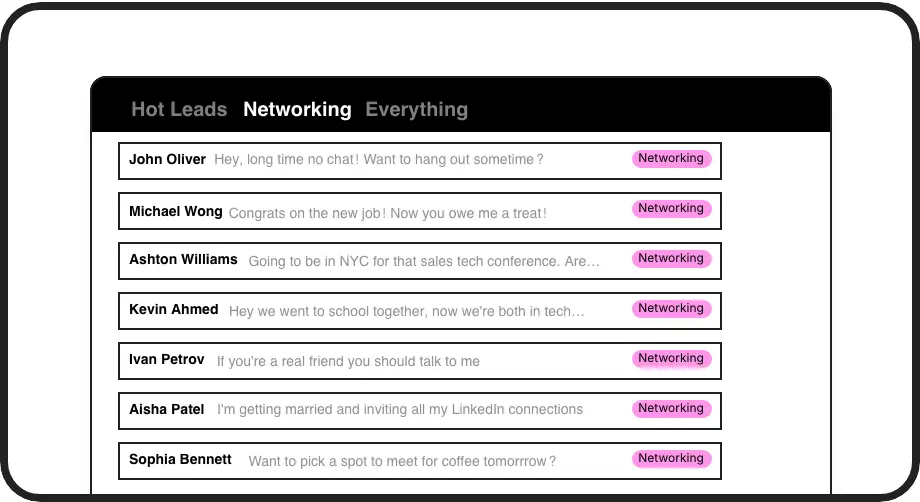
Triage DMs With Labels
Label conversations as 'Hot Lead' or 'Client' and view them in separate inboxes. Never lose important opportunities in the LinkedIn chaos again.
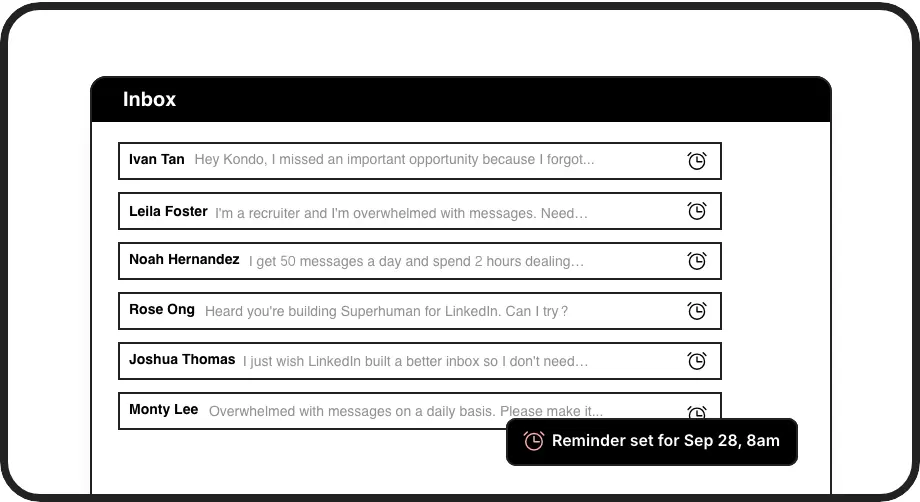
Smart Follow-up Reminders
Set follow-up reminders that bring conversations back to the top of your inbox exactly when needed. No more missed follow-ups or lost deals.
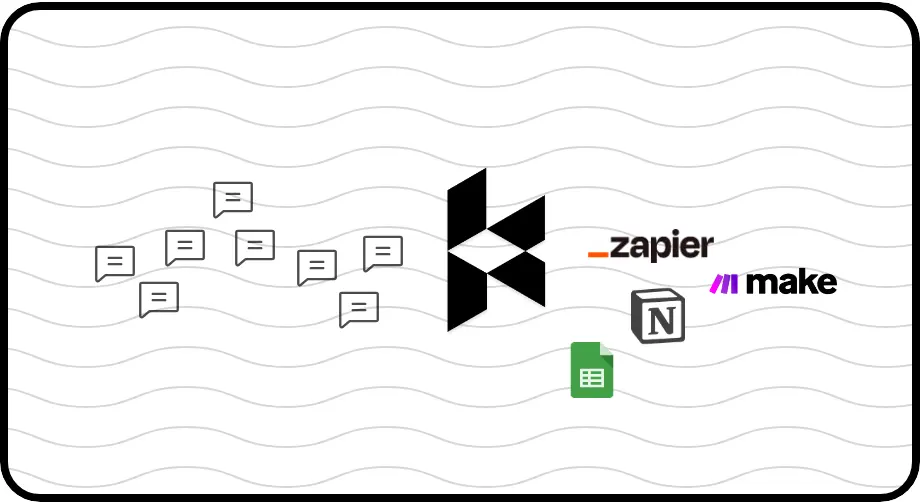
Seamless CRM Sync
Automatically sync LinkedIn conversations to HubSpot, Salesforce, Notion, or Google Sheets. No more manual data entry or conversation gaps.
LinkedIn left your inbox in 2000. Bring it into 2026.
Get the upgrade every power user's been waiting decades for.


Outperform Close on LinkedIn
60%
Less Time Managing DMs
100%
Follow-up Completion
0
Lost LinkedIn Leads
FAQs
How is Kondo different from Close for LinkedIn messaging?
Unlike Close, Kondo works directly within LinkedIn's messaging system, providing specialized tools for message labeling, reminders, and keyboard shortcuts. While Close requires manual data entry from LinkedIn, Kondo automatically syncs LinkedIn conversations to your CRM systems, eliminating double-work and ensuring no messages are missed.
Can I sync my LinkedIn conversations from Kondo to my existing CRM?
Yes. Kondo's Business tier offers webhook support and integrations with popular CRMs including HubSpot, Salesforce (via Zapier/Make), Notion, Google Sheets, Attio, and Clarify. You can sync either the latest message or entire conversation histories, automatically or manually.
Does Kondo work with Sales Navigator?
Yes. Kondo combines messages from both your regular LinkedIn inbox and Sales Navigator inbox into a single, unified view. This eliminates the need to switch between separate inboxes, making it ideal for sales professionals using Sales Navigator.
How does Kondo help me organize my LinkedIn messages better than Close?
Kondo offers custom labels with separate inboxes to categorize conversations (e.g., Hot Lead, Client, Candidate), set follow-up reminders that resurface conversations when needed, and keyboard shortcuts for rapid message processing. This organization system is specifically designed for LinkedIn messaging, unlike Close's general CRM approach.
Is Kondo safe to use with my LinkedIn account?
Yes. Kondo is a native desktop app that doesn't scrape LinkedIn, inject code, or automate prohibited LinkedIn actions. It works within LinkedIn's platform guidelines while enhancing your messaging experience with productivity tools.