
LinkedIn Lead Tracking for DMs That Convert
Never lose hot leads in your LinkedIn inbox again. Kondo helps you label conversations, set follow-up reminders, and organize prospects into split inboxes for seamless lead management.
What people say
Missed Leads Cost Money
LinkedIn's cluttered inbox creates costly problems for sales professionals:
Buried Opportunities
Important lead conversations get lost among networking messages and notifications, resulting in missed follow-ups and lost deals.
Manual Follow-up Chaos
Without a structured system, tracking which leads need follow-up becomes impossible, leading to inconsistent communication and dropped prospects.
CRM Disconnection
LinkedIn conversations exist separately from your sales systems, creating blind spots in your lead tracking and forcing tedious manual data entry.
Turn Your LinkedIn DMs Into A Lead-Converting Machine
Kondo transforms your chaotic LinkedIn inbox into an organized lead management system with powerful tools designed for sales professionals:
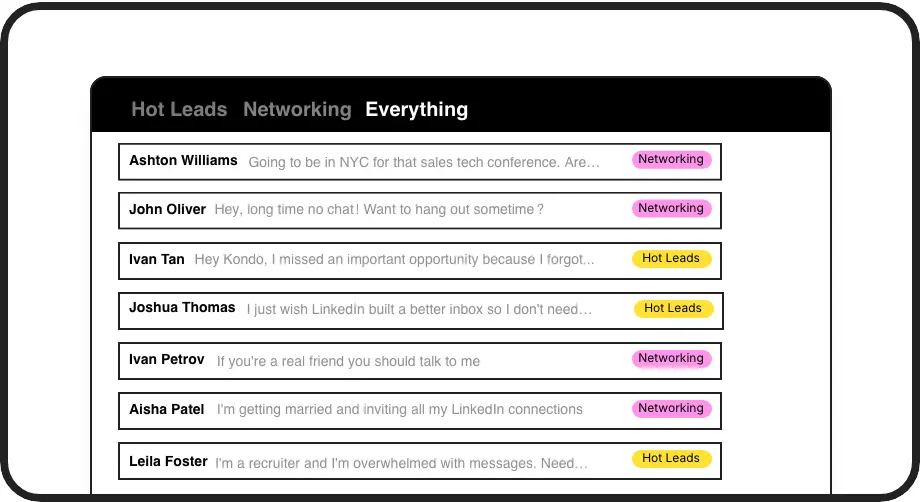
Label & Track Hot Leads
Tag conversations with custom labels like 'Hot Lead' and view them in separate, prioritized inboxes. Never lose an important prospect in the LinkedIn message clutter again.
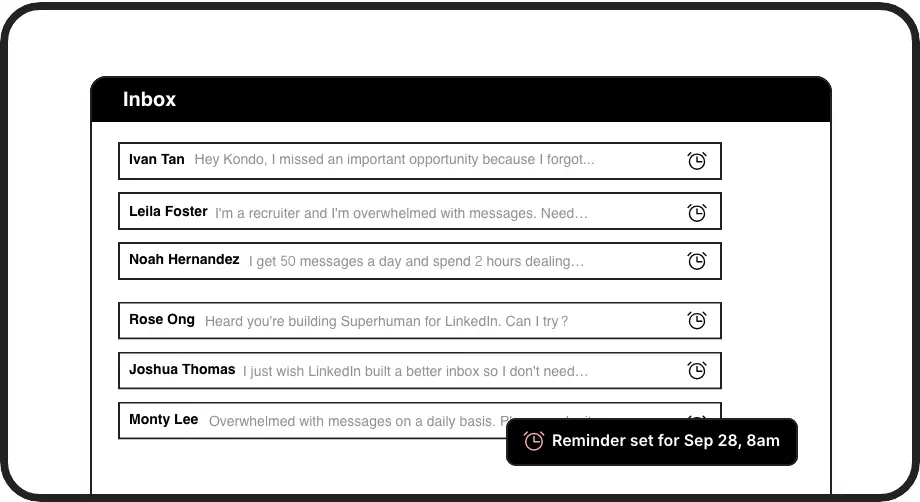
Automated Follow-up Alerts
Set reminders that bring conversations back to the top of your inbox at the perfect follow-up time. Ensure consistent communication with every potential client without manual tracking.
CRM Integration
Automatically sync LinkedIn conversations to HubSpot, Salesforce, or other systems. Keep lead data current across platforms without copy-pasting or manual entry.
LinkedIn left your inbox in 2000. Bring it into 2026.
Get the upgrade every power user's been waiting decades for.


Track, Engage, Convert
100%
Lead capture rate
2x
Follow-up consistency
5hrs
Saved weekly
FAQs
How does Kondo help me track leads in LinkedIn DMs?
Kondo lets you apply custom labels (like 'Hot Lead' or 'Prospect') to conversations, organize them into split inboxes, set follow-up reminders, and sync lead data to your CRM. This creates a structured system for tracking every lead conversation without anything getting lost in the typical LinkedIn inbox clutter.
Can I integrate Kondo with my existing CRM system?
Yes, Kondo's Business tier offers CRM integration through webhooks, Zapier, Make.com, and native integrations with HubSpot, Notion, Google Sheets, Attio, Clarify and more. You can sync your latest messages or full conversation histories either manually or automatically.
How does the reminder feature work for lead follow-ups?
Kondo's reminder feature lets you 'snooze' conversations to reappear at a specific time. Simply press 'H' to set a reminder, choose a time (tomorrow, weekend, next week, or custom date), and the conversation will return to the top of your inbox when it's time to follow up. The reminder cancels if the lead responds before the set time.
Is Kondo safe to use with my LinkedIn account?
Yes, Kondo is designed with safety as a priority. It's a native desktop app that doesn't scrape LinkedIn, inject code, or automate prohibited LinkedIn actions. Kondo works alongside LinkedIn to enhance your experience without violating LinkedIn's terms of service.
How does Kondo's labeling system help with lead management?
Kondo's labeling system lets you create custom labels with unique colors and icons to categorize conversations (e.g., Hot Lead, Qualified, Negotiating). You can view these labeled conversations in dedicated inboxes, making it easy to prioritize and focus on your most promising leads without having to search through your entire message history.