
LinkedIn Lead Generation Without Missing Opportunities
Stop losing quality leads in a cluttered LinkedIn inbox. Kondo organizes your DMs with labels, reminders, and CRM sync, turning LinkedIn chaos into a high-speed sales machine.
What people say
LinkedIn Leads Get Lost
Your most valuable opportunities are buried in a chaotic messaging system.
Buried Hot Leads
Important messages from potential clients disappear in the flood of notifications, resulting in lost sales opportunities.
Delayed Follow-ups
Without structured reminders, critical follow-up conversations are forgotten, causing prospects to go cold and choose competitors.
Manual CRM Updates
Copy-pasting LinkedIn conversations into your CRM wastes hours weekly and creates incomplete lead records.
Turn Your LinkedIn Inbox Into A Lead Generation Machine
Kondo transforms your chaotic LinkedIn messaging into an organized, efficient lead management system that captures every opportunity.
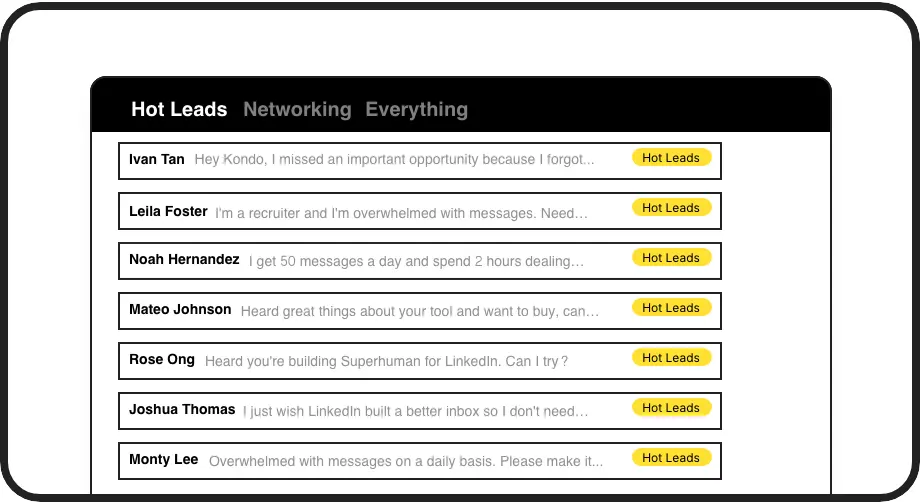
Never Lose Hot Leads
Label conversations as 'Hot Lead,' 'Prospect,' or 'Client' and view them in separate inboxes. Prioritize high-value opportunities and keep your sales pipeline organized.
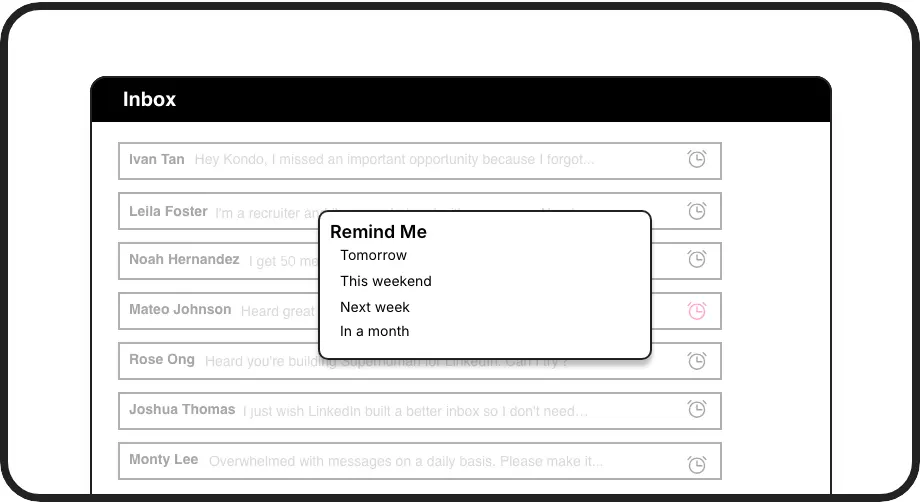
Perfect Follow-up Timing
Set reminders and conversations reappear at the top of your inbox exactly when needed. Never miss follow-up windows that convert prospects into customers.
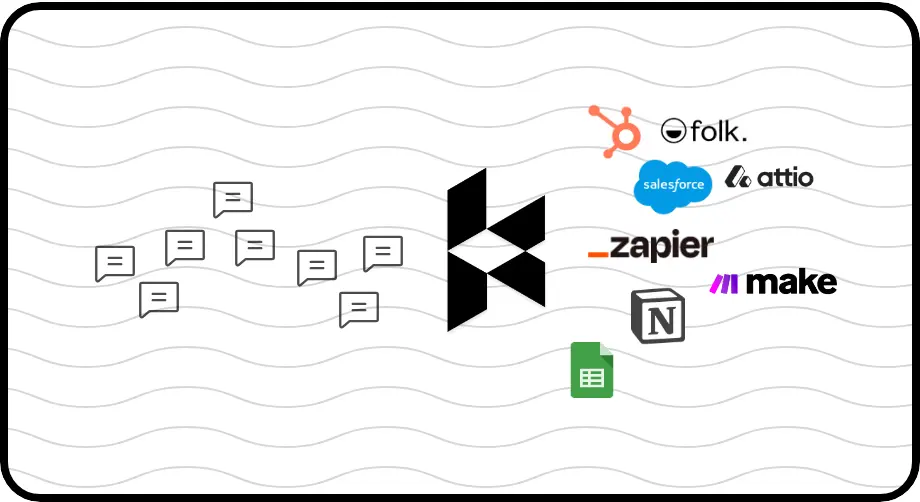
Automatic CRM Updates
Sync LinkedIn conversations to HubSpot, Salesforce, Notion, or Google Sheets. Keep your CRM updated automatically without copy-pasting or manual data entry.
LinkedIn left your inbox in 2000. Bring it into 2026.
Get the upgrade every power user's been waiting decades for.


Capture, Convert, Close More LinkedIn Leads
50%
Less Time Sorting
2x
Lead Response Rate
0
Missed Opportunities
FAQs
How does Kondo help with LinkedIn lead generation?
Kondo transforms your LinkedIn inbox by allowing you to label conversations as 'Hot Lead,' set follow-up reminders, and sync with your CRM. This organization ensures you never miss important lead messages, maintain timely follow-ups, and keep your sales data consistent across platforms without manual work.
Is Kondo safe to use with my LinkedIn account?
Yes, Kondo is completely safe. It's a native desktop app that doesn't scrape LinkedIn data, inject code, or automate prohibited actions. Kondo works alongside LinkedIn's official interface while adding productivity tools, ensuring compliance with LinkedIn's terms of service.
What CRM systems can Kondo integrate with?
Kondo integrates with HubSpot, Salesforce (via Zapier/Make), Google Sheets, Notion, Attio, Clarify and other systems via webhooks or native integrations. You can sync your LinkedIn conversations automatically or manually, with options to push just the latest message or entire conversation history.
How do Kondo's labels and split inboxes work?
Kondo allows you to create custom labels (like 'Hot Lead,' 'Prospect,' 'Client') and apply them to conversations using the 'L' shortcut. Each label creates a dedicated inbox view, letting you focus on specific conversation types. You can customize label colors/icons and apply multiple labels to create hierarchies (e.g., Lead > Hot).
Does Kondo work with Sales Navigator?
Yes, Kondo combines your regular LinkedIn inbox and Sales Navigator inbox into a unified view. This eliminates the need to switch between separate inboxes, streamlining your lead generation workflow. All Kondo's organization features work with both types of messages.