
LinkedIn Inbox Organization Software for Sales Professionals
Kondo gives your LinkedIn inbox the structure it was never built with. Labels, reminders, and CRM sync so no deal slips through.
What people say
Your Inbox Is Costing You Deals
LinkedIn's native inbox has no organization tools. Sales professionals pay the price.
No Inbox Organization System
LinkedIn lumps every conversation into one list. Prospects, clients, and cold outreach compete for attention, and high-value threads disappear into the scroll.
Deals Slip Through the Cracks
Without a way to categorize priority conversations, sales professionals lose track of active deals and miss time-sensitive opportunities in a disorganized inbox.
Manual Tracking Does Not Scale
Spreadsheets and sticky notes cannot keep up with 50-plus active LinkedIn conversations. Your inbox needs structure built in, not bolted on.
Organization Tools Built for Sales Professionals
Kondo adds the inbox organization layer LinkedIn was never built with. Label deals by stage, schedule follow-ups, and keep your CRM in sync.
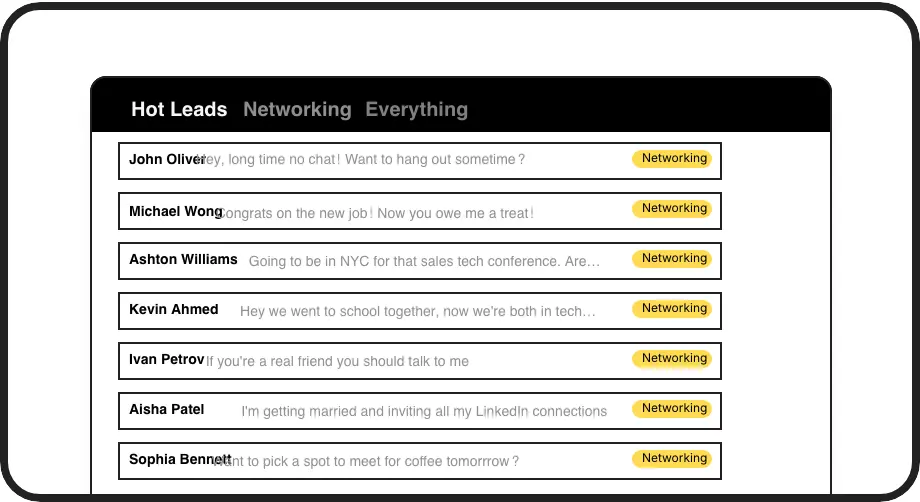
Organize by Deal Stage
Tag conversations as Prospect, Proposal Sent, or Closing and view each in a dedicated inbox. Instant visual organization so every active deal is one click away.

Organized Follow-Up Cadence
Snooze threads to resurface on schedule. Your follow-up queue organizes itself so no sales conversation gets buried or forgotten in the LinkedIn inbox.
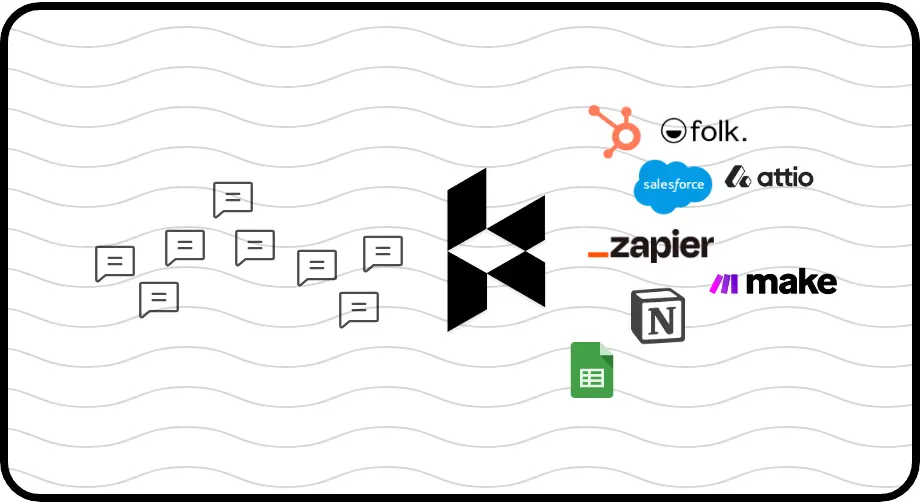
Sync to Your CRM
Push organized LinkedIn conversations to HubSpot, Salesforce, Notion, and more. Your CRM reflects your real pipeline without any manual data entry.
LinkedIn left your inbox in 2000. Bring it into 2026.
Get the upgrade every power user's been waiting decades for.


Clarity, Control, and Zero Missed Deals
Zero
Missed Follow-Ups
100%
Pipeline Visibility
50%
Less Time Sorting
FAQs
How does Kondo organize my LinkedIn inbox?
Kondo adds labels, split inboxes, and reminders directly to your LinkedIn inbox. You can tag conversations by deal stage, view each stage in a dedicated inbox, and snooze threads to resurface on schedule. This gives your LinkedIn inbox the organizational structure it completely lacks by default.
Can I create custom categories for different deal stages?
Yes. Kondo lets you create fully custom labels such as Prospect, Proposal Sent, or Closing. You can assign multiple labels to a single conversation, customize label icons and colors, and view each category in its own dedicated split inbox for instant clarity on where every deal stands.
Does Kondo sync organized conversations to my CRM?
Yes. Kondo's CRM sync is available on the Business tier and supports HubSpot, Salesforce via Zapier or Make, Notion, Google Sheets, Attio, Clarify, and more. You can push the latest message or full conversation history, and sync can run manually or stream updates automatically as conversations change.
Does Kondo work with Sales Navigator?
Yes. Kondo combines your regular LinkedIn inbox and your Sales Navigator inbox into a single unified view. Sales professionals using both platforms no longer need to switch between two separate inboxes, making it easier to track and organize every conversation in one place.
Is Kondo safe and compliant with LinkedIn's terms?
Kondo is a native desktop app that does not scrape data, inject prohibited code, or automate actions that violate LinkedIn's terms of service. It works within your existing LinkedIn workflow and is designed to be a safe, compliant productivity layer on top of your inbox.