
LinkedIn DM Management Tools to Close More Deals
Kondo brings labels, reminders, and keyboard shortcuts to your LinkedIn inbox. Stop losing leads in the chaos and start closing.
What people say
Your LinkedIn Inbox Is Broken
LinkedIn's native messaging was not built for high-volume sales. Leads slip through every day.
Inbox Overload, Zero Organization
Leads, recruiters, spam, and InMail share one stream. Important LinkedIn DMs get buried and opportunities disappear.
Click-Heavy, Painfully Slow Interface
LinkedIn's native DM experience has no keyboard navigation or bulk actions. Managing high-volume messages wastes hours every week.
No Follow-Up System Built In
LinkedIn has no snooze or reminder feature. Conversations that need a reply simply vanish into the scroll and are forgotten.
Everything LinkedIn DMs Are Missing
Kondo adds the organization layer LinkedIn never shipped. Labels, shortcuts, and reminders built for high-volume DM management.
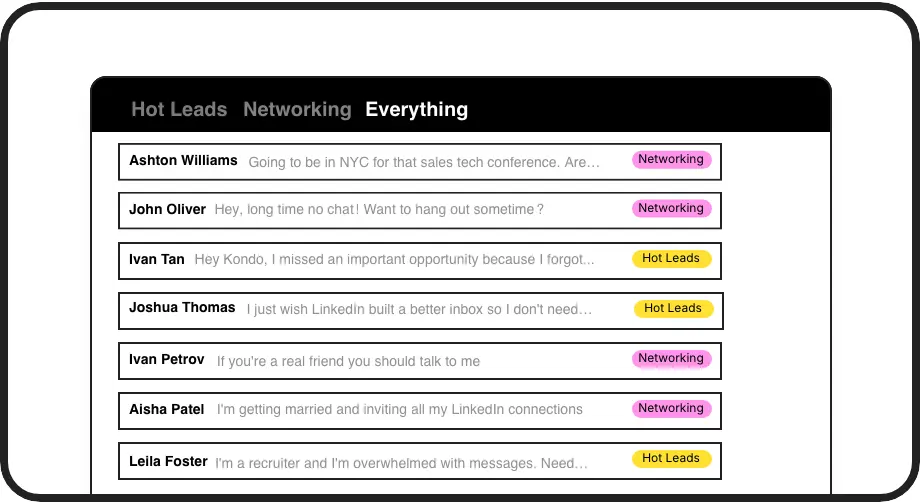
Organize DMs with Labels
Create custom labels like Hot Lead or Client and view conversations in split inboxes. Instantly filter your LinkedIn DMs and focus only on what matters most.
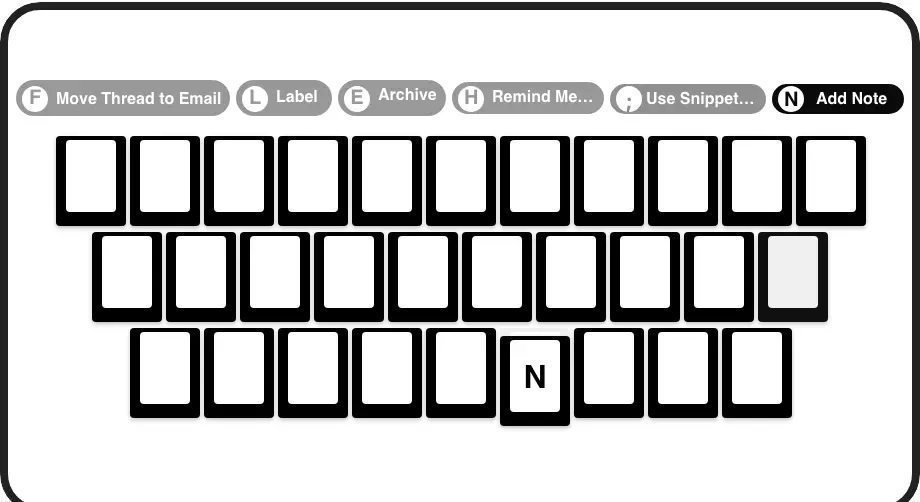
Process DMs at Speed
Navigate with J/K, archive with E, label with L. Fly through LinkedIn message management without touching the mouse and cut inbox time dramatically.
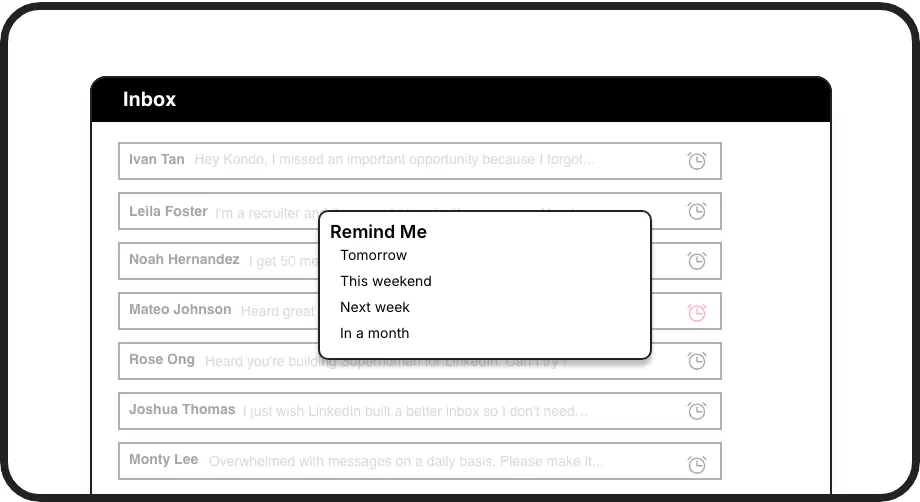
Never Miss a Follow-Up
Snooze any LinkedIn DM thread and it resurfaces at the top of your inbox exactly when you need it. No external tools, no forgotten conversations.
LinkedIn left your inbox in 2000. Bring it into 2026.
Get the upgrade every power user's been waiting decades for.


Faster Inbox. Zero Missed Leads. More Deals.
10hrs
Saved Every Week
0
Missed DMs
2x
Faster Inbox Processing
FAQs
What is a LinkedIn DM management tool?
A LinkedIn DM management tool adds organization and speed features on top of LinkedIn's native inbox. It typically includes labels, reminders, and keyboard shortcuts to help SDRs, recruiters, and consultants process high volumes of messages without missing important conversations or follow-ups.
How does Kondo help manage LinkedIn DMs?
Kondo adds labels, split inboxes, keyboard shortcuts, and snooze reminders directly to your LinkedIn messaging workflow. You can categorize conversations, fly through your inbox using keyboard shortcuts, and set reminders so every follow-up surfaces at exactly the right time.
Does Kondo work as a Chrome extension or app?
Kondo is a native desktop app rather than a Chrome extension. This means it operates without injecting code into your browser, keeping your LinkedIn account safe while delivering a fast, reliable DM management experience on your desktop.
Can I use Kondo with Sales Navigator?
Yes. Kondo lets you combine your regular LinkedIn inbox and your Sales Navigator inbox into a single unified view. This means SDRs and account managers no longer need to switch between two separate inboxes, making DM management significantly faster and more reliable.
Is Kondo safe for my LinkedIn account?
Yes. Kondo is a native desktop app that does not scrape data, inject code, or automate any actions prohibited by LinkedIn. It is designed to keep your account safe while giving you the productivity features LinkedIn's native inbox lacks.