
The Folk CRM Alternative for LinkedIn DMs
Stop losing client messages in a cluttered inbox. Kondo adds labels, reminders, and CRM sync to your LinkedIn DMs, helping you stay organized and never miss opportunities.
What people say
LinkedIn Inbox Chaos
Valuable messages get buried, opportunities slip away, and follow-ups fall through the cracks.
Lost Opportunities
Critical messages from leads and clients get buried under notifications and low-priority conversations, costing you deals.
Follow-up Failures
Without a system for tracking responses, important prospects fall through the cracks and relationships go cold.
Manual CRM Updates
Copying LinkedIn conversations to your CRM wastes hours weekly and creates incomplete client records.
Organize LinkedIn Like a Pro
Kondo transforms your cluttered LinkedIn inbox into a streamlined communication hub with powerful organization tools.
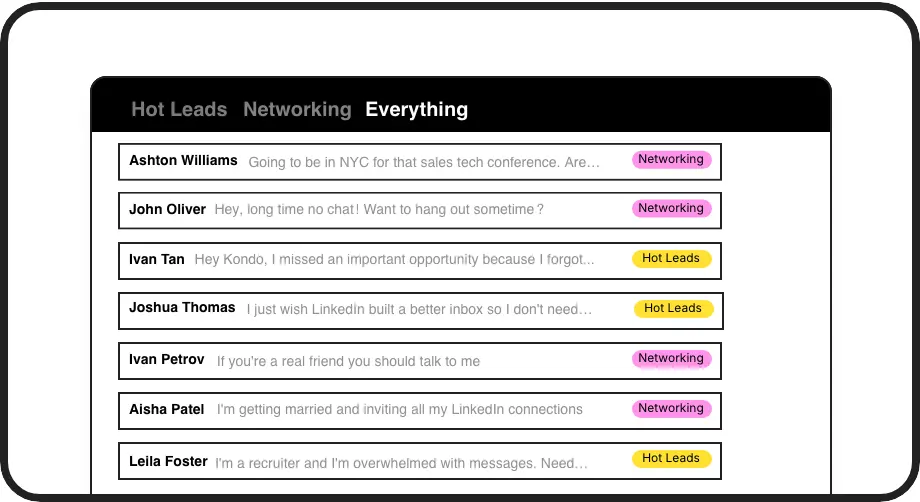
Smart Message Labels
Create custom labels for leads, clients, and candidates. View them in separate inboxes to instantly prioritize conversations and never lose a hot opportunity.
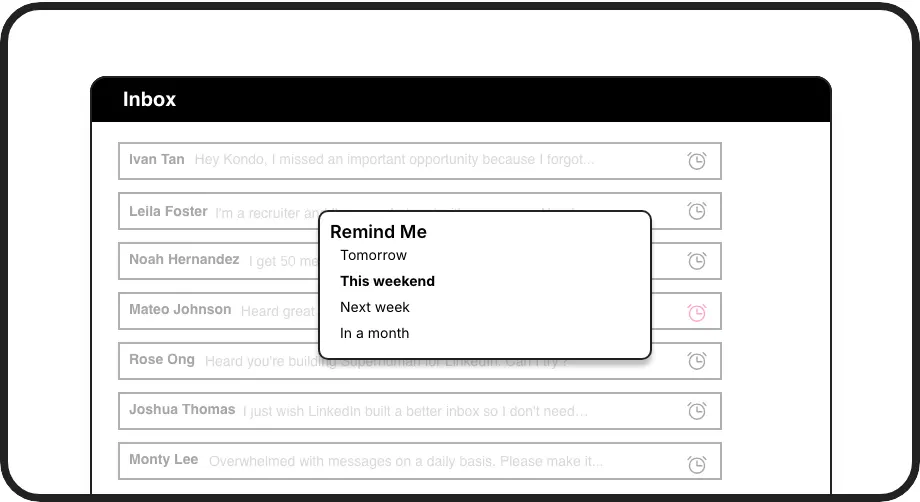
Automatic Reminders
Set follow-up reminders with a single keystroke. Messages reappear at the top of your inbox exactly when needed, ensuring perfect follow-up timing.
Seamless CRM Sync
Push LinkedIn conversation data directly to HubSpot, Salesforce, Notion, or Google Sheets. Eliminate manual data entry and keep your systems in perfect sync.
LinkedIn left your inbox in 2000. Bring it into 2026.
Get the upgrade every power user's been waiting decades for.


Work Smarter, Respond Faster, Close More
50%
Less Time Sorting
100%
Follow-ups Completed
Zero
Missed Opportunities
FAQs
How does Kondo compare to Folk CRM for LinkedIn?
While Folk CRM offers contact management across platforms, Kondo focuses specifically on enhancing LinkedIn's messaging experience with labels, reminders, and keyboard shortcuts. Kondo works directly within LinkedIn, providing faster message processing and specialized LinkedIn-specific features while still syncing data to your CRM systems.
Can Kondo sync LinkedIn conversations to my existing CRM?
Yes, Kondo's Business tier includes CRM integration capabilities. You can sync LinkedIn conversations to HubSpot, Salesforce (via Zapier/Make), Google Sheets, Notion, Attio, Clarify, and more using webhooks or native integrations. You can choose to sync the latest message or entire conversation history.
Is Kondo safe to use with my LinkedIn account?
Yes, Kondo is designed with safety in mind. As a native desktop application, it doesn't scrape data, inject code, or automate prohibited LinkedIn actions. It works within LinkedIn's environment while adding powerful organizational features.
Can I organize messages from both regular LinkedIn and Sales Navigator?
Absolutely. Kondo combines messages from your regular LinkedIn inbox and Sales Navigator inbox into a unified view. This eliminates the need to switch between separate inboxes and streamlines your sales communication workflow.
How do labels and reminders help with sales prospecting?
Labels let you categorize conversations (e.g., 'Hot Lead,' 'Nurturing,' 'Client') and view them in dedicated inboxes, instantly prioritizing your work. Reminders ensure timely follow-ups by temporarily archiving conversations and bringing them back to the top of your inbox at the scheduled time, preventing leads from falling through the cracks.