
LinkedIn Prospecting Tool That Prioritizes Hot Leads
Stop losing deals in a messy inbox. Kondo helps sales professionals label hot leads, set follow-up reminders, and sync with CRM systems to never miss opportunities.
What people say
LinkedIn Inbox Chaos
The native LinkedIn messaging experience makes prospecting inefficient and opportunities easy to miss.
Buried Hot Leads
Critical messages from potential clients get lost under notifications and low-priority conversations, resulting in missed sales opportunities.
Manual Follow-ups
Without a systematic way to track conversations, sales professionals forget to follow up with prospects at the right time.
Disorganized Prospecting
The standard LinkedIn inbox lacks organization tools, making it impossible to prioritize and categorize sales conversations effectively.
Transform LinkedIn Into A Sales Machine
Kondo brings structure and speed to your LinkedIn prospecting workflow with tools designed for sales professionals.
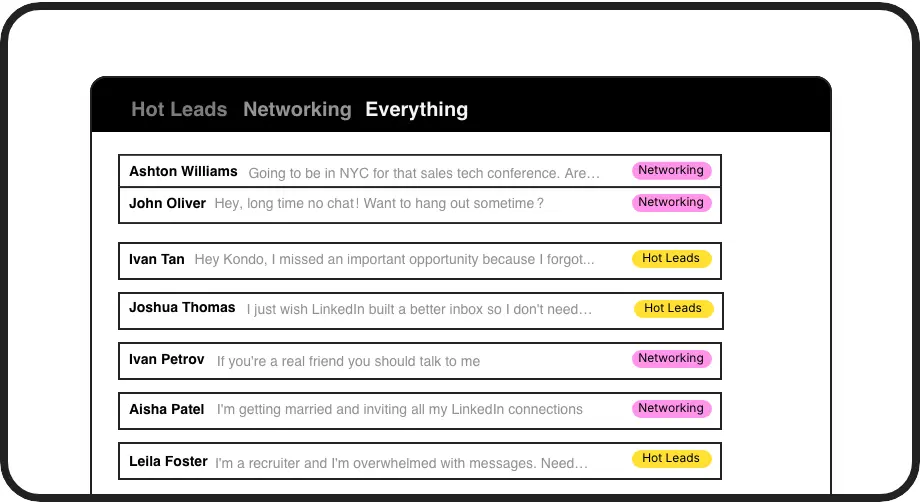
Organize Hot Prospects
Label conversations as 'Hot Lead', 'Client', or custom categories and view them in separate inboxes. Never lose important prospects in a cluttered inbox again.
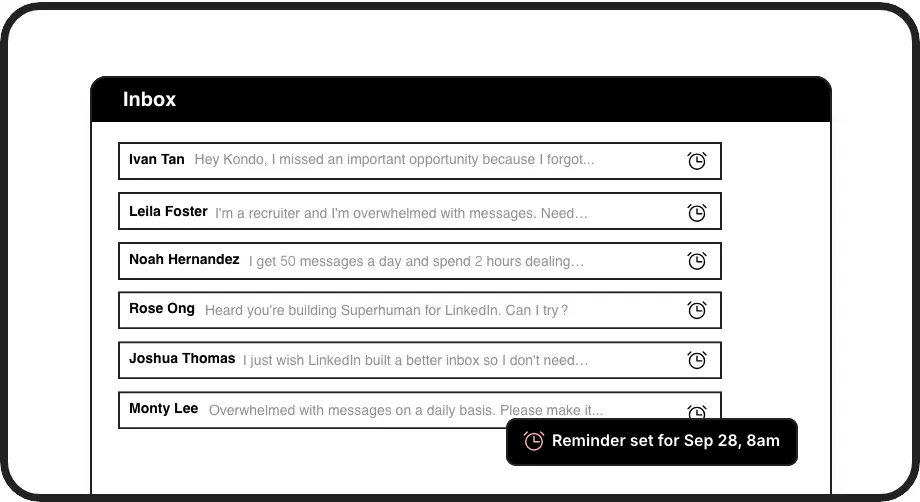
Perfect Timing
Set follow-up reminders with one keystroke. Conversations resurface exactly when needed, ensuring you maintain momentum with promising prospects.

Seamless CRM Integration
Connect LinkedIn conversations with HubSpot, Salesforce, and other CRMs. Automatically sync messages, notes, and lead status without manual data entry.
LinkedIn left your inbox in 2000. Bring it into 2026.
Get the upgrade every power user's been waiting decades for.


More Leads, Less Work, Better Results
3x
Faster Lead Processing
100%
Follow-up Completion
0
Missed Opportunities
FAQs
How does Kondo differ from the regular LinkedIn messaging experience?
Kondo transforms LinkedIn's cluttered inbox into an organized prospecting tool with custom labels, split inboxes, follow-up reminders, keyboard shortcuts, and CRM integrations. Unlike LinkedIn's native experience, Kondo prevents hot leads from getting buried and ensures timely follow-ups with a productivity-focused approach.
Is Kondo compliant with LinkedIn's terms of service?
Yes, Kondo operates as a native desktop app that doesn't scrape, inject code, or automate prohibited LinkedIn actions. It focuses on enhancing the messaging experience while maintaining complete compliance with LinkedIn's terms of service.
Which CRM systems can Kondo integrate with?
Kondo can integrate with popular CRMs including HubSpot and Salesforce (via Zapier/Make), as well as other tools like Google Sheets, Notion, Attio, and Clarify. Integration options include webhooks, native integrations, and third-party connectors for both manual and streaming sync of conversation data.
How do keyboard shortcuts improve LinkedIn prospecting?
Kondo's keyboard shortcuts dramatically increase prospecting efficiency by allowing users to navigate (J/K), archive messages (E), set reminders (H), apply labels (L), open profiles (I), and insert snippets (;) without touching the mouse. This speeds up processing time and helps sales professionals manage more leads in less time.
Can I use Kondo with both regular LinkedIn and Sales Navigator inboxes?
Yes, Kondo combines messages from both your regular LinkedIn inbox and Sales Navigator inbox into a single, unified view. This eliminates the need to switch between separate inboxes, streamlining your prospecting workflow and ensuring you never miss important messages from either source.