
LinkedIn Inbox Management for Sales Leads
Kondo transforms your chaotic LinkedIn messages into a prioritized sales pipeline. Label hot leads, set follow-up reminders, and sync to your CRM to never miss an opportunity again.
What people say
Sales Leads Lost in Clutter
LinkedIn's native inbox wasn't built for sales professionals who need to prioritize opportunities.
Buried Opportunities
Hot leads get lost among networking messages and notifications, causing missed sales opportunities and delayed responses.
Forgotten Follow-ups
Without a systematic reminder system, crucial follow-ups slip through the cracks, leaving potential clients hanging and deals lost.
Manual CRM Updates
Copy-pasting LinkedIn conversations into your CRM wastes valuable selling time and leads to inconsistent lead tracking.
Transform LinkedIn Messages Into Your Sales Engine
Kondo brings structure and speed to your sales outreach with powerful tools designed for the modern SDR.
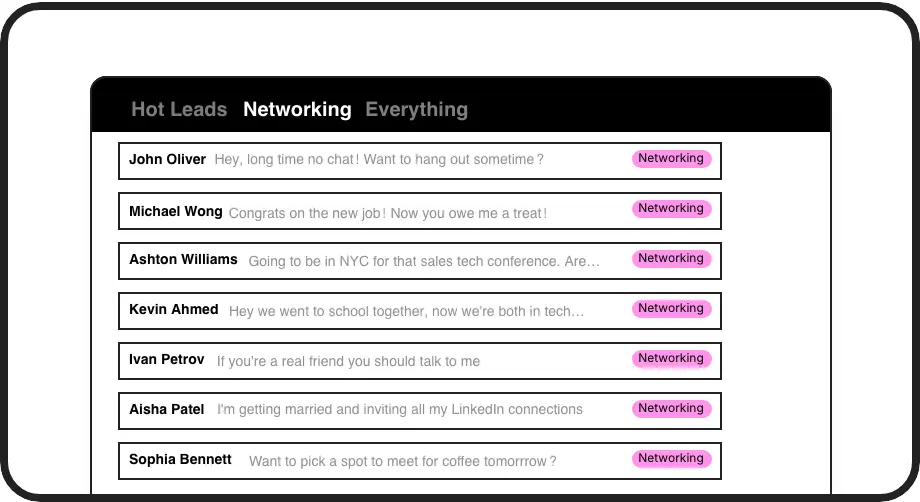
Prioritize Hot Leads
Create custom labels like 'Hot Lead', 'Follow-up', or 'Negotiation' to instantly organize conversations into dedicated inboxes where nothing gets buried.
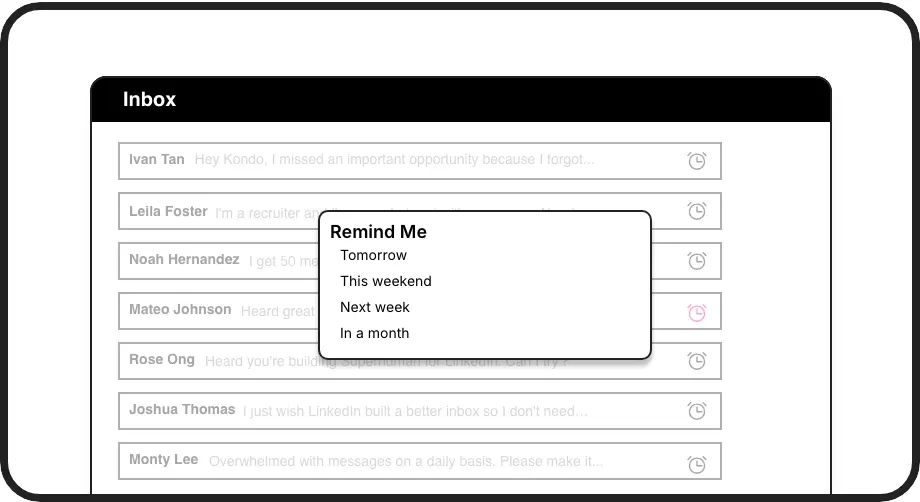
Never Miss Follow-ups
Set follow-up reminders with a single keystroke. Messages disappear until the scheduled time, then resurface at the top of your inbox when it's time to act.
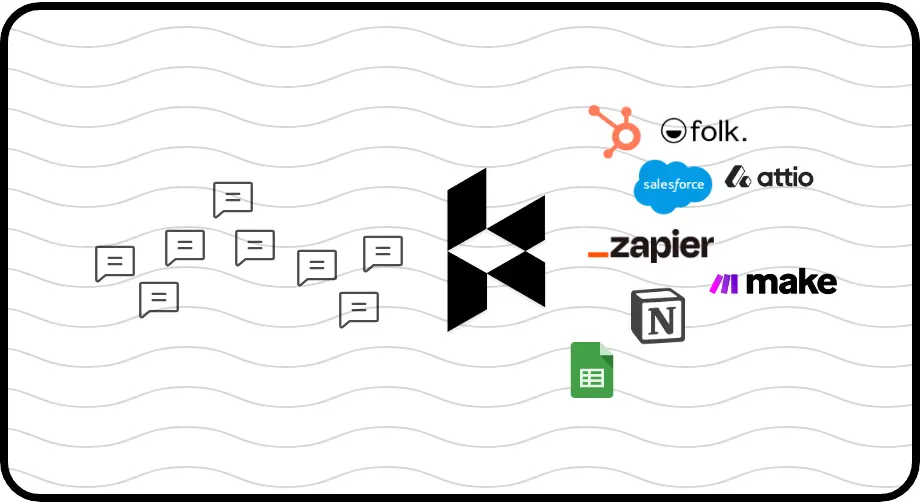
Automatic CRM Updates
Sync LinkedIn conversations directly to HubSpot, Salesforce, or other systems. Stop manual data entry and ensure your CRM reflects all LinkedIn interactions.
LinkedIn left your inbox in 2000. Bring it into 2026.
Get the upgrade every power user's been waiting decades for.


Close More Deals, Save More Time
70%
Faster Inbox Processing
100%
Follow-up Completion
5hrs
Saved Weekly
FAQs
How does Kondo help me prioritize sales leads in LinkedIn?
Kondo lets you apply custom labels like 'Hot Lead' or 'Qualified Opportunity' to conversations and view them in dedicated inboxes. This creates separate, prioritized spaces for your most valuable prospects, preventing them from getting buried under less important messages.
Can I automatically sync LinkedIn conversations to my CRM?
Yes, with Kondo's Business tier, you can sync LinkedIn conversations to HubSpot, Salesforce (via Zapier/Make), Google Sheets, Notion, and other systems. You can configure automatic syncing of messages, labels, and notes, either triggered manually or streaming in real-time.
How do reminders work for following up with leads?
With Kondo, you can set follow-up reminders (or 'snooze') for any conversation using the 'H' keyboard shortcut. Choose preset times or custom dates. The message disappears until the scheduled time, then automatically resurfaces at the top of your inbox when it's time to follow up.
Does Kondo work with Sales Navigator?
Yes, Kondo combines your regular LinkedIn inbox with your Sales Navigator inbox into a single, unified view. This eliminates switching between separate inboxes and gives you a complete picture of all your LinkedIn communications in one place.
Is Kondo compliant with LinkedIn's terms of service?
Yes, Kondo is a native desktop application that doesn't scrape LinkedIn or inject code. It works alongside LinkedIn without automating prohibited actions, focusing on enhancing your inbox organization and productivity while maintaining compliance with LinkedIn's terms.