Your LinkedIn B2B Sales Tool to Close Deals in DMs.
Kondo tames your LinkedIn inbox: find leads, follow up faster for more sales.
What people say
Your LinkedIn Inbox: A B2B Sales Bottleneck.
Leads slip through cracks, follow-ups are forgotten, and valuable sales time is wasted daily.
Critical Leads Buried
Hot prospect replies vanish in a sea of notifications, costing you meetings and potential revenue. You miss vital buying signals.
Follow-Up Failures
Promising conversations go cold because there's no easy way to track who needs a nudge, losing momentum and deals.
Hours Wasted Sorting
You spend precious selling time manually sifting DMs instead of engaging prospects and closing B2B business. This costs you hours weekly.
Turn LinkedIn Chaos into B2B Sales Power.
Stop losing B2B deals to inbox chaos. Kondo empowers you to organize, follow-up, and sync sales conversations like a top performer.
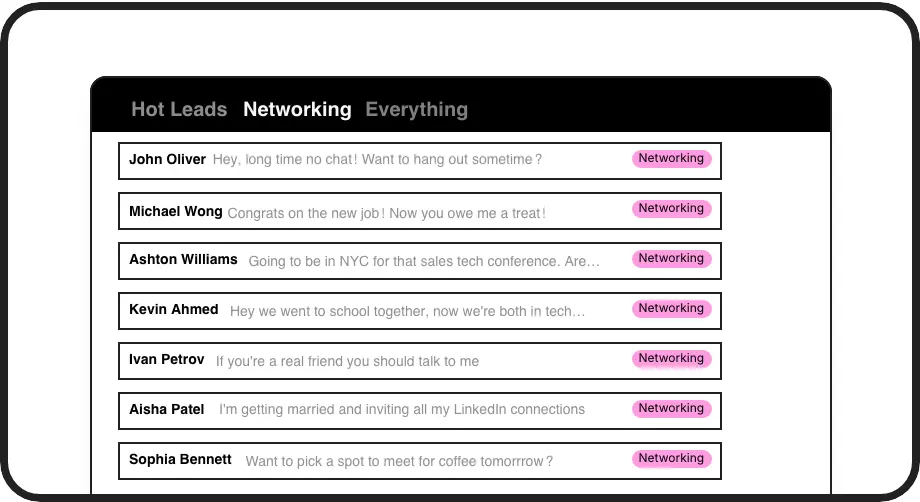
Smart DM Triage
Label B2B leads ('Hot', 'Follow-Up', 'Proposal Sent'), view them in dedicated inboxes. Instantly prioritize high-value conversations and never lose track of key sales prospects in the clutter. This structure streamlines your prospecting workflow.
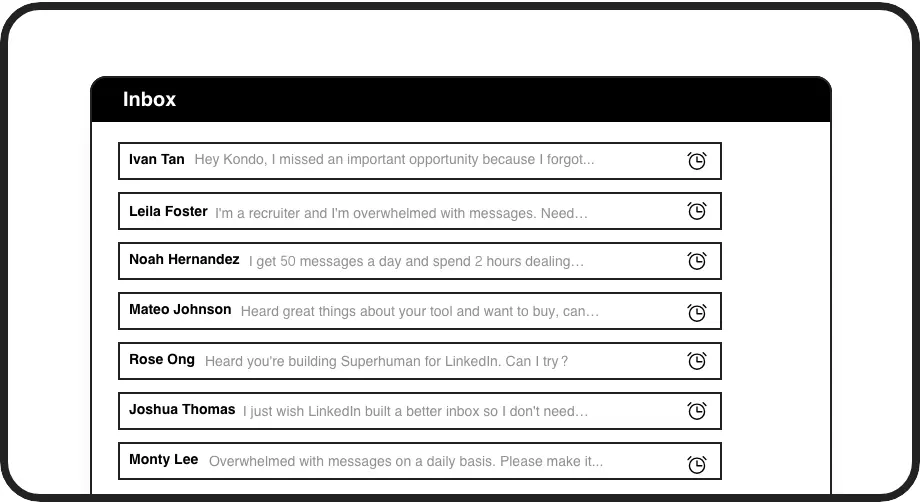
Never Miss Follow-Ups
Snooze conversations and set precise reminders. Kondo brings DMs back when you need them, ensuring timely sales engagement and keeping B2B deals moving forward without tedious manual tracking or external tools.
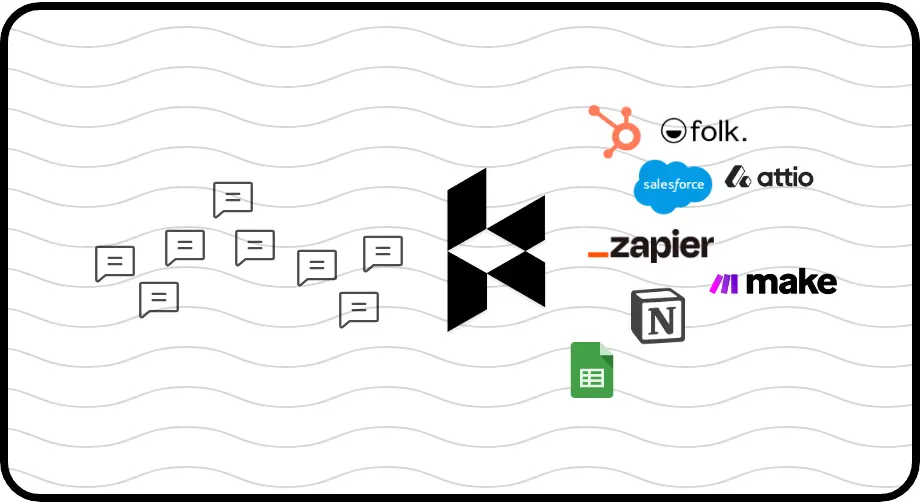
Auto-Sync to CRM
Seamlessly push LinkedIn conversation data (messages, notes, labels) to HubSpot, Salesforce (via Zapier/Make), and more. Keep your B2B sales pipeline updated effortlessly, ensuring team alignment and data accuracy.
Give Your AI Access to Your LinkedIn Inbox
Let Claude, ChatGPT, or Cursor triage your LinkedIn inbox. Your agent reads messages on your computer, can draft replies, add labels, and set reminders.
Explore the LinkedIn MCP serverlist_chats “pricing”6 foundread_chat× 6set_chat_draft× 6set_chat_label “Hot”× 6
LinkedIn left your inbox in 2000. Bring it into 2026.
Get the upgrade every power user's been waiting decades for.


Real Results for B2B Sales Teams.
5+ hrs
saved per week
15%
more replies captured
Zero
missed hot leads
FAQs
How does Kondo help me close more B2B deals?
Kondo organizes your LinkedIn inbox, ensuring you see and respond to hot leads quickly. Reminders prevent missed follow-ups, and CRM sync keeps your sales data current. This focus and efficiency directly translate to more engaged prospects and closed deals. No more opportunities lost in the DMs chaos means better conversion.
Is Kondo safe for my LinkedIn sales activities?
Yes. Kondo is designed for safety. It doesn't automate actions LinkedIn prohibits, like auto-connecting or bulk messaging. It enhances your inbox management as a browser extension, working with your existing session, not scraping profiles or modifying LinkedIn's UI in risky ways.
Can Kondo sync LinkedIn conversations to my CRM?
Absolutely. Kondo's Business tier offers native integrations with HubSpot, Notion, and others, plus webhook support for tools like Zapier or Make.com to connect with Salesforce and virtually any CRM. This keeps your B2B sales pipeline updated automatically.
What if I already use LinkedIn Sales Navigator?
Kondo complements Sales Navigator perfectly. While Sales Navigator helps you find leads, Kondo manages the crucial *conversations* with those leads. It organizes your Sales Navigator DMs, sets follow-up reminders, and syncs communication to your CRM, which Sales Navigator alone doesn't do efficiently.
How does Kondo handle B2B team collaboration?
While Kondo primarily supercharges individual LinkedIn inboxes, features like CRM sync (e.g., HubSpot, Salesforce via Zapier/Make) ensure that vital conversation data and sales activities are shared with the team, improving visibility and collaboration on B2B deals.