
LinkedIn Lead Generation B2B That Converts
Stop losing deals in a chaotic inbox. Kondo helps B2B sales teams prioritize hot leads with custom labels and ensure timely follow-ups with smart reminders.
What people say
LinkedIn Inbox Chaos
Your best leads are getting buried in LinkedIn message clutter, costing you revenue daily.
Missed Opportunities
Hot leads get buried under notifications and low-priority messages, resulting in lost deals and revenue.
Delayed Responses
Without proper organization, response times lag, causing prospects to lose interest or go with competitors.
Manual Follow-up Tracking
Tracking LinkedIn conversations across spreadsheets and notes wastes critical selling time and leads to dropped conversations.
Turn LinkedIn into Your Lead Conversion Machine
Kondo transforms your cluttered LinkedIn inbox into a streamlined lead generation powerhouse with these powerful features:
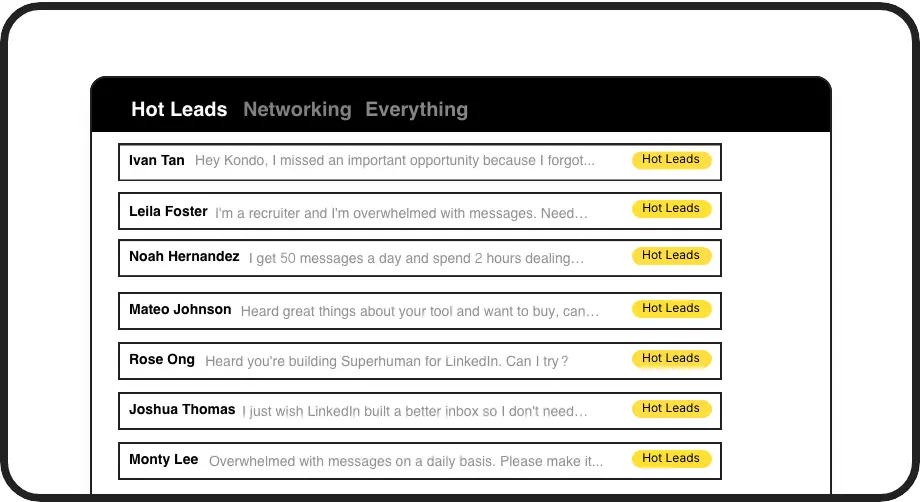
Never Lose Hot Leads
Label conversations as 'Hot Lead', 'Client', or 'Prospect' and view them in separate inboxes. Instantly prioritize what matters most in your B2B pipeline.
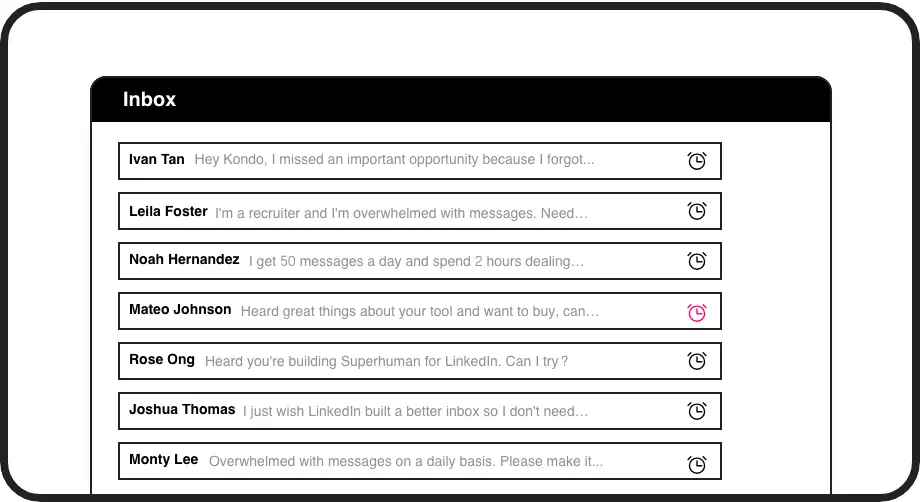
Perfect Follow-up Timing
Set follow-up reminders that bring important conversations back to the top of your inbox exactly when needed. Never miss a critical follow-up again.
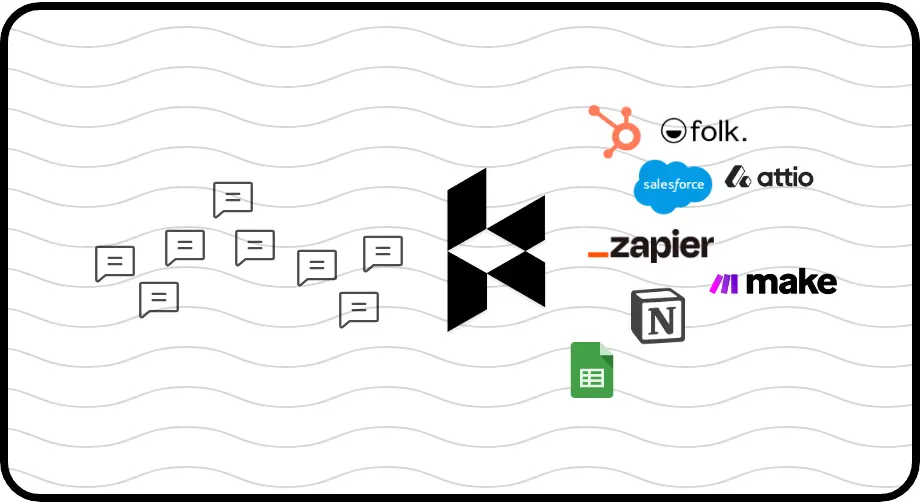
Seamless CRM Integration
Automatically sync LinkedIn conversations to HubSpot, Salesforce, or other systems. Keep your CRM updated without manual data entry.
LinkedIn left your inbox in 2000. Bring it into 2026.
Get the upgrade every power user's been waiting decades for.


More Leads, Less Work, Better Results
60%
Faster Lead Response
Zero
Missed Opportunities
8+ hrs
Saved Weekly
FAQs
How does Kondo help with B2B LinkedIn lead generation?
Kondo transforms your LinkedIn inbox into a structured lead management system with custom labels for leads, follow-up reminders, keyboard shortcuts, and CRM integration. This ensures hot B2B leads aren't buried in the chaos, follow-ups happen on time, and your entire sales process becomes more efficient.
Is Kondo safe to use with my LinkedIn account?
Yes, Kondo is a native desktop app that doesn't scrape, inject code, or automate prohibited LinkedIn actions. It works alongside LinkedIn's official functionality to enhance your messaging experience while respecting LinkedIn's terms of service.
What CRM systems can Kondo integrate with?
Kondo's Business tier integrates with HubSpot, Salesforce (via Zapier/Make), Google Sheets, Notion, Attio, Clarify and more through webhooks or native integrations. You can sync latest messages or entire conversation histories either manually or automatically.
How do labels and split inboxes work for lead management?
You can create custom labels like 'Hot Lead', 'Prospect', or 'Client' and apply them to conversations using the 'L' shortcut. These labeled conversations appear in separate, dedicated inboxes, allowing you to focus on priority leads first. You can also apply multiple labels to create more specific groupings.
Can Kondo work with Sales Navigator?
Yes, Kondo combines messages from both your regular LinkedIn inbox and Sales Navigator inbox into a single, unified view. This eliminates switching between separate inboxes and streamlines your B2B lead generation process.