
How to Build a LinkedIn Sales Dashboard for Your Team
Published On December 17, 2025
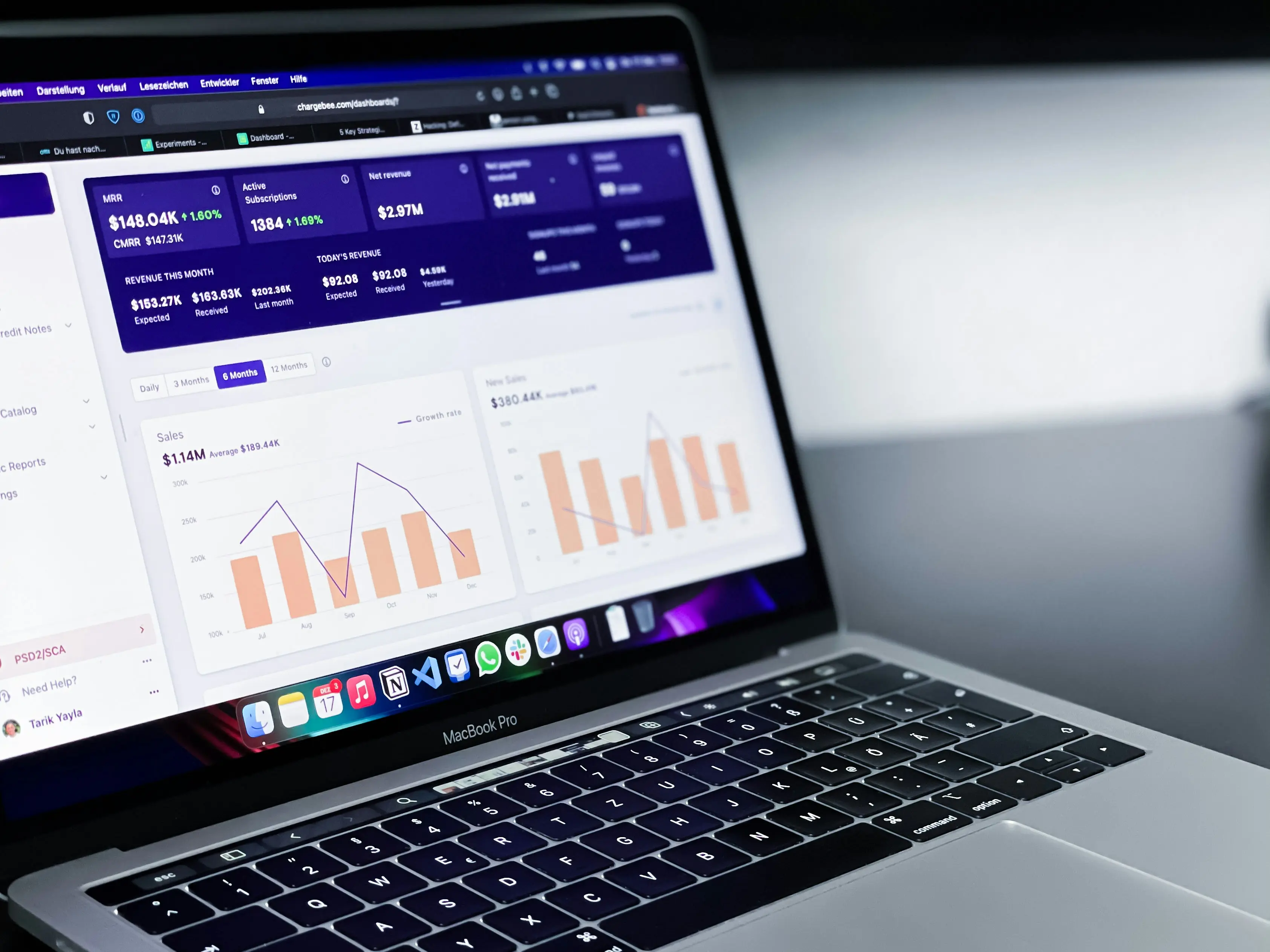
Summary
- LinkedIn Sales Insights (LSI) is being sunset, creating a critical data gap for measuring sales performance on the platform.
- A custom sales dashboard is the best solution, tracking both outcomes (deals won) and the activities (conversations initiated) that drive them.
- The biggest hurdle is tracking activities, as data is normally trapped in LinkedIn's messy inbox and manual logging is impossible at scale.
- Automate this process with a tool like Kondo, which structures conversations with labels and syncs activity data to your dashboard, turning LinkedIn into a measurable revenue channel.
You've set up a LinkedIn sales strategy to drive targeted leads to your pipeline. But when you check your weekly reports, you're shocked to see that your team's LinkedIn efforts are essentially a black box. Who's having meaningful conversations? Which tactics are working? And most concerningly—how will you track all this now that LinkedIn Sales Insights (LSI) is being sunset at the end of this year?
These questions are draining your confidence in LinkedIn as a reliable, measurable sales channel. Seeing all that prospecting effort without clear visibility into results is disheartening, especially when you've carefully built your sales process to be data-driven across other channels.
The challenge is even more acute for teams that have come to rely on LSI for account enrichment, team size tracking, and growth signals. As one RevOps professional put it on Reddit, "What do you plan to replace it with?" The uncertainty is palpable across the sales operations community.
There's a simple solution to regain control over your LinkedIn sales data and create even better visibility than LSI ever provided: building your own custom LinkedIn sales dashboard.
By systematically tracking both outcomes (deals won) and activities (conversations initiated), you can transform LinkedIn from an opaque channel into a transparent, measurable revenue driver for your team.
Why a LinkedIn Sales Dashboard is Non-Negotiable in 2024
Even before the news about LSI being discontinued, tracking sales activities on LinkedIn has always been a major blindspot for revenue teams. The native LinkedIn messaging interface is notoriously cluttered, making it easy to miss critical messages from leads, buried under a deluge of notifications and less important chats.
This leads to more than just frustrated reps—it creates a fundamental data gap in your sales analytics:
The Gap Left by LSI: LinkedIn Sales Insights helped teams with high-level account enrichment and identifying target accounts based on signals like team size and growth. Its departure leaves a void in strategic planning that your dashboard will need to fill.
Beyond High-Level Data: A truly effective sales strategy requires visibility into both market trends AND daily sales activities. This is where most teams struggle—connecting the dots between LinkedIn conversations and revenue outcomes.
A well-designed LinkedIn sales dashboard delivers four critical benefits:
- Real-Time Visibility & Speed: Get a live pulse on your sales pipeline, activities, and revenue without digging through spreadsheets. According to HubSpot's sales dashboard guide, visual workspaces that consolidate data enable faster decision-making.
- Identify Coaching Opportunities: See which reps are excelling and which need support by correlating their LinkedIn activities with results. Dashboards help optimize team performance through relationship-building metrics, as noted by Tableau's LinkedIn dashboard research.
- Data-Driven Forecasting: Use metrics like conversion rates from LinkedIn leads and deal velocity to make more accurate revenue predictions, a capability highlighted in monday.com's dashboard templates.
- Team Alignment: Ensure everyone—from reps to executives—is working from the same data, fostering collaboration and accountability.
The Anatomy of a Powerful LinkedIn Sales Dashboard
A truly effective dashboard tracks two types of metrics: Lagging Indicators (Outcomes) and Leading Indicators (Activities). Most teams track outcomes but fail at tracking activities, which is where the real leverage is.
Pillar 1: Tracking Outcomes (The What)
These are the results you want to achieve, typically pulled from your CRM:
- Quota Attainment: Percentage of sales target achieved
- Conversion/Win Rate from LinkedIn: Percentage of LinkedIn-sourced leads that become customers
- Average Deal Size (LinkedIn-influenced): The average revenue per closed deal that had a significant LinkedIn touchpoint
- Sales Funnel Leakage: Where LinkedIn leads are dropping off in the sales process
- Pipeline Value: The total value of open opportunities sourced from LinkedIn
Tracking these metrics is relatively straightforward if your CRM is properly set up to identify LinkedIn as a source or influence channel.
Pillar 2: Tracking Activities (The How) - The Missing Link
This is where most dashboards fall short. These are the controllable actions your team takes on LinkedIn that lead to outcomes:
- New connections sent per rep
- Personalized conversations initiated
- InMail response rates
- Follow-up messages sent
- Meetings booked via LinkedIn DMs
The challenge lies in getting this data out of LinkedIn's "walled garden" and into a dashboard. The native LinkedIn interface makes this nearly impossible without a systematic approach to data collection.
How to Build Your Dashboard, Step-by-Step
Step 1: Define Your KPIs for Each Role
Different team members need different views of your LinkedIn sales data:
- Sales Rep Dashboard: Focuses on personal performance: My activities today, my open pipeline, my conversion rate.
- Sales Manager Dashboard: Aggregates team performance: Team quota attainment, activity leaderboards, pipeline health by rep.
- Executive Dashboard: High-level strategic overview: Revenue from LinkedIn channel, customer acquisition cost (CAC), sales cycle length.
As monday.com's role-based dashboard research shows, tailoring the metrics to each role increases adoption and actionability.
Step 2: Choose Your Dashboarding Platform
Select the right tool based on your team's needs and technical capabilities:
For Deep Analytics (BI Tools): Tableau Ideal for teams with a Sales Navigator Enterprise Plan.
How to set it up:
- Ensure you have a LinkedIn Sales Navigator Enterprise Plan
- Download the pre-built Dashboard Starters for Sales Navigator
- In Tableau, go to Data > New Data Source and select LinkedIn Sales Navigator
- Sign in to connect your data and customize the visuals
For CRM-Centric Teams: HubSpot If your team lives in HubSpot, use its native reporting and dashboards to keep everything in one place.
For Flexibility (No-Code Builders): monday.com, Geckoboard These offer drag-and-drop interfaces to build custom dashboards from various data sources.
Step 3: Solve the LinkedIn Activity Data Problem
This is the most critical part of building an effective LinkedIn sales dashboard—and where most attempts fail. Manually logging every DM, label change, or follow-up is impossible at scale. Without automation, your activity dashboard will suffer from poor data quality.
This is where a tool like Kondo can transform your approach. Kondo tackles the notoriously inefficient LinkedIn messaging inbox and turns it into a structured, measurable system that can feed your dashboard with accurate activity data.
Here's how to make it work:
1. Systematic Labeling Train your team to use Labels in Kondo for every conversation (e.g., 'Hot Lead', 'Nurturing', 'Meeting Booked', 'Not a Fit'). These labels become structured data points that can flow into your dashboard.
2. Automated Data Sync Use Kondo's CRM & System Sync feature to automatically push conversation data to an external system that feeds your dashboard:
- Connection Method: This works via webhooks and integrations with Zapier/Make.com, connecting to Google Sheets, Notion, or directly to CRMs like HubSpot.
- Trigger Options: You can sync data when a label is applied, a message is sent, or a note is created.
- Data Scope: Choose to sync the latest message or the entire conversation history, ensuring a real-time interface for your dashboard.
3. Reliable Follow-up Tracking Use the Reminders (Snooze) feature to manage follow-ups. Every time a rep snoozes a message, it can be logged as a "follow-up scheduled" activity, making this key sales motion measurable.
Step 4: Build, Visualize, and Share
Now it's time to connect all the pieces:
Connect the Dots: Your dashboarding tool (Tableau, HubSpot, etc.) will pull data from two sources:
- Your CRM (for Outcome metrics like deals won)
- Your Kondo-populated data source (for Activity metrics like 'Hot Leads' labeled)
Dashboard Design Best Practices:
- Keep it Clean: Use a simple, grid-based layout to avoid overwhelming users
- Focus on Controllable Metrics: Display activities reps can directly influence (e.g., conversations started) prominently
- Share Visibility: Make dashboards accessible to the entire team to foster transparency
Example in Action: A Sales Manager's LinkedIn Dashboard
Let's look at a real-world example of what your finished dashboard might include:
Widget 1: Team Activity Leaderboard (Data from Kondo → Google Sheets)
- A bar chart showing 'New Conversations Initiated' by rep for the week
- A table showing 'Follow-ups Scheduled' (from Kondo Snoozes)
Widget 2: LinkedIn Lead Funnel (Data from Kondo & CRM)
- A funnel visualization:
- Top: 'Conversations Labeled Hot Lead' (from Kondo)
- Middle: 'Meetings Booked' (from Kondo label or CRM)
- Bottom: 'Deals Won' (from CRM)
Widget 3: Pipeline Status (Data from Kondo)
- A pie chart showing the distribution of all active conversations by their Kondo label ('Discovery', 'Pricing Sent', 'Nurturing', etc.)
The insights from this dashboard are invaluable. A manager can now see that Rep A has high activity but a low conversion rate from 'Hot Lead' to 'Meeting Booked', indicating a coaching opportunity on their messaging. Rep B has lower activity but a higher conversion rate, highlighting efficiency.
From a Black Box to a Predictable Revenue Engine
The sunsetting of LinkedIn Sales Insights is actually an opportunity for sales teams to take control of their own data. Building a custom LinkedIn Sales Dashboard gives you even more granular insights than LSI ever could.
A successful dashboard relies on accurately tracking both outcomes (from your CRM) and activities. The biggest hurdle—tracking LinkedIn activities—can be solved by implementing a structured inbox management system with Kondo.
By turning the chaotic LinkedIn inbox into organized, labeled conversations that automatically sync to your dashboard, you gain unprecedented visibility into your team's performance. This transforms LinkedIn from a source of anxiety into a measurable and predictable sales channel.
Ready to get real-time visibility into your team's LinkedIn performance? See how Kondo can automate your activity tracking and power your sales dashboard.
Frequently Asked Questions
What is replacing LinkedIn Sales Insights (LSI)?
There is no single, direct replacement for LinkedIn Sales Insights (LSI) offered by LinkedIn. Instead, sales teams are building custom LinkedIn Sales Dashboards to gain even more granular visibility into their sales activities and outcomes. While LSI provided high-level account data, a custom dashboard allows you to track both strategic information and the daily activities of your sales team, such as conversations initiated and meetings booked.
What is a LinkedIn Sales Dashboard?
A LinkedIn Sales Dashboard is a visual tool that consolidates and displays key metrics about your sales team's performance on LinkedIn in real-time. It should track two types of metrics: outcome-based "lagging indicators" (like deals won and pipeline value) from your CRM, and activity-based "leading indicators" (like new connections, conversations started, and follow-ups). This provides a complete picture of how LinkedIn efforts translate into revenue.
Why is tracking LinkedIn sales activity so difficult?
Tracking LinkedIn sales activity is difficult because LinkedIn's messaging interface is a "walled garden," making it nearly impossible to systematically extract data about DMs, connection requests, and follow-ups without manual effort. The native inbox is not designed for analytics, and manually logging every interaction is time-consuming and prone to errors, leading to unreliable data.
How can I track LinkedIn activities without manual data entry?
You can track LinkedIn activities automatically by using a third-party tool like Kondo that integrates with your LinkedIn inbox. Such tools help structure your conversations with labels and then sync that data to your dashboard or CRM via webhooks and integrations. This turns qualitative conversations into quantitative data points, eliminating manual logging and ensuring your activity metrics are always accurate.
What key metrics should I include in my LinkedIn Sales Dashboard?
A powerful LinkedIn Sales Dashboard should include both Outcome metrics (the results) and Activity metrics (the actions that drive results). For Outcomes, track CRM data like Quota Attainment, Win Rate from LinkedIn, and Average Deal Size. For Activities, track leading indicators like New Connections Sent, Personalized Conversations Initiated, and Meetings Booked via DMs.
Do I need a specific dashboarding tool like Tableau?
No, the best platform depends on your team's existing tech stack and needs. While BI tools like Tableau are powerful for deep analytics, you can also build effective dashboards directly within your CRM (like HubSpot) or use flexible no-code builders like monday.com or Geckoboard for custom solutions. The key is choosing a tool that can integrate with both your CRM and your activity data source.
Additional Resources: